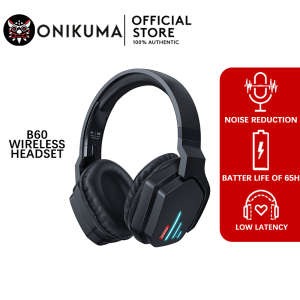
ONIKUMA B60 Wireless Gaming Headset Bluetooth Headphones Noise Cancelling Gaming Headphones 40mm Speaker Weaving Assist 3.5mm
❤️❤️❤️ Welcome to the ONIKUMA ❤️❤️❤️In the store, you can see all the high-quality products and games! Pay attention to the store, provide a 40 pesos coupon, no standard✔️✔️✔️ 100% genuine guarantee✅ 【Shipping from warehouse in Manila】 【Ship within 12 hours after payment, you will receive the package within 1 to 3 days】 【Packaged in cardboard boxes, wrapped with bubbles to prevent damage during transportation】【Product Description】The ONIKUMA B60 Bluetooth wireless headphones are connected by 5.2 and 3.5mm Bluetooth, with a drive size of 40mm, providing authentic sound and heavy bass in a modern design, yet durable. There are various function control buttons on the headset for easy adjustment. As a wireless headset, it eliminates cord tangles and cord pulling problems. Easy to use.【Speech quality】✔️3.5mm Bluetooth and auxiliary connector✔️40 mm driver✔️Battery capacity :500mAh✔️At 50% volume, the use time is 24 hours.✔️A stylish design.✔️The earcup is well ventilated.✔️Function control buttons on the headset.【How to use Bluetooth connection】▶️1. Press the "powered" button for 3 seconds to activate the headset. The headset light flashes, switching between red and blue, and the headset is ready to connect.▶️2. Go to Device Connection, go to Bluetooth, find a device named B60, then select and press Connect.▶️3. The flashing light between red and blue becomes a single blue light when the connection is successful.▶️4. When you turn off your headphones and turn them back on, the headphones will always remember the connection to the device. The headset will automatically connect to the latest device.▶️5. To clear the connection, press the powered and + buttons at the same time. Freeze for 3 seconds.【How to use Bluetooth function】▶️1.Enable - Press powerd to freeze for 3 seconds▶️2.Press the "powered" button for 5 seconds.▶️3.Add - Press the + button.▶️4."Keep your voice down -- press the button."▶️5.Next song - Hold down the "+" button▶️6.Previous song - Press the "-" key.▶️7.Play/Stop - Press the "playing" button once.▶️8.Answer/hang up a call - press the "playing" button once.▶️9.Refuse to answer the phone - press the "playing" button for 1.5 seconds.▶️10.Use voice commands - press "playing" twice.⚡【Charging】⚡When the charger is plugged into the headset, the charger cable turns red after 10 seconds of full charge and then automatically turns off.【Packing list】ONIKUMA B6013.5mm wire 1User manual* 1 Warranty and Guarantee 【1】 100% Authentic ONIKUMA brand!【2】 2-year warranty. if you are not satisfied with the headset of this game, please contact us, do not make negative comments, our headset supports free replacement, we will help you solve the problem you encounter!

ONIKUMA GAMING Store
Review
You May Also Like
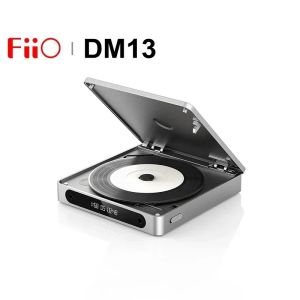
FiiO DM13 Multifunctional Portable Stereo CD Player with Long-Lasting Battery Supports USB Ripping Optical/coaxial/3.5mm/4.4mm

WLN KD-C260 UHF 400-470MHz 1.7W Two Way Radio UHF Transceiver Walkie Talkie Radio (SET OF 2)
![[Jocestyle Mall] Radio FM Music Player with Alarm Clock Heavy Subwoofer BT Speaker Rechargeable Desktop Small BT Speaker for Home Office](https://img.lazcdn.com/g/ff/kf/S931623f0656f4dea9d6dda8a79f65d70B.jpg_300x300q80.jpg)
[Jocestyle Mall] Radio FM Music Player with Alarm Clock Heavy Subwoofer BT Speaker Rechargeable Desktop Small BT Speaker for Home Office
M25 Original TWS Wireless Headphones Earphones Bluetooth Touch Control Noise Reduction Stereo Earbuds Headsets
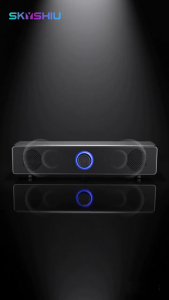
SKYSHIU E-3511 Desktop Computer Speaker featuring 360-degree stereo sound Bluetooth speaker.
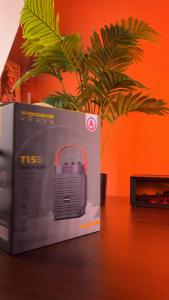
W-KING T15S 20W Portable Bluetooth Speaker Handheld Outdoor Speaker With Two Mic,Multipoint Bass Enhanced 360 Sound
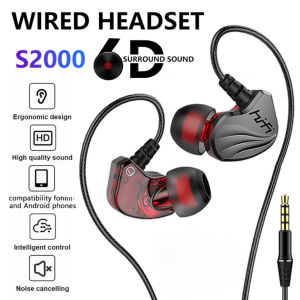
HIFI Wired Earphones S2000 6D Surround Bass Gaming Earphone with Mic 3.5mm Universal Interface Wired Headset For iPhone Android Phone
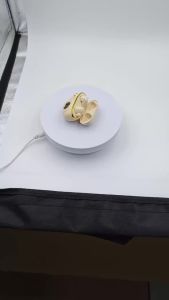
Premium Wireless Bluetooth Earbuds Built-In HD Microphone Low Latency Stereo Headphones for Gaming Streaming Videos Video Calls
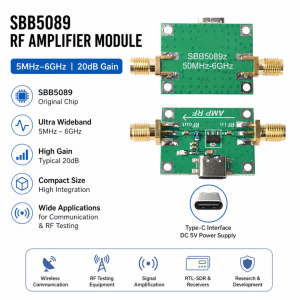
5 MHz–6 GHz RF Power Amplifier 5 V DC 20 DB Gain RF Module with SBB5089 Original Chip and Type-C Interface
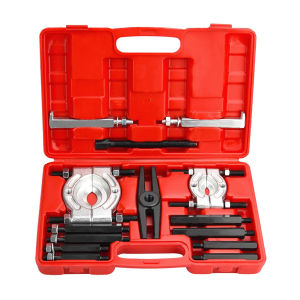
Professional 14-Piece Brake Bearing Separator Kit for Car Wheel and Gear-Box Disassembly
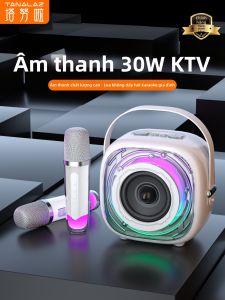
TANALAZ | Karaoke Microphone with Bluetooth Speaker