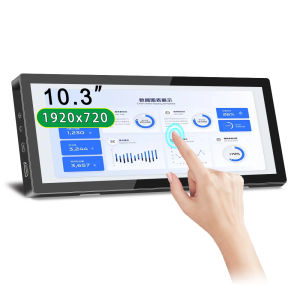
Long Monitor Portable Monitor: 10.3inch Touchscreen 1920x720 60Hz IPS Panel HD LCD Display Type-c HDMI For Laptop & Switch
Long Monitor Portable Monitor: 10.3inch Touchscreen 1920x720 60Hz IPS Panel HD LCD Display Type-c HDMI For Laptop & Switch
Introduction to Portable Monitors
What is a Portable Monitor?
A portable monitor is a compact and lightweight external display device that allows users to extend their desktop experience beyond their primary screen. It is designed to be easily carried around and connected to various devices like laptops, tablets, gaming consoles, and more.
Benefits of Using a Portable Monitor
Using a portable monitor offers numerous advantages, including:
- Increased productivity: With an additional screen, you can multitask more efficiently, viewing multiple applications at once.
- Enhanced entertainment: Enjoy streaming movies, playing games, or browsing the web on a larger screen while on-the-go.
- Improved ergonomics: Adjust the height and angle of your portable monitor to reduce eye strain and neck pain.
- Flexibility: Connect your portable monitor to different devices, making it perfect for both work and play.
Key Features of the HD LCD Display for Laptop
High-Quality IPS Panel Monitor 1920x720
The HD LCD Display for Laptop features a 10.3-inch IPS panel with a resolution of 1920x720 pixels. This ensures a sharp and vibrant picture quality, making it ideal for watching videos, editing photos, or coding.
60Hz Touchscreen Monitor for Smooth Performance
With a 60Hz refresh rate, this touchscreen monitor delivers smooth scrolling and seamless animations, providing an enjoyable user experience.
Portable Monitor with Type-c & HDMI Connectivity
Connect your portable monitor effortlessly using either the Type-C or HDMI ports. This makes it easy to use with a wide range of devices, including laptops, tablets, and gaming consoles.
How to Choose the Right Portable Monitor
Considerations for Selecting a Portable Monitor
When choosing a portable monitor, consider the following factors:
- Screen size and resolution: Determine the appropriate screen size and resolution based on your needs and intended usage.
- Connectivity options: Ensure the portable monitor has the necessary ports to connect to your devices.
- Battery life: Check the battery life if you plan to use the portable monitor without a power source.
- Weight and portability: Choose a portable monitor that is lightweight and easy to carry around.
Comparison with Other Portable Monitors in the Market
Compared to other portable monitors in the market, the HD LCD Display for Laptop offers a perfect balance of screen size, resolution, connectivity options, and portability. It is designed specifically for laptop users, making it an excellent choice for those seeking a reliable and high-quality portable monitor.
How to Use Your Portable Monitor with Laptop & Switch
Connecting Your Portable Monitor to a Laptop
To connect your portable monitor to a laptop, simply plug the Type-C or HDMI cable into the corresponding port on both devices. The laptop will automatically detect the external display, allowing you to extend or duplicate your desktop.
Using Your Portable Monitor with Xbox Switch
Using your portable monitor with an Xbox Switch is just as simple. Connect the HDMI cable to the console and the portable monitor, then turn on the console and select the appropriate input source. Enjoy playing your favorite games on a larger screen!
Conclusion & Final Thoughts
Why the HD LCD Display for Laptop is a Great Choice
The HD LCD Display for Laptop is an excellent portable monitor due to its high-quality IPS panel, 60Hz touchscreen monitor, and versatile connectivity options. It is perfect for laptop users who want to enhance their productivity, entertainment, and overall desktop experience.
Final Recommendations for Portable Monitor Users
When choosing a portable monitor, consider your specific needs and intended usage. The HD LCD Display for Laptop is a great choice for those seeking a reliable and high-quality portable monitor designed specifically for laptop users. Connect it to your laptop or gaming console, and enjoy a larger screen wherever you go!

2b2828c2
Review

You May Also Like
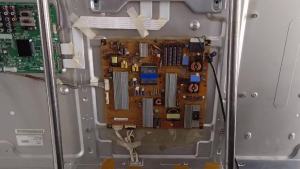
EACH 64290501 TV Main Board FOR 32LW4500 42LW4500 42LV450U 47CS570-UD 50LS4000-UA 55LS4500-UD 55LK520-UA Motherboard
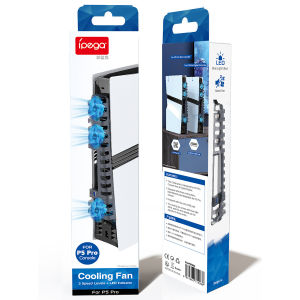
PS5 Slim Cooler Fans: A Comprehensive Guide to Cooling Game Accessories
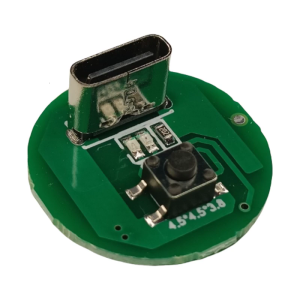
20W Type C Chargers Port LED 3 Speed Driver Board With Adjustable Brightness And PCD Circuit Design
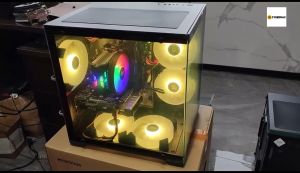
AMD Ryzen 5 5600G / Ryzen 7 5700G Gaming Desktop Computer DDR4 16GB RAM / M.2 512GB SSD Full Set PC
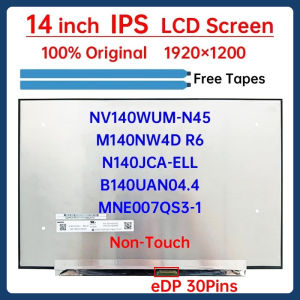
14" Laptop LCD Screen N140JCA-ELL NV140WUM-N45 B140UAN04.4 M140NW4D R6 MNE007QS3-1 MNE007QS5-1 Display Matrix Panel 1920x1200

KOVEX Allan 30g Thermal Grease Conductive Paste For CPU GPU Chipset Cooling Grey Compound Thermal Paste Syringe Silicon Syringe density is compatible with sharp-mirrored CPU cooler ’s surface And Video Cards or GPU COD
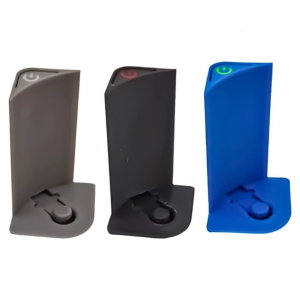
Convenient Top Power Button For 2024 MiniM4 Computer Push Power Switches for Enhances Power Control Precise Alignment
Efficient Water Softener Replacement Accessories Portable Nozzle and Venturis Tube Assembly Plastic Component Set
USB to Optical Spdif and 3.5mm Auditory Converter for Connecting TV PC to Sound System
Intel Core i5 / i7 Gaming Desktop Computer Quad-Core 8GB / 16GB RAM 256GB / 512GB M.2 SSD Full Set PC Computer
Multifunctional Sensoring Modules Set for Home Automation DIY Projects and Electronics Learning