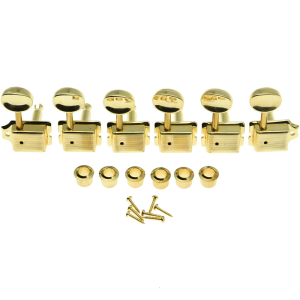
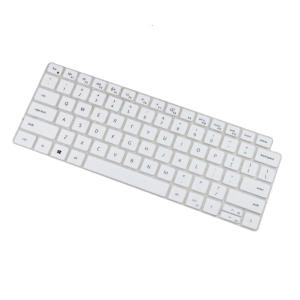
Keyboard Film Skin Cover For 5420/7420/9510/9520 Keyboard Skin Silicone Dust and Water Resistant Sleeve
Keyboard Film Skin Cover For 5420/7420/9510/9520 Keyboard Skin Silicone Dust and Water Resistant Sleeve
Background Context
Introduction to Keyboard Film Skin Covers
Keyboard film skin covers are thin protective layers designed to shield keyboards from dust, water, and other environmental factors. These sleeves are made from durable materials, such as silicone, to ensure they last long and provide excellent protection. They are easy to install and remove, making them ideal for everyday use.
Benefits of Using Keyboard Film Skin Covers
Using keyboard film skin covers offers numerous advantages. Firstly, they protect your keyboard from dust, spills, and other contaminants, which can cause damage over time. Secondly, they are easy to clean, allowing you to maintain a hygienic work environment. Lastly, they come in various designs and colors, enabling you to personalize your keyboard while keeping it protected.
How to Choose the Right Keyboard Film Skin Cover
Key Features to Look For
When selecting a keyboard film skin cover, consider the following features:
- Compatibility: Ensure the cover is compatible with your keyboard model, such as 5420/7420/9510/9520 keyboards.
- Material: Choose a cover made from durable materials like silicone, which offers excellent protection against dust and water.
- Design: Select a cover with a design that suits your preferences, whether it's a sleek, minimalist look or a bold, colorful pattern.
Compatibility with 5420/7420/9510/9520 Keyboards
Our keyboard film skin covers are specifically designed to fit 5420/7420/9510/9520 keyboards, providing a perfect fit and maximum protection. They are easy to install and remove, making them ideal for everyday use.
Installing and Using Your Keyboard Film Skin Cover
Step-by-Step Installation Guide
Follow these simple steps to install your keyboard film skin cover:
- Clean your keyboard thoroughly to ensure there is no dust or debris on the surface.
- Carefully peel off the protective film from the keyboard cover.
- Align the cover with your keyboard and gently press it onto the surface.
- Smooth out any air bubbles or wrinkles by pressing down firmly.
Tips for Maintaining Your Keyboard Film Skin Cover
To keep your keyboard film skin cover in good condition, follow these tips:
- Clean the cover regularly using a soft cloth and mild soap solution.
- Avoid using harsh chemicals or abrasive materials that could damage the cover.
- Store the cover in a cool, dry place when not in use.
Why Choose Silicone Dust & Water Resistant Keyboard Film Skin Covers
Advantages of Silicone Material
Silicone is an excellent material for keyboard film skin covers due to its durability, flexibility, and resistance to water and dust. It is also easy to clean and maintain, making it ideal for everyday use.
Protection Against Dust and Water Damage
Our keyboard film skin covers provide excellent protection against dust and water damage, ensuring your keyboard remains in good condition for years to come. They are compatible with 5420/7420/9510/9520 keyboards, offering a perfect fit and maximum protection.

Electronic Big Sale Store
Review

You May Also Like

Brain Game Math Crossword Puzzles Activity Worksheet For Smart Kids Teens Children Notebook- Addition and Subtraction Practice Exercise Book Practice Sheet Educational Math Workbook Math Game Thinking Book for Kids

NRSV Catholic Bible for Men & Women (Premium Leathersoft) English Deluxe Comfort Print for Personal Daily Reading Wedding Baptism First Communion etc.
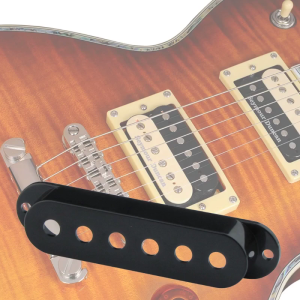
11-Color Guitar Pickup Cover 6 Hole Single Coil Switch Tip Holder 2 Tone 1 Volumes Knobs Set for Electric Guitar

READING BOOKS FOR BEGINNERS 3 IN 1 (gabaypanimulaenglish reading)

Quiet is Violent: A Comprehensive Guide
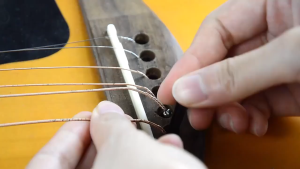
Bridge Pins RIXTON Guitar Bridge Pins with Saddle Nut for 6 & 12 String Acoustic Guitar

295W Beam Light 2 in 1 case/ 295W Moving Head Light/ beam Light/Disco Light/Rainbow Effect/ Show Lighting

Realistic Children Trumpet Toy Musical Instrument Toy for Kids Music Interest Development Safe Educational Toy for Child

Yves Saint Laurent Catwalk: The Complete Haute Couture Collections 1962-2002 /anglais Hardcover by BOLTON ANDREW Original English books
![ATOMIC HABITS BY JAMES CLEAR [AUTHENTIC]](https://img.lazcdn.com/g/p/cba1fa58aadec5b217b134ca41264dc6.jpg_300x300q80.jpg)
ATOMIC HABITS BY JAMES CLEAR [AUTHENTIC]

GECKO SD6 Cajon Hand Drum: A Portable & Versatile Hand Percussion Instrument