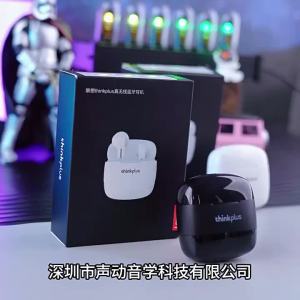
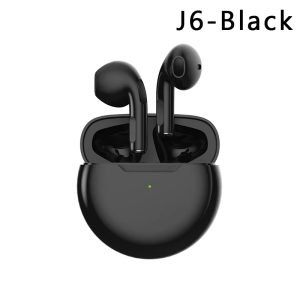
TWS Wireless Bluetooth Headset with Microphone Touch Control
TWS Wireless Bluetooth Headset with Microphone Touch Control
Introduction to LinJn Wireless Bluetooth Earphones
LinJn Wireless Bluetooth Earphones are designed for users who seek a reliable and convenient portable audio experience. These TWS (True Wireless Stereo) earphones feature Bluetooth 5.1 connectivity, ensuring seamless pairing with various devices. The earphones come in a compact charging case, making them perfect for daily use, whether at home, work, or on-the-go.
Key Features and Specifications
- Maximum wireless range: 10m-20m
- Sound Isolating: Yes
- Active Noise-Cancellation: Yes
- Volume Control: Yes
- Control Button: Yes
- Wireless Type: Bluetooth
- Style: In-ear
- Origin: Mainland China
- Brand Name: LinJn
The earphones support Android and iOS devices, making them suitable for a wide range of users. They are also waterproof, allowing you to enjoy music even during intense workouts or in wet environments.
Comparison with Other Portable Bluetooth Headsets
Compared to other portable Bluetooth headsets, LinJn Wireless Bluetooth Earphones offer several advantages. Firstly, they have a longer wireless range, which means you can enjoy uninterrupted audio while moving around your home or office. Additionally, the active noise-cancellation feature ensures a more immersive listening experience by blocking out unwanted ambient sounds.
How to Use Your LinJn TWS Wireless Bluetooth Headset
Pairing and Connecting Your Headset
To pair your LinJn TWS Wireless Bluetooth Headset with your device, simply press and hold the power button on the earphones until the LED light starts flashing. Then, go to your device's Bluetooth settings and select the LinJn earphones from the list of available devices.
Using Microphone Touch Control
LinJn Wireless Bluetooth Earphones come with a built-in microphone, allowing you to make hands-free calls. To activate the microphone touch control, simply tap the earphones once to answer or end a call, or press and hold the earphones for two seconds to activate voice commands.
Hands-Free Communication Device Setup
To set up your LinJn TWS Wireless Bluetooth Headset as a hands-free communication device, go to your device's settings and select the LinJn earphones as the default audio output. This will allow you to make and receive calls using the built-in microphone and speaker.
Enhancing Your Audio Experience with LinJn Earbuds
Maximizing Battery Life
To maximize the battery life of your LinJn Wireless Bluetooth Earphones, be sure to charge them fully before first use. Additionally, turn off the earphones when not in use to conserve battery power.
Sound Isolation and Active Noise-Cancellation
LinJn Wireless Bluetooth Earphones feature sound isolation technology, which helps block out unwanted ambient sounds. This, combined with active noise-cancellation, ensures a more immersive listening experience.
Compatibility with Android and iOS Devices
LinJn Wireless Bluetooth Earphones are compatible with Android and iOS devices, allowing you to enjoy music, podcasts, and more on your preferred device.
Troubleshooting Common Issues
Connectivity Problems
If you're experiencing connectivity problems with your LinJn Wireless Bluetooth Headset, try resetting the earphones by holding down the power button for 10 seconds. Then, unpair and re-pair the earphones with your device.
Volume Control and Button Issues
If you're having trouble controlling the volume or using the buttons on your LinJn Wireless Bluetooth Headset, try resetting the earphones and checking the battery level. If the issue persists, contact LinJn customer support for assistance.
Water Resistance and Durability
LinJn Wireless Bluetooth Earphones are waterproof, making them perfect for use during workouts or in wet environments. However, they are not designed for underwater use. To ensure the longevity of your earphones, avoid exposing them to extreme temperatures or harsh chemicals.

LinJn
Review

You May Also Like
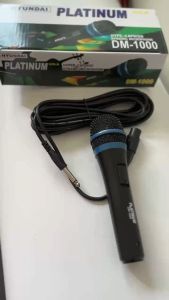
PUTIN SHOP 1PCS Hyundai Platinum DM-1000 Microphone DM1000 New Upgraded Wired Microphone
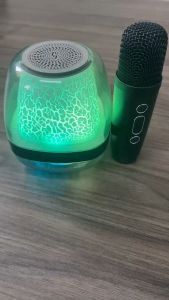
Portable Bluetooth Speaker Colorful Lights New Karaoke Wireless Speaker with Free Microphone 3D Stereo Home KTV Speaker Subwoofer
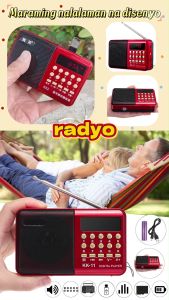
K11 Mini Portable Radio Handheld Digital FM USB TF MP3 Player Speaker Rechargeable
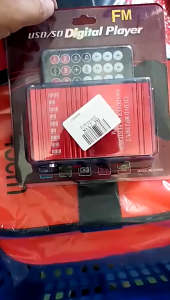
Philibs Handover 12V Car Amplifier Motorcycle Home Boat Auto Stereo Audio Amplifier 2 Channel Digital Hi-Fi Amp Support CD DVD MP3 Input
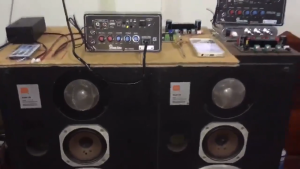
Bluetooth Karaoke Amplifier with Dual Mic Reverb - Multi Voltage (12V/24V/220V) for Car & Home | High Power Bass USB/TF/AUX/FM Radio | Fast Local Delivery

MTRL【Hot sale】original walkie talkie long range set of 2 radio walkie talkie military grade walkie talkie buy 1 take 1 Interphone 16 Channel Rechargeable for kids Suitable for restaurant hotel camping bar construction site two way radio long
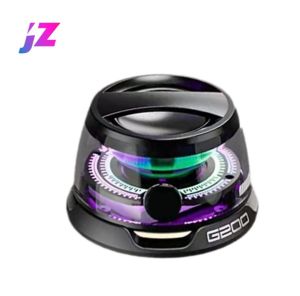
🔥 Original Product + Quick Delivery 🔥 Edifier Portable Bluetooth Speaker HECATE G200 Mini Sound Box Bluetooth 5.3 RGB Lighting Phone Holder True Wireless
DOSS Home Wireless Speaker Bluetooth 5.3: 80W Superior Sound & TWS True Stereo Pairing
Replacement Earpads Ear Pad Ear Cushions for WH64 YHS36 WH62 WH66 Headphones Sponges Cover Case Earphone Repair Part

Free Earphones: Motorola GP338 Plus Walkie-Talkie & 6800mAh Long-Range Radio
Nobsound MS-10D Tube Amplifier Audio Power Amplifier 25W*2 Vacuum amplifiers Support Hifi amplifier with Bluetooth/USB/headphone