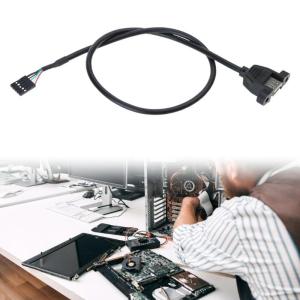
USB2.0 Female to Motherboard 5Pin Header Durability 5Pin USB IDC Motherboard Header Cable for Secure Internal Connection
USB2.0 Female to Motherboard 5Pin Header Durability 5Pin USB IDC Motherboard Header Cable for Secure Internal Connection
USB2.0 Female to Motherboard Header adapters provide a convenient way to add USB ports to your computer's motherboard. In this article, we will explore the features of the 5Pin Header, the 5Pin USB IDC Cable, and how to choose the right adapter for your needs. We'll also provide a step-by-step installation guide to help you set up your adapter for a secure internal connection.
What is a USB2.0 Female to Motherboard Header Adapter?
A USB2.0 Female to Motherboard Header adapter is a device that connects a USB port to the motherboard's header, allowing you to add additional USB ports to your computer. This adapter typically consists of a female USB connector and a 5-pin header cable that plugs into the motherboard.
Understanding the 5Pin Header
The 5-pin header is a standard connector used on many motherboards to provide power and data connections for external devices. It consists of five pins arranged in a row, with two power pins (Vcc and ground) and three data pins (D+, D-, and ID). These pins allow the adapter to communicate with the motherboard and provide power to connected USB devices.
Exploring the 5Pin USB IDC Cable
The 5-pin USB IDC cable is a flexible, ribbon-like cable that connects the female USB connector to the 5-pin header on the motherboard. The cable has a series of small connectors called IDC (Insulation Displacement Connector) contacts that allow it to be easily attached to the header pins. This cable provides a secure internal connection, ensuring reliable data transfer and power delivery to connected devices.
How to Choose the Right Adapter for Your Needs
When selecting a USB2.0 Female to Motherboard Header adapter, there are several factors to consider, including durability and secure internal connection.
Evaluating Durability
Durability is essential for any adapter that will be installed inside your computer. Look for adapters made from high-quality materials that can withstand the rigors of daily use. Additionally, ensure that the adapter has a robust design that can handle the stress of frequent connections and disconnections.
Ensuring Secure Internal Connection
A secure internal connection is crucial for reliable data transfer and power delivery. Look for adapters with a well-designed 5-pin USB IDC cable that provides a tight fit with the motherboard header. This will help prevent accidental disconnections and ensure a stable connection.
Installation Guide: Step-by-Step Process
Installing a USB2.0 Female to Motherboard Header adapter is a straightforward process. Follow these steps to set up your adapter for a secure internal connection:
Preparing the Components
Before beginning the installation, gather all necessary components, including the adapter, motherboard, and any tools required for installation. Ensure that your computer is powered off and unplugged from the power source to prevent damage during installation.
Connecting the Adapter to the Motherboard
To connect the adapter to the motherboard, first locate the available 5-pin header on the motherboard. Carefully insert the 5-pin USB IDC cable into the header, ensuring that the cable is properly seated and aligned with the header pins. Once connected, gently press down on the cable to secure it in place.
Testing the Setup
After connecting the adapter to the motherboard, power on your computer and test the new USB port to ensure proper functionality. Connect a USB device, such as a flash drive or keyboard, to the port and verify that it is recognized by the operating system. If the device is recognized, your adapter has been successfully installed.
In conclusion, a USB2.0 Female to Motherboard Header adapter is a valuable addition to any computer, providing convenient access to additional USB ports. By choosing a durable adapter with a secure internal connection, you can ensure reliable data transfer and power delivery for all connected devices. Follow our step-by-step installation guide to set up your adapter and enjoy the benefits of increased USB connectivity.
[Keywords: USB2.0 Female to Motherboard Header, Durability 5Pin Header, Motherboard Header Adapter, Secure Internal Connection, 5Pin USB IDC Cable]" }

SZ 3C Electronics
Review

You May Also Like
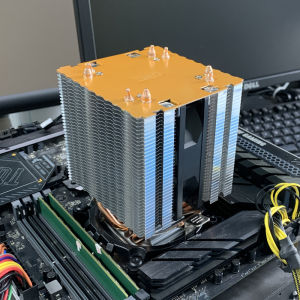
X99 Processor Cooler 4pin PC Tower Heatsink 4 Heatpipes for Intel LGA 1700 1366 1200 115X 2011 X79 AMD AM4 AM5 Ventilador
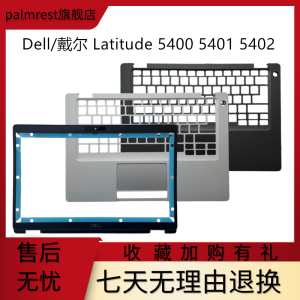
Dell Latitude 5400 E5400 B Shell C Shell Screen Frame Keyboard Surface Palm Rest Notebook Computer Parts And Accessories
Compactly 14025 DC5V Fan ABS Frame High CFM Airflows Cooling FAn for Communication Devices Storage Systems
Original digitizer For Bosch Serie 8 oven steam oven Microwave oven HNG6764B6 HBE5452UC /45 lcd touch Display replacement
FLAIRBOX Safety PC Grill Computer Fan Cooling 120mm Dustproof Aluminum Case Dust Filter
Plastic Coupler Attachment Plastic Texture Suitable for TM31 Processors Providing Stable Use and Extended Lifespans
EDEN Second SATA HDD SSD Caddy Bracket Adapter 2.5\\\" HDD SSD 9.5mm Enclosure For Apple Macbook DVD
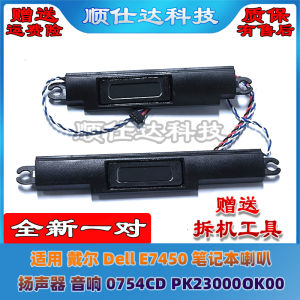
Dell E7450 Speaker Compatible Laptop Audio System 0754CD PK23000OK00 Notebook Computer Part Other Brand Digital Accessory
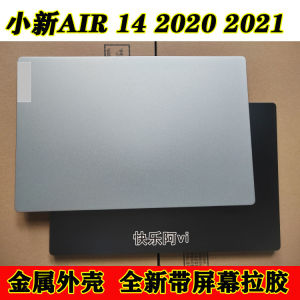
Lenovo XiaoXin Air14ALC ARE IIL2020 2021 Screen Shell Compatible with Laptop Computer Accessories Digital Parts Type Shell
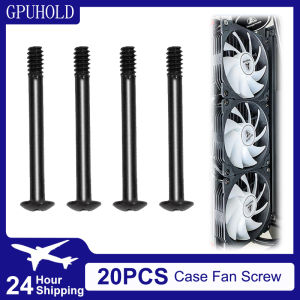
GPUHOLD 20PCS Computer Case Fan Long Screw Radiator PC Fan Screws Computer Cooling Chassis Fan Components Screw
![[COD] REMAI0 USB 2.0 To Jack External USB Sound Card 3D Audio Headset Microphone Earphone 7.1 Channel 5HV2 Adapter For Laptop](https://img.lazcdn.com/g/p/0d9089034192d99002de31c539e61e6d.jpg_300x300q80.jpg)
[COD] REMAI0 USB 2.0 To Jack External USB Sound Card 3D Audio Headset Microphone Earphone 7.1 Channel 5HV2 Adapter For Laptop