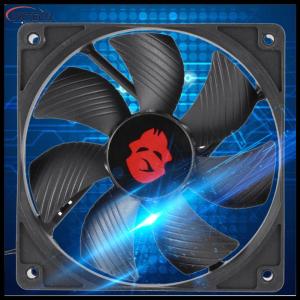
Vktech 12cm 4 Pin High Speed Desktop Chassis Fan Large Air Volume PC Case Radiator
Vktech 12cm 4 Pin High Speed Desktop Chassis Fan Large Air Volume PC Case Radiator
What is the Vktech 4 Pin Desktop Chassis Fan?
The Vktech 4 Pin Desktop Chassis Fan is a powerful and efficient cooling solution for your PC case. Designed with a large 4-pin male and female interface, this high-speed fan supports multiple fans in series, making it a versatile choice for various cooling setups. The Vktech 4 Pin Desktop Chassis Fan operates at a voltage of DC 12V, drawing a current of 1.60A, and delivers impressive airflow performance at 3000 RPM. This fan features a large air volume of 154.5 CFM, ensuring optimal cooling for your system components.
Key Features of the Vktech 4 Pin Desktop Chassis Fan
- Large 4-pin interface: Compatible with multiple fans in series, providing flexible cooling options.
- High-speed operation: Runs at 3000 RPM, ensuring efficient cooling performance.
- Large air volume: Delivers 154.5 CFM of airflow, cooling your system components effectively.
- High-precision double ball bearing: Ensures smooth operation and longevity.
Power Supply and Compatibility
The Vktech 4 Pin Desktop Chassis Fan operates at a voltage of DC 12V and draws a current of 1.60A. This fan supports multiple fans in series, making it easy to integrate into various cooling setups. Its large 4-pin male and female interface allows for seamless connection to your PC case, ensuring reliable and consistent performance.
How to Install the Vktech 4 Pin Desktop Chassis Fan
Installing the Vktech 4 Pin Desktop Chassis Fan is a straightforward process. Follow these steps for a successful installation:
- Prepare your workspace: Clear a clean, flat surface and gather all necessary tools, including a screwdriver and any additional mounting hardware required.
- Remove the existing fan: If replacing an existing fan, carefully remove it from its mounting location.
- Position the new fan: Align the Vktech 4 Pin Desktop Chassis Fan with the mounting holes and secure it using screws or other mounting hardware.
- Connect the power cable: Connect the large 4-pin male and female interface to your PC case's power supply.
- Test the installation: Power on your system and verify that the fan is operating correctly.
Troubleshooting Common Issues
If you encounter any issues during installation or operation, refer to the following troubleshooting tips:
- Fan not spinning: Ensure that the power cable is securely connected to the power supply and that the fan is properly mounted.
- Noisy operation: Check if the fan is properly aligned and secured. If noise persists, consider lubricating the bearing or contacting customer support for further assistance.
Why Choose the Vktech 4 Pin Desktop Chassis Fan?
The Vktech 4 Pin Desktop Chassis Fan offers superior airflow and cooling performance, making it an ideal choice for maintaining optimal temperatures in your PC case. With fast delivery and reliable customer support, this fan ensures a seamless experience from purchase to installation.
Superior Airflow & Cooling Performance
The Vktech 4 Pin Desktop Chassis Fan delivers exceptional airflow performance, with a large air volume of 154.5 CFM and a high-speed operation of 3000 RPM. This ensures that your system components stay cool and perform optimally.
Fast Delivery and Customer Support
With Vktech, you can expect fast delivery of your fan, ensuring minimal downtime during installation. In addition, their dedicated customer support team is available to assist with any issues or concerns you may have.
Conclusion
The Vktech 4 Pin Desktop Chassis Fan is a powerful and efficient cooling solution for your PC case. With its large air volume, high-speed operation, and reliable performance, this fan ensures optimal temperatures for your system components. Fast delivery and excellent customer support make it a top choice for PC enthusiasts and professionals alike.

Vktech Official Mall
Review

You May Also Like

V380 PRO 12V 1.5A CCTV Power Supply UPS Battery Backup for WiFi Router Modem and Outdoor CCTV

D350 AVR Lorey Somer Generator AVR Digital Automatic Voltage Regulator Original
For Lab P1P P1S X1C Y Connector for Bowden Coupler 3D Printer Pneumatic Connector Educational Use Pneumatic Connector
14 Inch Laptop LCD Touch Screen N140HCR GL2 N140HCR-GL2 Display Matrix Panel Replacement 1920x1080 IPS 72% NTSC eDP 40 Pins
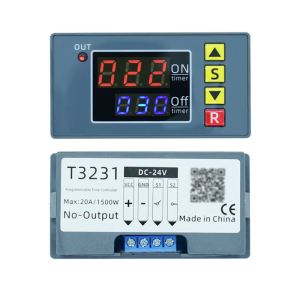
Timers Relays Module Featuring Double Digital Display for Accurate Timing and Multipurpose Device Compatibility
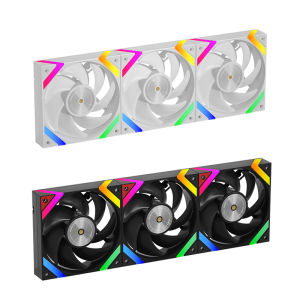
Golden Field KP-L12 12CM computer case cooling fan with ARGB 5V3 pin interface PWM temperature control thickness 28mm
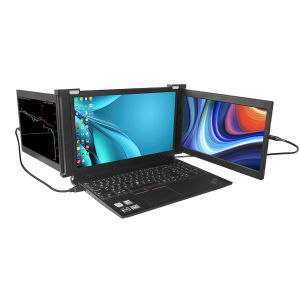
TRI-SCREEN Portable Monitor: Dual 11.6 Inch Display FHD IPS USB-A/Type-C/HDMI

2X Ultra Clear / Anti-Glare / Anti Blue-Ray Screen Protector Guard Cover for 14" Lenovo ThinkVision M14 Portable Monitor
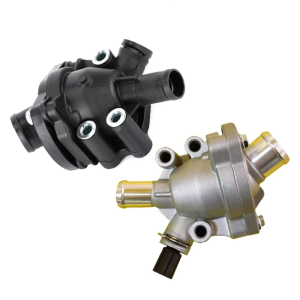
31319606 31411151 30650753 1371932 Coolant Thermostat Manual Radiator Upper Lower Hose Thermostat For XC60 S40 S60
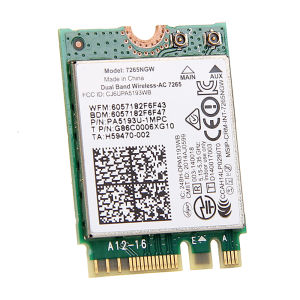
AC1200 Wifi Card 7265NGW 2.4G/5G Fast Network Card Bluetooth 4.2 M.2 Interface For Computer

V380 PRO 12V 1.5A Uninterruptible Power Supply Extension Cord Mini UPS Battery Backup for WiFi Router Modem and Outdoor CCTV Security Camera for 12V 2A Devices