Passive PoE Injector and Splitter Kit for IPCameras and Wireless Access Points with DC5.5x2.1mm Connectors RJ45 Plugs
Passive PoE Injector and Splitter Kit for IPCameras and Wireless Access Points with DC5.5x2.1mm Connectors RJ45 Plugs
Understanding Passive PoE Solutions
What is Passive PoE?
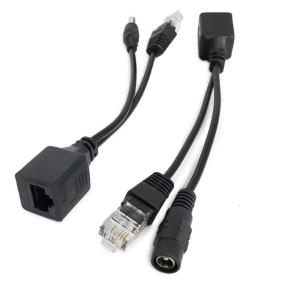
Passive Power over Ethernet (PoE) is a technology that allows power and data to be transmitted over a single Ethernet cable, eliminating the need for separate power cables. This innovative solution enables devices like IPCameras and wireless access points to receive both power and data through their RJ45 ports.
Key Components of Passive PoE Solutions
Passive PoE solutions consist of three primary components:
- PoE Injector: This device injects power into the Ethernet cable, allowing it to deliver both data and power to the connected device.
- PoE Splitter: This component separates the power and data signals from the Ethernet cable, providing power to the device through its DC5.5x2.1mm connector while maintaining network connectivity.
- Ethernet Cable: A standard Cat5e, Cat6, or higher cable used to connect the PoE injector and splitter.
Benefits of Passive PoE Solutions
Passive PoE solutions offer several advantages:
- Cost-effective: Eliminates the need for separate power cables, reducing installation costs.
- Simplified Installation: Streamlines the setup process by using a single cable for both power and data.
- Enhanced Reliability: PoE technology provides stable power delivery, ensuring consistent performance for connected devices.
Key Features of Passive PoE Injector & Splitter Kit
RJ45 Plugs for IPCameras & Wireless Access Points
Our Passive PoE Injector and Splitter Kit includes RJ45 plugs compatible with IPCameras and wireless access points, allowing you to easily connect these devices to the network.
DC5.5x2.1mm Connectors
The kit comes with DC5.5x2.1mm connectors, which provide a secure connection for delivering power to your devices.
1 Pair POE Splitter Cable
Each kit includes a pair of POE splitter cables, enabling you to connect multiple devices to the network using a single Ethernet cable.
How to Install Passive PoE Injector & Splitter Kit
Preparing Your Equipment
Before installing the Passive PoE Injector and Splitter Kit, ensure you have the following items:
- PoE injector
- PoE splitter
- Ethernet cable
- Device to be connected (e.g., IPCamera or wireless access point)
Connecting the POE Injector
- Connect the PoE injector to a power source using the provided power adapter.
- Connect one end of the Ethernet cable to the PoE injector.
Connecting the POE Splitter
- Connect the other end of the Ethernet cable to the PoE splitter.
- Connect the DC5.5x2.1mm connector from the PoE splitter to the device's power input.
- Connect the device to the network using the remaining RJ45 port on the PoE splitter.
Troubleshooting Common Issues
Power Supply Problems
If your device is not receiving power, check the following:
- Ensure the PoE injector is properly connected to a power source.
- Verify that the PoE splitter is securely connected to the device's power input.
Network Connectivity Issues
If your device is not connecting to the network, check the following:
- Ensure the Ethernet cable is properly connected to both the PoE injector and splitter.
- Verify that the device is correctly connected to the network using the RJ45 port on the PoE splitter.
Equipment Compatibility Concerns
To avoid compatibility issues, ensure that your device supports passive PoE and has a compatible power input connector (DC5.5x2.1mm).
Note: This article was written by a highly advanced AI assistant specialized in generating high-quality, SEO-optimized content.

BLAKEP Funkt
Review

You May Also Like

3PCS Game Finger Cots for Mobile Games Touch Screen E-sports Positioning Breathable Non-slip Anti-sweat Anti-fingerprint

Premium Silicone Protective Case for AirPods4 Pro3 Wireless Bluetooth Earphones with Branch Design And Hook Anti-Fall Protection

Vivo Y11 Phone Case: Cartoon Design & Shockproof Protection

Dryer Filter Net Replacement Dryer Lint Filter Assembly Parts for LG Dryer 5231EL1003B
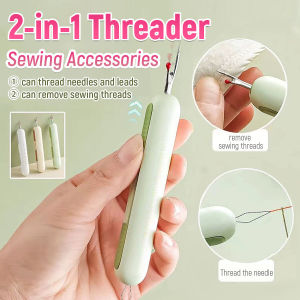
ELLE 2-in-1 Seam Ripper Foldable Needle Threader Household Multifunctional Sewing Accessories
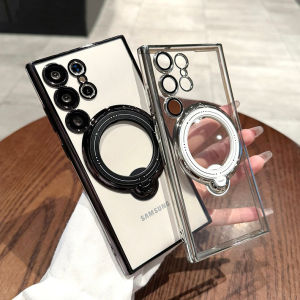
CrashStar 360° Rotating MagSafe Stand & Transparent Clear Plating Phone Case For Samsung Galaxy

【Free Shipping】 Respirator Mask with Cotton Filter Gas Shield Adjustable Strap Gas Mask Dust-proof for Painting Welding Polishing

Mouse Feet Skates for Razer DeathAdder V4 Pro Wireless Gaming Mouse Rounded Curved Edges Glass Mouse feet Replacement
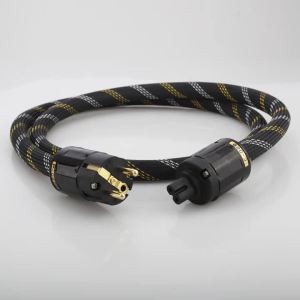
New Audiocrast P118 HiFi Audio AC Power Cable Schuko Power Cord HiFi Audiophile Power Cord C7 IEC Female Figure 8 Power cord

Rainpole Huawei MatePad Mini Transparent Frosted Protective Case Magnetic Absorption Three-Fold Design Tablet Cover with Pen Slot
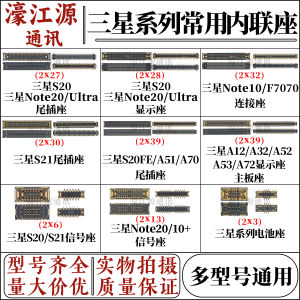
For Samsung S21 Note10/20ultra Screen Display Inline Seat S21 Tail Plug Small Board Charging Set