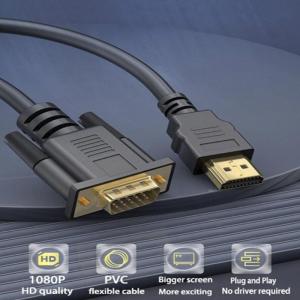
Reliable 1080P HDMI to VGA Adapter Cable: Gold Plate HDMI to VGA Cable for Laptops & Desktops PC and More Devices
Reliable 1080P HDMI to VGA Adapter Cable: Gold Plate HDMI to VGA Cable for Laptops & Desktops PC and More Devices
Introduction to HDMI to VGA Adapter Cable
An HDMI to VGA adapter cable is a versatile device that enables you to connect your modern devices, such as laptops and desktop PCs, to older monitors and projectors that only support VGA input. This article will explore the key features, applications, and usage of the Gold Plate HDMI to VGA Adapter Cable, helping you make the most out of your setup.
What is an HDMI to VGA Adapter Cable?
An HDMI to VGA adapter cable is a small device that converts the digital HDMI signal from your device into an analog VGA signal that can be received by your monitor or projector. The Gold Plate HDMI to VGA Adapter Cable is specifically designed to offer high-quality video conversion and compatibility with various devices.
Key Features of Gold Plate HDMI to VGA Adapter Cable
- Gold Plated Connectors: The gold plating ensures better conductivity and reduced signal loss, resulting in clearer video output.
- 1080P Video Conversion: This adapter cable supports up to 1080P resolution, ensuring crisp and clear visuals.
- Compatibility: It works with various devices, including laptops, desktop PCs, gaming consoles, and more.
- Compact Design: The small size makes it easy to carry around and store.
Applications of HDMI to VGA Adapter Cable
The Gold Plate HDMI to VGA Adapter Cable can be used in various settings, including:
- Office Environments: Connect your laptop to a conference room projector or monitor.
- Education: Project presentations or educational materials from your device onto a classroom projector.
- Gaming: Hook up your gaming console to an older TV or monitor that only supports VGA input.
How to Use HDMI to VGA Adapter Cable
Follow these steps to connect your device to a monitor or projector using the Gold Plate HDMI to VGA Adapter Cable:
Connecting Laptop VGA Adapter to Monitor
- Connect the HDMI end of the adapter cable to your laptop's HDMI port.
- Connect the VGA end of the adapter cable to your monitor's VGA port.
- Power on both devices and adjust the display settings if necessary.
Connecting Desktop PC VGA Connection to Display
- Connect the HDMI end of the adapter cable to your desktop PC's HDMI port.
- Connect the VGA end of the adapter cable to your display's VGA port.
- Power on both devices and adjust the display settings if necessary.
Ensuring Optimal Video Quality with 1080P Video Conversion Cable
To achieve the best video quality, ensure that both your device and display support 1080P resolution. Adjust the display settings on your device to match the resolution and refresh rate of your monitor or projector.
Troubleshooting Common Issues with HDMI to VGA Adapter Cable
If you encounter any issues while using the Gold Plate HDMI to VGA Adapter Cable, refer to these troubleshooting tips:
Identifying Compatibility Problems
- Check if both your device and display support the required resolution and refresh rate.
- Verify that all connections are secure and free from dust or debris.
Solving Connection Issues
- Try connecting the adapter cable to a different port on your device or display.
- Replace the adapter cable with a new one to rule out any hardware issues.
Addressing Video Quality Concerns
- Adjust the display settings on your device to match the resolution and refresh rate of your monitor or projector.
- Ensure that both devices support the required resolution and refresh rate.
- Clean the connectors on the adapter cable and ports to remove any dust or debris that may affect signal quality.
By following these guidelines, you can make the most out of your Gold Plate HDMI to VGA Adapter Cable and enjoy high-quality video output on a variety of devices and displays." }

Electronic Big Sale Store
Review

You May Also Like
Thermalright TF4 Thermal Paste CPU Heat Sink Paste for CPU & Graphics Card Core Cooling Compatible with CPU Air Cooler CPU Liquid Cooler & Gaming Laptops Thermal Conductivity 9.5/(mK)
120MM CPU Air-cooled Cooler 4 Heat Pipes Black PC Processor Ventilador For Intel LGA 1366 115X 1200 1700 1366 2011 X79 AM5 AM4
![[ COMPLETE PC SET ] AMD Ryzen 7 5700G CPU Desktop Package with Built-in GPU / Prebuilt Unit For Gaming Work Online Class / Brand New RGB Ready to Use with Monitor and Free Gift / Easy Setup (Collinx Computer)](https://img.lazcdn.com/g/ff/kf/S5a8847435ca946d680de269df2345a0bR.jpg_300x300q80.jpg)
[ COMPLETE PC SET ] AMD Ryzen 7 5700G CPU Desktop Package with Built-in GPU / Prebuilt Unit For Gaming Work Online Class / Brand New RGB Ready to Use with Monitor and Free Gift / Easy Setup (Collinx Computer)

GH03ARGB upHere RGB GPU Anti Sag Bracket Anti Slip Rubber Pad Vertical Holder Holder
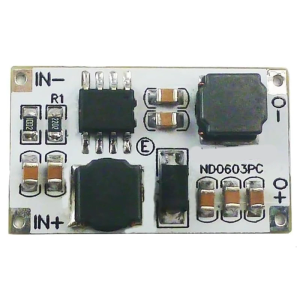
ND0603PC Auto Boost Converters Module 0.9V 6V Input To 3V/3.3V/4.2V/5V Output For Lifpo4 Use Systems
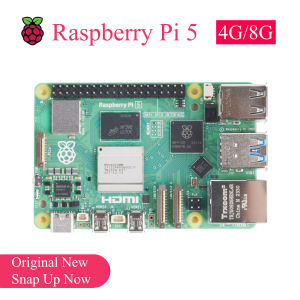
Original Raspberry Pi 5 Development Board: A Comprehensive Guide
Masely HY510 YJ-G190 Grey Thermal Paste for CPU GPU Cooler Cooling Heatsink Paste 25g 10g
GPU Support Bracket Graphics Card Support GPU Bracket Brace Video Card Sags Holder Bracket GPU Stand Adjustable Bracket
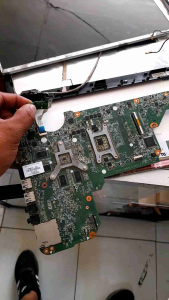
REFURBISHED HP G4-2012 TX MOTHERBOARD Only DA0R33MB6E0
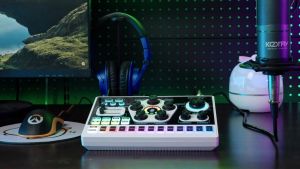
KOORFLY KF03 Live Sound Card and Audio Interface Sound Board with Multiple DJ Mixer EffectsVoice Changer and LED Light Prefect for Streaming/Podcasting/Gaming/Recording/YouTube/PC
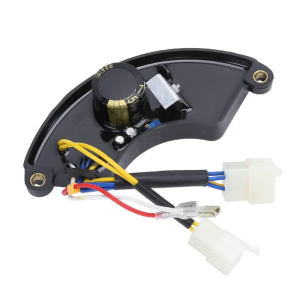
Automatic Voltage Regulator 8KW AVR Replacement Generator Three -phase 400V 4-Wire+2-Wire+2 Wires Connector