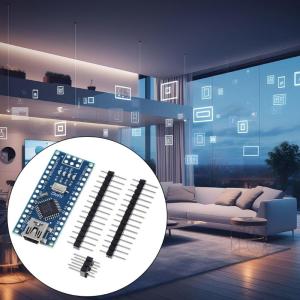
Compactly and Lightweight Nano3.0 ATmega328P Type C USB Controller Boards Module Support USB Download and Power
Compactly and Lightweight Nano3.0 ATmega328P Type C USB Controller Boards Module Support USB Download and Power
Introduction to Nano3.0 ATmega328P Module
The Nano3.0 ATmega328P Type C USB Controller Board is a compact and lightweight microcontroller board designed to enhance convenience and compatibility. Featuring a Type C USB interface, it simplifies connectivity and provides a reliable power supply option. This versatile module is ideal for hobbyists, educators, and developers looking to easily program and integrate it into various electronic projects.
Key Features & Specifications
- Microcontroller: ATmega328P with a 16MHz clock speed
- Digital Pins: 14 digital pins
- Analog Input Ports: 8 analog input ports
- USB Interface: Type C USB connector
- Power Supply: Supports USB download and power
Benefits for Hobbyists, Educators, & Developers
- Easy Programming: Simple setup and programming process
- Compatibility: Compatible with popular development environments like Arduino IDE
- Extensive Libraries: Access to a wide range of libraries and example codes
- Integration: Seamless integration with other components and sensors
Setting Up Your Nano3.0 ATmega328P Board
Getting started with the Nano3.0 ATmega328P USB Controller Board is straightforward. Follow these steps to prepare your development environment, connect the board, and download the necessary software.
Preparing Your Development Environment
- Install the Arduino IDE on your computer
- Connect the Nano3.0 ATmega328P USB Controller Board to your computer using a Type C USB cable
- Open the Arduino IDE and select the appropriate board and port from the Tools menu
Connecting the USB Controller Board
Simply plug the Type C USB connector into your computer to power the board and establish communication with the development environment.
Downloading & Powering Up
Once connected, download the necessary libraries and example codes to get started with your project. Power up the board and begin programming.
Exploring the Nano3.0 ATmega328P Board Capabilities
With its compact size and versatile features, the Nano3.0 ATmega328P USB Controller Board offers a wide range of capabilities for hobbyists, educators, and developers.
Programming the Microcontroller
Program the microcontroller using the Arduino IDE and access the extensive libraries available for this platform. Experiment with different projects and learn about microcontroller programming.
Accessing Libraries & Example Codes
Leverage the vast collection of libraries and example codes available for the Nano3.0 ATmega328P USB Controller Board. These resources will help you get started quickly and provide inspiration for your projects.
Integrating with Other Components
Integrate the Nano3.0 ATmega328P USB Controller Board with other components and sensors to build complex electronic systems. Its compact size and versatile features make it an ideal choice for various applications.

Electronic Big Sale Store
Review

You May Also Like

Mean Well LRS-50 Series Switching Power Supply Meanwell 50W PSU LRS-50-5V/12V/15V/24V/36V/48V
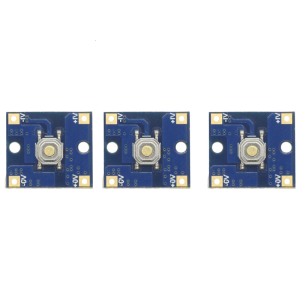
Instantly On/Off Tactile Control Switching Module Supporting DC2.7V-DC26V Input and Multiple Triggering Methods
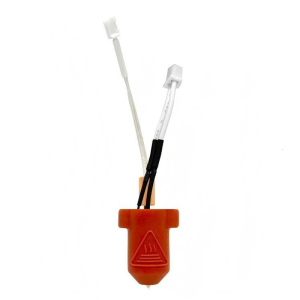
3D Printer Extruder Hotend Set 0.4mm Nozzle Brass/Hardened Steel Enhances Printing Speed and for Ender 3 KE
ORICO Mobile Computer Towers Stand CPU Rolling Holder Desktop Bracket with Locking Caster Wheels for Computer Cases PC Gaming
PC Accessories 10Port 4Pin ARGB Fan Hub 5V 3Pin PWM Fan Controller for PC/Computer CaseMagnetic Suction & Remote Control Lights
Mini Gaming Consoles Protective Enclosure with Retro Aesthetic not Slip surfaces & Precisions Openings for MIYOO MINI
Circuitrocks Buck/Step Down DC 7.5V-35V to 5V L7805 For Regulator Buck Power Supply Module
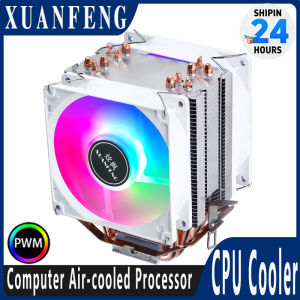
XUANFENG CPU Cooler Fan Computer x79 x99 Processor 2/4/6 Heat pipe 4pin/PWM Compatible LGA2011-3 2066 115x 1200 1700 AMD AM4 AM5
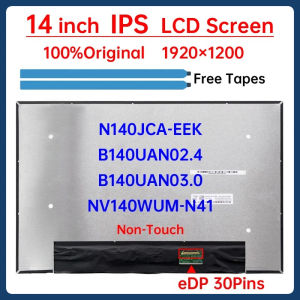
14 Inch Laptop LCD Screen NV140WUM-N41 N140JCA-EEK B140UAN02.4 B140UAN03.0 Display Matrix Panel 1920x1200 eDP 30 Pins Non-Touch
MMA 27`Inch SEMI CURVED IPS frameless Gaming Monitor WHITE 75HZ 2K QHD Desktop or Laptop
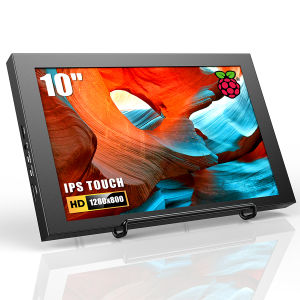
⭐⭐⭐Eyoyo Raspberry Pie 7/10 Inch Capacitive Touch Screen Portable Display Hd Ips Driveless Sub Screen 3b/3b+/4