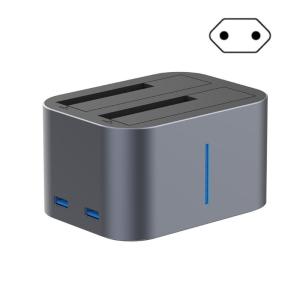
USB3.0 Double Bay Docking Station for Up to 2x18TB Drives with Toolless Installation and Hot Swapping
USB3.0 Double Bay Docking Station for Up to 2x18TB Drives with Toolless Installation and Hot Swapping
What is a USB3.0 Double Bay Docking Station?
A USB3.0 Double Bay Docking Station is a versatile storage solution designed to accommodate two hard drives, providing users with flexible drive management and a high capacity storage option. This docking station is equipped with USB3.0 connectivity, ensuring fast data transfer rates and compatibility with various devices.
Key Features: Flexible Drive Management & High Capacity Storage Solution
One of the standout features of this docking station is its toolless installation process, which simplifies the setup and maintenance of your hard drives. Additionally, the hot swapping capabilities allow users to easily switch out drives without the need to shut down their computer, providing added convenience.
Benefits: Up to 2x18TB Drives
With the ability to support drives up to 18TB each, this docking station can accommodate a total storage capacity of up to 36TB, making it an ideal choice for users who require extensive storage space for their files, multimedia content, or backup purposes.
How to Install & Use the USB3.0 Double Bay Docking Station
To make the most out of your USB3.0 Double Bay Docking Station, it's essential to understand how to install and use it effectively.
Step-by-Step Guide: Toolless Installation Process
- Unpack the docking station and locate the two drive slots.
- Insert the desired hard drives into the slots, ensuring they are securely seated.
- Connect the USB3.0 cable to the docking station and your computer.
- Power on your computer and wait for it to recognize the connected drives.
Exploring Hot Swapping Capabilities
The hot swapping feature allows users to swap out drives without shutting down their computer, providing added convenience. To utilize this feature, simply disconnect the drive from the docking station, insert the new drive, and reconnect the USB3.0 cable to your computer.
Maximizing Your Storage Potential with the USB3.0 Double Bay Docking Station
To get the most out of your USB3.0 Double Bay Docking Station, consider implementing these tips and tricks for efficient data management.
Tips & Tricks for Efficient Data Management
- Organize your files by creating separate folders for different types of content, such as documents, photos, and videos.
- Regularly back up important files to ensure they are safe and easily accessible.
- Utilize cloud storage services in conjunction with your docking station for added security and convenience.
Enhancing Performance with High-Speed USB3.0 Connectivity
The USB3.0 connectivity ensures fast data transfer rates, allowing users to quickly move large files between their computer and the docking station. To maximize performance, make sure to use a high-quality USB3.0 cable and avoid using hubs or extension cables, which may impact data transfer speeds." }

Electronic Big Sale Store
Review

You May Also Like

Type C To Microed TF Reader With Keychain Supports Up To 2TB Storage For Laptops PC And More

JASTER Red Wood USB 3.0 Flash Drives: Customizable Storage Solutions
Toshiba Canvio Basics 1TB/2TB External Hard Drive USB 3.0 HDD Portable 2.5" Hard Drive Hard Disk for Mac Windows
10Gbps M.2 NVMe SSD Case with Built-in Cooling Fan Type C M2 SSD Enclosure Dual Protocol for M.2 M key 2230 2242 2260 2280
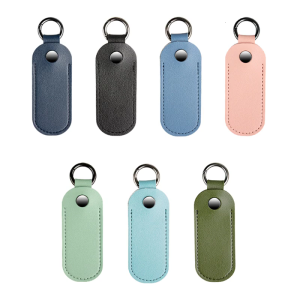
USB Flash Drive Holder Case Microfiber Leather Flash Drive Protector Sleeve With Keychain Optional Color
![[The Cici Shop] 64MB usb 2.0 flash memory stick thumb drive pc laptop storage](https://img.lazcdn.com/g/p/853ca0aa5a89926b0dcb043da156dc6b.jpg_300x300q80.jpg)
[The Cici Shop] 64MB usb 2.0 flash memory stick thumb drive pc laptop storage
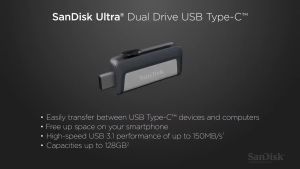
SanDisk 128GB Ultra Dual Drive OTG USB Type C SDDDC2 Black USB3.1 Type C Reversible Connector Retractable Design On-the-Go Storage Device for Type-C Enabled Android devices 5-Year Limited Warranty / SDDDC2-128G-G46

ORICO Extreme PRO microSD UHS-I Card Memory Card Micro SD 512GB 256GB 128GB 64GB Class10 TF Card High Speed

The Soul Train Music TV Show Vol. 1 2 and 3 Music Video Collection English DUBBED on 32GB Flash Drive Includes Free Surprise Gift
![[COD] Laogeliang Sniffe For TF Card Adapter Plate Universal 1pc MicroSD Sniffe TF Card Adapter Plate Compatible With ARDUINO](https://img.lazcdn.com/g/p/f467b87c19036802cd4fb9ae38b40fdd.jpg_300x300q80.jpg)
[COD] Laogeliang Sniffe For TF Card Adapter Plate Universal 1pc MicroSD Sniffe TF Card Adapter Plate Compatible With ARDUINO
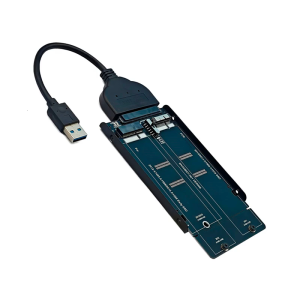
USB3.0 Cable Adapter Card Easy Connection for 2012 1425/1398/1466/1465 SSDs Replacement 12+6Pin SSDs Converter