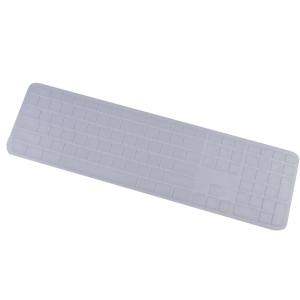
Thin Silicone Keyboard Protectors for Craft Mx Keys Keyboard Cover Wireless Keyboard Ergonomic Keyboard Cover Protectors
Thin Silicone Keyboard Protectors for Craft Mx Keys Keyboard Cover Wireless Keyboard Ergonomic Keyboard Cover Protectors
Thin silicone keyboard protectors have become increasingly popular among keyboard enthusiasts due to their unique benefits and ease of installation. In this article, we will explore how these protectors enhance your Craft Mx Keys experience, discuss ergonomic keyboard protectors, wireless keyboard covers, and various accessories that can further elevate your typing experience.
What Are Thin Silicone Keyboard Protectors?
Thin silicone keyboard protectors are designed to fit snugly over your keyboard keys, providing a protective layer against dust, dirt, and spills while maintaining a comfortable typing experience. These protectors are made from high-quality silicone material, which is both durable and flexible, making them an excellent choice for preserving the lifespan of your keyboard.
Benefits of Thin Silicone Keyboard Protectors
- Enhanced Protection: Thin silicone keyboard protectors effectively shield your keyboard from external contaminants, extending its lifespan and maintaining optimal performance.
- Comfort: The silicone material provides a comfortable typing experience, reducing strain on your fingers during extended periods of typing.
- Easy Installation: Installing thin silicone keyboard protectors is a straightforward process that requires minimal effort, allowing you to quickly protect your keyboard.
How to Install Thin Silicone Keyboard Protectors
To install thin silicone keyboard protectors, follow these steps:
- Clean your keyboard thoroughly to remove any dust or debris.
- Carefully remove the silicone protector from its packaging.
- Align the protector with your keyboard keys and gently press it into place.
- Once installed, your keyboard is now protected against potential damage.
Why Choose Ergonomic Keyboard Protectors?
Ergonomic keyboard protectors are designed to promote proper hand positioning and reduce strain during extended periods of typing. By choosing an ergonomic keyboard protector, you can enhance your typing experience while minimizing the risk of developing repetitive strain injuries.
Advantages of Ergonomic Keyboard Protectors
- Improved Hand Positioning: Ergonomic keyboard protectors help maintain a natural hand position, reducing strain on your wrists and fingers.
- Enhanced Comfort: These protectors provide a comfortable typing experience, allowing you to type for longer periods without discomfort.
- Reduced Risk of Injury: By promoting proper hand positioning, ergonomic keyboard protectors can help prevent repetitive strain injuries.
Choosing the Right Ergonomic Keyboard Protector
When selecting an ergonomic keyboard protector, consider factors such as material quality, design, and compatibility with your specific keyboard model. Look for a protector that offers a comfortable typing experience and provides adequate protection against external contaminants.
Wireless Keyboard Cover: A New Era of Keyboard Protection
Wireless keyboard covers represent a significant advancement in keyboard protection technology, offering seamless integration with your wireless keyboard while providing superior protection against dust, dirt, and spills.
Understanding Wireless Keyboard Covers
Wireless keyboard covers are designed to fit seamlessly over your wireless keyboard, offering a protective layer that enhances its overall performance and longevity. These covers are typically made from high-quality materials that are both durable and flexible, ensuring a comfortable typing experience.
Benefits of Wireless Keyboard Covers
- Seamless Integration: Wireless keyboard covers are designed to work seamlessly with your wireless keyboard, providing a protective layer without interfering with its functionality.
- Enhanced Protection: These covers offer superior protection against external contaminants, extending the lifespan of your wireless keyboard.
- Comfort: The high-quality materials used in wireless keyboard covers provide a comfortable typing experience, reducing strain on your fingers during extended periods of typing.
Keyboard Cover Accessories: Enhancing Your Typing Experience
Keyboard cover accessories can further enhance your typing experience by providing additional protection, comfort, and functionality. Some popular keyboard cover accessories include wrist rests, keycap protectors, and cable management solutions.
Popular Keyboard Cover Accessories
- Wrist Rests: Wrist rests provide additional support for your wrists during extended periods of typing, helping to prevent strain and discomfort.
- Keycap Protectors: Keycap protectors offer an extra layer of protection for your keyboard keys, helping to maintain their appearance and functionality.
- Cable Management Solutions: Cable management solutions help keep your keyboard cables organized and out of the way, reducing clutter and improving overall workspace organization.
How to Choose the Right Keyboard Cover Accessories
When selecting keyboard cover accessories, consider factors such as material quality, design, and compatibility with your specific keyboard model. Look for accessories that offer a comfortable typing experience and provide adequate protection against external contaminants.
In conclusion, thin silicone keyboard protectors, ergonomic keyboard protectors, wireless keyboard covers, and various accessories can significantly enhance your Craft Mx Keys experience by providing superior protection, comfort, and functionality. By choosing the right keyboard cover and accessories, you can enjoy a comfortable typing experience while preserving the lifespan of your keyboard.

SibeiSen Household
Review

You May Also Like
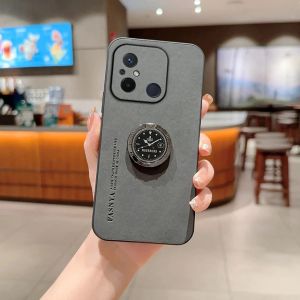
Luxury Leather Phone Cases with Magnetic Holder Ring Camera & Shockproof Protection
![[COD] shiou 201 Microphone Replacement Capsule Drop Shipping Mic Accessories Early Education Machine Specific Microphone](https://img.lazcdn.com/g/p/ec1d8222b5cc31a29d66d0bffc642a06.jpg_300x300q80.jpg)
[COD] shiou 201 Microphone Replacement Capsule Drop Shipping Mic Accessories Early Education Machine Specific Microphone
![[COD] SHPYHT SPORTS 1 Piece DIY Accessories 10-13A 16A Switch Electric Kettle Thermostat Switch Steam Medium Kitchen Parts](https://img.lazcdn.com/g/p/43887ec87e0d95a7d694d290cea6eff4.jpg_300x300q80.jpg)
[COD] SHPYHT SPORTS 1 Piece DIY Accessories 10-13A 16A Switch Electric Kettle Thermostat Switch Steam Medium Kitchen Parts
![[Kupaoge] Bracket Clamp Accessories DIY Fixed Clip Light Mount Holder for Desk Lamp](https://img.lazcdn.com/g/p/d2c31323d0011dec3b2ee1b76a65dba4.jpg_300x300q80.jpg)
[Kupaoge] Bracket Clamp Accessories DIY Fixed Clip Light Mount Holder for Desk Lamp
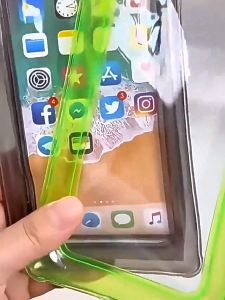
LUCKY KITCHEN HOME CellPhone Waterproof Bag (RANDOM COLOR)
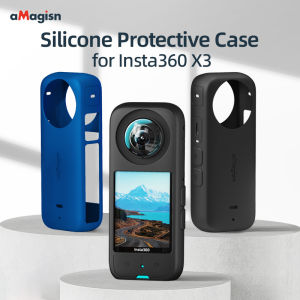
【Ready shipping】aMagisn Insta360 X3 Body Silicone Cover Insta360 ONE X3 Protective Accessories
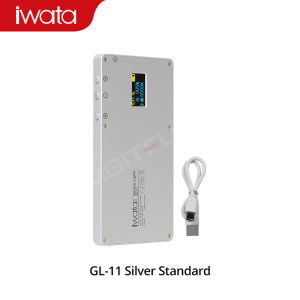
IWATA GL-11 3000K-5500K Mini Bi-Color Live Light: A Comprehensive Guide

Chiffon Seersucker Ins Macaron Background Fabric Manicure Cosmetic Accessories Photographic Ornaments Decoration Photo Props
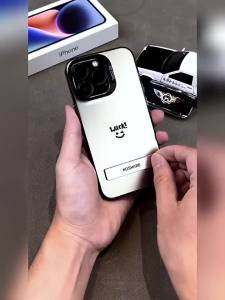
Case for SAMSUNG a11 phone casing hard case TPU Protector Smooth shockproof Cover new design aesthetic with holder luxury CYCBZJ02

for 40-42 inches tv. /tvlace WITH net cover and REMOTE COVER/DUST PROTECTOR/ KIKAY TELEVISION/ screen protector
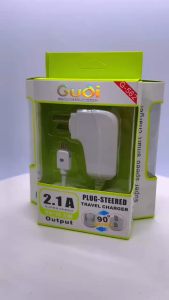
Gudoo Original Gudi Universal 2.1A Fast Super Speed Charger Light 90°Rotate Charging for Android Micro Type-C iOS