Stylus Pen for iPad: A Comprehensive Guide
Stylus Pen for iPad: A Comprehensive Guide
What is a Touch Screen Stylus Pen?
A touch screen stylus pen is a small, handheld device designed to enhance your iPad experience by providing a more natural writing and drawing experience. It mimics the feel of traditional pen and paper while offering the convenience of digital devices. These stylus pens come in various designs and materials, catering to different preferences and needs.
How Does a Stylus Pen Work?
A touch screen stylus pen works by using sensors in the iPad to detect the pressure and movement of the stylus. When you apply pressure to the screen, the sensors recognize the contact and translate it into digital signals, which are then processed by the iPad's operating system. This allows you to write, draw, or navigate with precision and ease.
Benefits of Using a Touch Screen Stylus Pen
Using a touch screen stylus pen offers several advantages over using your fingers or a regular stylus. Some of these benefits include:
- Improved accuracy and control during writing and drawing
- Enhanced comfort and ergonomics
- Better compatibility with various iPad models
- Increased productivity and efficiency
Multi-Generational iPad Stylus Compatibility
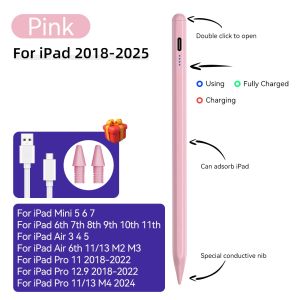
The stylus pen we're discussing here is compatible with multiple generations of iPads, including the iPad Air, iPad Pro, and iPad Mini. This ensures that users can enjoy the benefits of a stylus pen regardless of their specific device model.
Stylus Pen for iPad Air
Our stylus pen is compatible with the iPad Air (6th generation), iPad Air (5th generation), iPad Air (4th generation), and iPad Air (3rd generation). This compatibility allows users to take advantage of the stylus pen's features on a wide range of iPad Air models.
Stylus Pen for iPad Pro
The stylus pen is also compatible with various iPad Pro models, including the iPad Pro (12.9-inch, 5th generation), iPad Pro (12.9-inch, 4th generation), iPad Pro (12.9-inch, 3rd generation), iPad Pro (11-inch, 3rd generation), iPad Pro (11-inch, 2nd generation), and iPad Pro (11-inch, 1st generation).
Stylus Pen for iPad Mini
Finally, our stylus pen is compatible with the iPad Mini (6th generation), iPad Mini (5th generation), iPad Mini (4th generation), and iPad Mini (3rd generation). This compatibility ensures that users of these popular devices can enjoy the benefits of a stylus pen as well.
Palm Rejection Stylus Technology
One of the standout features of our stylus pen is its palm rejection technology. This feature allows users to rest their palm on the screen while writing or drawing, reducing the risk of unintended input and improving overall accuracy.
How Does Palm Rejection Work?
Palm rejection technology works by using sensors in the stylus pen to differentiate between the pressure applied by the stylus and the pressure applied by the palm. When the sensors detect the presence of a palm on the screen, they temporarily disable the touch functionality, allowing the stylus to function without interference.
Advantages of Palm Rejection Stylus Pens
The advantages of palm rejection stylus pens include:
- Improved accuracy and control during writing and drawing
- Reduced risk of unintended input caused by the palm
- Enhanced comfort and ergonomics
Magnetic Adsorption Feature
Another notable feature of our stylus pen is its magnetic adsorption capability. This feature allows users to attach the stylus pen to their iPad, keeping it secure and easily accessible.
Which iPad Models Support Magnetic Adsorption?
The following iPad models support magnetic adsorption:
- iPad Mini (5th generation)
- iPad Mini (6th generation)
- iPad Mini (7th generation)
- iPad Air (3rd generation)
- iPad Air (4th generation)
- iPad Air (5th generation)
- iPad Air (6th generation)
How to Use Magnetic Adsorption
To use the magnetic adsorption feature, simply place the stylus pen on the back of your iPad. The magnetic attraction will hold the stylus pen securely in place, allowing you to access it quickly and easily whenever needed.
Additional Features & Benefits
In addition to the features mentioned above, our stylus pen offers several other benefits, including:
No Bluetooth Connection Required
Our stylus pen does not require a Bluetooth connection to function. Instead, it operates by turning on a switch located on the stylus itself. This eliminates the need for complex setup procedures and ensures that the stylus pen is always ready to use.
Feedback Reward Program
We value our customers' feedback and offer a reward program for those who provide positive reviews. By sharing your experience with our stylus pen, you can earn coins that can be redeemed for discounts on future purchases.
Order & Delivery Information
Orders placed through our Danycase Local Store will be shipped from Metro Manila and delivered within 2-4 days. To stay updated on promotions and discounts, follow us on social media and sign up for our newsletter.
To learn more about our stylus pen or to place an order, visit our website at Danycase Local Store.
We look forward to serving you!" }

1UTeApKm
Review

You May Also Like
New Phone Case For OPPO A55 A74 5G A54 A74 A94 4G A16 A16S A15 A15S A93 A73 A53 A31 A5 A9 2020 A52 A72 A92 F11 F11 Pro Tree Cat Magnetic Leather Wallet Card Slot Flip Cover Casing
9D Soft Film Case for VIVO Y17S: A New Design Phone Casing
2-piece Air Housing Clip 17219-P65-000 Air Cleaner Intake Box Housing Clip Clamp Plastic-material Durable
XUNYU3 5 10pcs Household Standard Single Disc Storage Boxes DVD Case CD Case Empty Clear Plastic CD Case Disc CD Box
Huawei FreeBuds 7i Silicone Protective Case Cartoon Anti-fall Soft Shell for Earphones Charging Case Protection Cute Minimalist
Honor 400 pro Rear Camera Lens Film Protection Sticker High Definition Anti-Fall Explosion-Proof Glass for Domestic And Overseas Versions
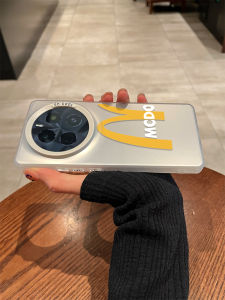
Full Protection for GT7 Pro: Realme True Me Phone Case
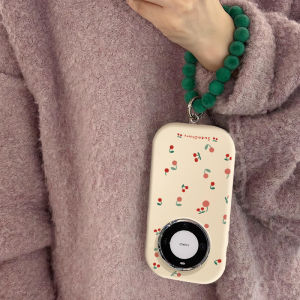
Full Screen Cherry Huawei Mate60pro + Phone Case Applicable Mate60pro Internet Celebrity Mate50e Silver Mirror Fat Pier Mate40epro with Lanyard Mate30 New Arrival Female Drop Silicone Protective Cover
![[COD] SUILEI 3.3FT 3.5mm AUX Audio Plug Jack to USB 2.0 Male Charge Cable Cord For MP3](https://img.lazcdn.com/g/p/a6cd0874acdd3a9ba1dad5daae9ac487.jpg_300x300q80.jpg)
[COD] SUILEI 3.3FT 3.5mm AUX Audio Plug Jack to USB 2.0 Male Charge Cable Cord For MP3
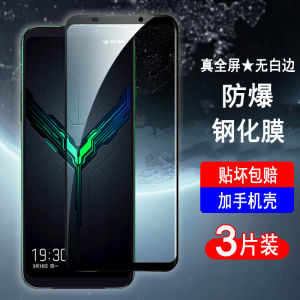
Applicable Black Shark 2 Tempered Film Black Shark Game Mobile Phone 2pro Full Screen Cover Mobile Phone Film No White Edges All-Inclusive Drop-Resistant HD Explosion-Proof Glass Protective Film

EVG replacement Burner Flat Cap Cover for LA Germania Gas Range Stove 77mm Medium / 91mm Large