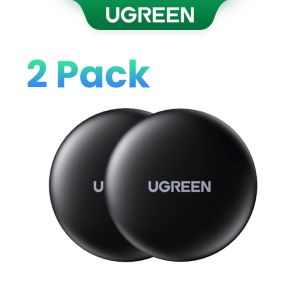
UGREEN Finder Security SmartTrack Link SmartTag: An Apple-Certified Bluetooth Tracker
UGREEN Finder Security SmartTrack Link SmartTag: An Apple-Certified Bluetooth Tracker
What is the UGREEN Finder Security SmartTrack Link SmartTag?
The UGREEN Finder Security SmartTrack Link SmartTag is a compact, reliable, and Apple-certified Bluetooth tracker that helps you locate your lost items with ease. Designed to work seamlessly with Apple devices, this MFi certified product supports global positioning and boasts a transmission distance of up to 10 meters without obstruction.
Key Features
- MFi Certified Quality: Backed by Apple's strict quality standards, our SmartTrack Link ensures compatibility and reliability with iOS devices.
- Global Positioning: Our tracker supports global positioning, allowing you to track your items anywhere in the world.
- Transmission Distance: With a transmission range of 10 meters (without obstruction), you can easily locate your lost items.
Compatibility & Certification
Our SmartTrack Link is Apple-certified, meaning it has been rigorously tested and approved by Apple to ensure compatibility with iOS devices. This MFi certification guarantees the highest quality standards and ensures a seamless experience with your iPhone, iPad, or iPod Touch.
Global Positioning & Transmission Distance
Although our tracker does not support UWB precise positioning, it still offers global positioning capabilities, allowing you to track your items worldwide. With a transmission distance of 10 meters (without obstruction), you can easily locate your lost items within a reasonable range.
How to Use the UGREEN Finder Security SmartTrack Link SmartTag
Using the UGREEN Finder Security SmartTrack Link SmartTag is simple and straightforward. Follow these steps to set up and pair your tracker with your iOS device.
Setup Process
- Remove the protective film from the back of the SmartTag.
- Attach the SmartTag to the item you wish to track using the included adhesive or clip.
- Download the Find My app on your iOS device if you haven't already.
Pairing with iOS Devices
- Open the Find My app on your iOS device.
- Tap on 'Items' and then 'Add Item'.
- Follow the on-screen instructions to pair your SmartTag with your device.
Tracking Lost Items
If you misplace an item attached to your SmartTag, simply open the Find My app on your iOS device and select the lost item. The app will display the last known location of the item, helping you locate it quickly and easily.
Why Choose the UGREEN Finder Security SmartTrack Link SmartTag?
When it comes to choosing a Bluetooth tracker, there are many factors to consider. Here are some reasons why the UGREEN Finder Security SmartTrack Link SmartTag stands out from the competition.
Cost-Effective Solutions
While our products may be slightly pricey, they are backed by Apple's strict quality standards and come with a 24-month warranty. This makes them a cost-effective choice in the long run, as you can trust that they will perform reliably and last for years to come.
24-Month Warranty
Our commitment to providing high-quality products extends beyond just their performance. We stand behind our SmartTrack Link with a 24-month warranty, giving you peace of mind knowing that you're covered if anything goes wrong.
MFi Certified Quality
As an Apple-certified product, our SmartTrack Link has been rigorously tested and approved by Apple to ensure compatibility and reliability with iOS devices. This MFi certification guarantees the highest quality standards and ensures a seamless experience with your iPhone, iPad, or iPod Touch.

KhQFmIqe
Review

You May Also Like
NineWind ET482 Smart Watch: A Comprehensive Guide
2025 S4 Ultra Smart Watch Men AMOLED Outdoor Sports NFC GPS Compass Waterproof Bluetooth Call Smart bracel
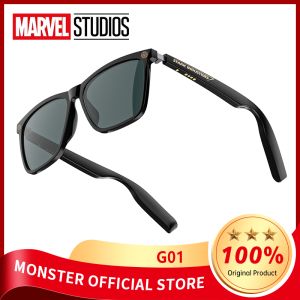
MARVEL Bluetooth 5.4 Glasses with Mic Mobile Polarized Light Sunglasses Earphone Wireless Headset for Outdoor Sport Driving Riding Glasses
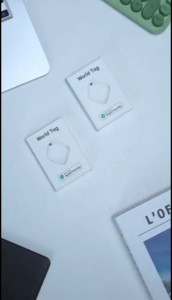
Smart Key Finder Locator Anti-Lost Wireless GPS Key Tracker Pet Positioning Tag Tracker Remote Finder Tracking Device Easy to Use Tracker Air Tags for Keys Phones Wallet TV Remote control Pets Bag Backpack Replaceable Battery
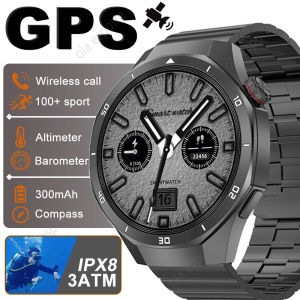
New Outdoors Waterproof GPS Smart Watch Men 1.46" AMOLED 366*366 Pixel Display Always Show Time Call Reminder Ladies Smartwatch
AOLON GT5 PRO SMART WATCH WATER PROOF DUAL STRAP
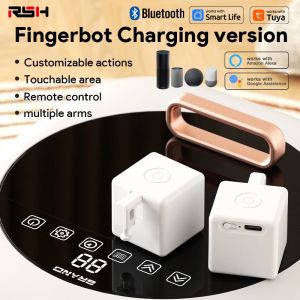
New Tuya Bluetooth Smart Touch Fingerbot Plus USB Charge Version Switch Button Pusher Arm Fingerbot Via Alice Alexa Google Home
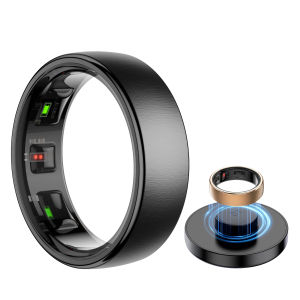
Smart Ring R10 Gesture Control Heart Rate Body Temperature Blood Oxygen Sleep Monitor 5ATM Waterproof Multi Sport Smart Ring
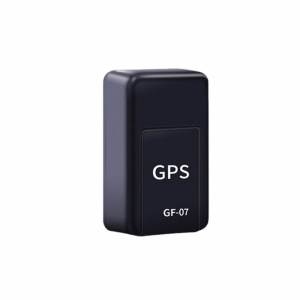
GF-07 Mini GPS Tracker: Real-Time Vehicle Tracking & Anti-Lost Locator
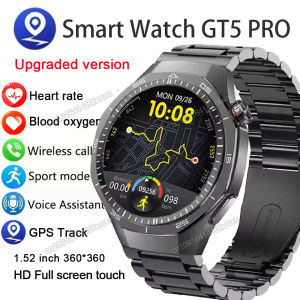
GT5 Pro Smart Watch Men AMOLED HD Screen Bluetooth Calls GPS Tracker NFC Heart Rate Blood Oxygen Watch 5 Pro Sports SmartWatches
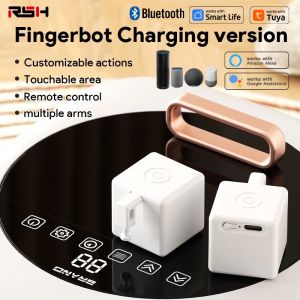
New Tuya Bluetooth Smart Touch Fingerbot Plus USB Charge Version Switch Button Pusher Arm Fingerbot Via Alice Alexa Google Home