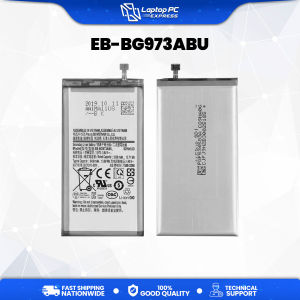
Cellphone Battery for Samsung Galaxy S10 2019 3.8V 13.09Whr / 3400mAh EB-BG973ABU
Cellphone Battery for Samsung Galaxy S10 2019 3.8V 13.09Whr / 3400mAh EB-BG973ABU
Are you looking for a reliable replacement battery for your Samsung Galaxy S10? Look no further! This article will provide you with comprehensive information about the EB-BG973ABU battery, including its key features, compatibility, and how to replace it successfully. We'll also discuss best practices for extending your battery life and address common questions and troubleshooting tips.
What is the EB-BG973ABU Battery?
The EB-BG973ABU battery is a high-quality replacement battery designed specifically for the Samsung Galaxy S10 smartphone. It boasts a capacity of 3400mAh and operates at a voltage of 3.8V, delivering a total energy of 13.09Whr.
Key Features & Specifications
The EB-BG973ABU battery offers several key features and specifications that make it a great choice for Samsung Galaxy S10 users:
- Capacity: 3400mAh
- Voltage: 3.8V
- Energy: 13.09Whr
- Compatibility: Samsung Galaxy S10
Compatibility with Samsung Galaxy S10
The EB-BG973ABU battery is designed to be compatible with the Samsung Galaxy S10 smartphone. It is important to note that while the battery may fit other devices with similar dimensions, it is specifically optimized for the Samsung Galaxy S10.
How to Replace Your Samsung Galaxy S10 Battery
Replacing your Samsung Galaxy S10 battery can be a simple process if you follow the right steps. Here's a step-by-step guide to help you replace your battery successfully:
Step-by-Step Guide
- Prepare Your Tools: Gather the necessary tools, including a Phillips head screwdriver, a plastic pry tool, and a replacement EB-BG973ABU battery.
- Power Off Your Device: Turn off your Samsung Galaxy S10 to avoid any potential damage during the replacement process.
- Remove the Back Cover: Use the plastic pry tool to carefully separate the back cover from the device. Be gentle to avoid damaging the adhesive or the screen.
- Remove the Screws: Using the Phillips head screwdriver, remove the screws securing the battery assembly to the device.
- Disconnect the Battery Connector: Gently disconnect the battery connector from the motherboard.
- Remove the Old Battery: Carefully slide the old battery out of the device.
- Install the New Battery: Insert the new EB-BG973ABU battery into the device, ensuring it is properly aligned and securely connected to the motherboard.
- Reassemble Your Device: Reattach the screws, back cover, and any other components you removed during the process.
- Power On Your Device: Turn on your Samsung Galaxy S10 and verify that the new battery is functioning correctly.
Tips for Successful Replacement
- Use the Right Tools: Make sure you have the correct tools for the job, including a Phillips head screwdriver and a plastic pry tool.
- Work in a Clean Environment: Replace your battery in a clean, dust-free environment to avoid contamination.
- Handle the Battery with Care: Be gentle when handling the battery to avoid damaging it or the device.
How to Extend Your Battery Life
Extending the life of your Samsung Galaxy S10 battery is essential for maximizing its performance and longevity. Here are some best practices for maintaining your battery:
Best Practices for Battery Maintenance
- Keep Your Device Updated: Regularly update your device's software to ensure optimal battery performance.
- Manage App Usage: Limit the number of apps running in the background, as they can drain your battery quickly.
- Adjust Screen Brightness: Lower your screen brightness to reduce power consumption.
- Use Power-Saving Modes: Enable power-saving modes when your battery is low to extend its lifespan.
- Charge Your Device Properly: Charge your device using the original charger and avoid overcharging or leaving it plugged in overnight.
Common Mistakes to Avoid
- Avoid Extreme Temperatures: Keep your device away from extreme heat or cold, as they can damage your battery.
- Don't Let Your Battery Drain Completely: Try to keep your battery above 20% to avoid damaging it.
- Use Original Accessories: Use only original chargers and cables to ensure proper charging and avoid potential damage.
Frequently Asked Questions
Troubleshooting Tips
If you're experiencing issues with your Samsung Galaxy S10 battery, here are some troubleshooting tips to help you resolve them:
- Battery Not Charging: Check if the charger and cable are working properly, and try charging your device using a different outlet.
- Battery Draining Quickly: Review your app usage and adjust your device's settings to optimize battery performance.
- Battery Swelling: If your battery is swelling, stop using your device immediately and contact Samsung for assistance.
Additional Resources
For more information about the EB-BG973ABU battery and Samsung Galaxy S10, visit the official Samsung website or consult with a professional repair service.

Laptop Pc Express
Review

You May Also Like

Magnetic Suction Original Color Series Frosted Metal Phone Case for Apple 17Promax iPhone 16Pro Simple Anti-Fall Full Cover Anti-Slip IP17
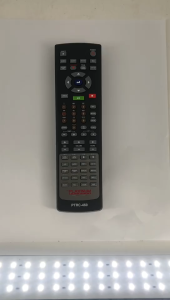
Remote Platinum Handheld Remote PTRC-460: A Replacement Remote Control for Reyna SE
![COD [Free Shipping] Portable AV RCA CVBS To VGA Plug and Play Multifunctional Mini Video Convertor with Cable Free Display for Set-top Box](https://img.lazcdn.com/g/ff/kf/S76f01127968a4610b2cda1131ea05adfh.jpg_300x300q80.jpg)
COD [Free Shipping] Portable AV RCA CVBS To VGA Plug and Play Multifunctional Mini Video Convertor with Cable Free Display for Set-top Box

CrashStar Fashion Deer Elk Cloth Soft Shockproof Phone Case For iPhone 16 15 14 13 12 11 Pro Max Mini X XR XS Max 8 7 6 6S Plus + SE 2020 Frabic Sweatproof Anti-fingerprint Phone Casing Cover Shell With Full Cover Lens Camera Protection

QuXis Simple Transparent Silicon Case: A Stylish & Protective Choice for iPhone
OPPO F7 A3 CPH1819 CPH1821 LCD Display Screen Assembly Replacement

Mbappe Football Star Phone Case for Apple Huawei Xiaomi Real Madrid iPhone Liquid Silicone Protective Cover UEFA Champions League
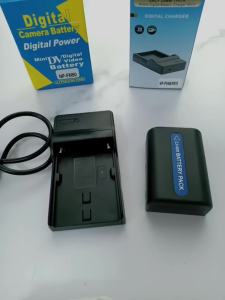
NP-FM50 USB Charger for Sony Cameras: A Comprehensive Guide

Luxury PU Leather Phone Case For OnePlus Nord CE 4 CE4 Lite CE4Lite OnePlusNord CE4Lite 5G 2024 Casing Business Silicone Fashion Shockproof Protection Back Cover

Full Cover Mirror Surface Electroplated Police Womens Style Phone Case for Apple Huawei Mate70 New Model 17Promax
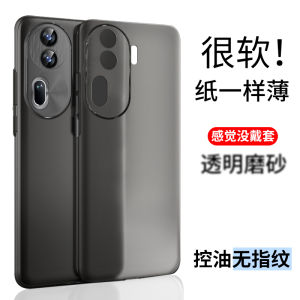
Ultra-Thin Transparent Matte OPPO Reno11 pro Phone Case Full Protection Soft Shell for Men And Women High End Anti-Fall Design