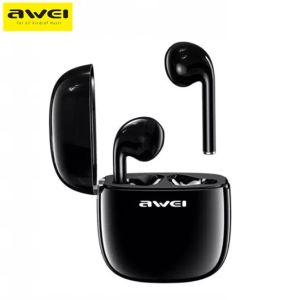
AI Voice Recorder App: A Comprehensive Guide
AI Voice Recorder App: A Comprehensive Guide
Welcome to our comprehensive guide on the AI Voice Recorder App, the ultimate tool for recording lectures, meetings, calls, and transcribing audio recordings. This article will provide you with all the necessary information you need to know about this innovative product.
What is the AI Voice Recorder App?
The AI Voice Recorder App is a state-of-the-art audio recorder that leverages advanced artificial intelligence technology to provide superior audio quality, seamless integration with other devices, and a user-friendly interface. This app is designed to cater to a wide range of users, including students, professionals, and language learners.
Key Features
The AI Voice Recorder App offers a variety of features that make it stand out from other audio recorders. Here are some of its key features:
- High-quality audio recording with noise reduction technology
- Automatic transcription of audio recordings
- Language translation capabilities
- Integration with other devices
- User-friendly interface
Included Accessories
The AI Voice Recorder App comes with the following accessories:
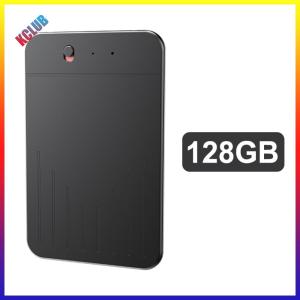
- 1 x AI Voice Recorder
- 1 x Charging Cable
- 1 x Instruction Manual
Who Can Benefit from the AI Voice Recorder App?
The AI Voice Recorder App is ideal for anyone who needs to record lectures, meetings, calls, and transcribe audio recordings. Some examples of users who can benefit from this app include:
- Students who want to record lectures and transcribe them for easier studying
- Professionals who need to record meetings and transcribe them for documentation purposes
- Language learners who want to practice their listening and speaking skills
How to Use the AI Voice Recorder App
Using the AI Voice Recorder App is simple and straightforward. Here are some tips on how to get the most out of this app:
Recording Lectures & Meetings
To record lectures and meetings, simply open the app and press the record button. The app will automatically start recording the audio and save it to your device. You can also set the recording settings to optimize the audio quality for different environments.
Transcribing Audio Recordings
Once you have recorded your audio, you can easily transcribe it using the app's built-in transcription feature. Simply select the audio file you want to transcribe and press the transcribe button. The app will automatically transcribe the audio and save it as a text file.
Language Translation Capabilities
The AI Voice Recorder App also has language translation capabilities, allowing you to translate audio recordings from one language to another. To use this feature, simply select the audio file you want to translate and choose the target language. The app will automatically translate the audio and save it as a text file.
Why Choose the AI Voice Recorder App?
There are many reasons why you should choose the AI Voice Recorder App over other audio recorders. Here are some of the key benefits:
Superior Audio Quality
The AI Voice Recorder App uses advanced noise reduction technology to provide superior audio quality. This means that you can record clear and crisp audio even in noisy environments.
Seamless Integration with Other Devices
The AI Voice Recorder App integrates seamlessly with other devices, allowing you to easily transfer your audio recordings to other devices for playback or editing.
User-Friendly Interface
The AI Voice Recorder App has a user-friendly interface that makes it easy to use, even for beginners. You can easily navigate the app and access all its features with just a few taps.
Tips for Maximizing the AI Voice Recorder App's Potential
To get the most out of the AI Voice Recorder App, here are some tips you can follow:
Optimal Settings for Different Environments
To optimize the audio quality for different environments, you can adjust the recording settings in the app. For example, if you are recording in a noisy environment, you can increase the noise reduction level to improve the audio quality.
Enhancing Transcription Accuracy
To enhance transcription accuracy, you can adjust the transcription settings in the app. For example, if you are recording in a language that is not well-supported by the app, you can manually enter the language settings to improve transcription accuracy.
Customizing Language Translation Settings
To customize language translation settings, you can adjust the translation settings in the app. For example, if you want to translate audio recordings from one language to another, you can choose the target language and adjust the translation settings to improve translation accuracy.
In conclusion, the AI Voice Recorder App is a powerful tool for recording lectures, meetings, calls, and transcribing audio recordings. With its superior audio quality, seamless integration with other devices, and user-friendly interface, this app is ideal for anyone who needs to record and transcribe audio recordings. We hope this guide has been helpful in introducing you to the AI Voice Recorder App and its many features.

KCLUB
Review

You May Also Like

FANTASY MOFii Gaming Headphone Cat Ear Shape Cute Headset Earphone Pink Lovely Girls Headphones Stereo Microphone RGB Light EP061
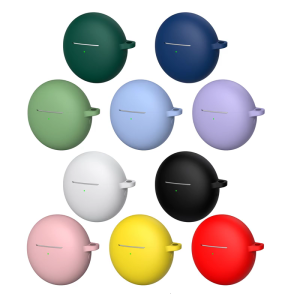
Comfortable Touch Protective Case For Freebuds7i Earbuds AntiShock Silicone Design Featuring Secure Carrying Hook
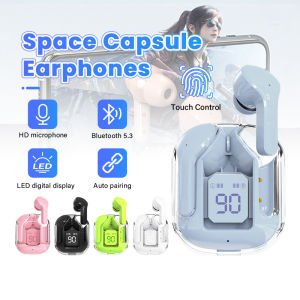
5 Colors Transparent Capsule Bluetooth 5.3 Earphone Wireless Earphones with LED Digital Display Noise Reduction Portable in-ear Earbuds
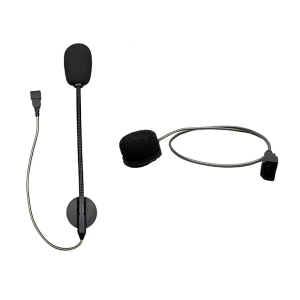
Lightweight Ergonomic Motorcycle Headset Microphone For CARDO Asmax Reso Seamless Mesh Communication Outdoor Adventures
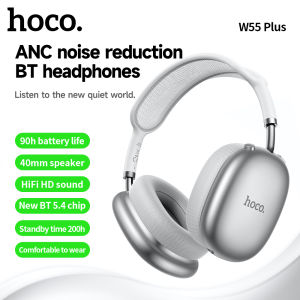
HOCO W55 Plus Wireless Headphones: ANC Noise Reduction & Super Long Battery Life
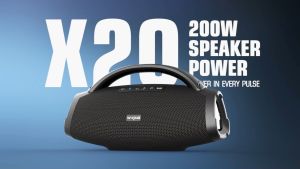
W-KING X20/D20: A Powerful 200W Super Bass IPX6 Waterproof Outdoor Boombox
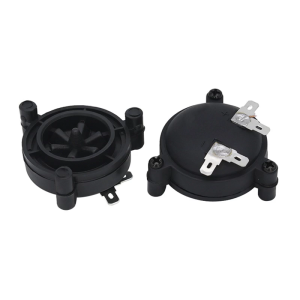
Round Horn Tweeter Speakers With Metal Coil 4-8Ω Speaker For Better Sound Quality Increased Voltages Tolerance 98DB
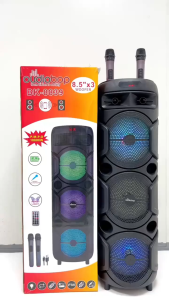
Portable Party Wireless Speaker: A Comprehensive Guide to the Dig Portable Bluetooth Karaoke Speaker

POLVCDG-X15: The Ultimate IPX6 Sweat Proof Bone Conduction Earphone
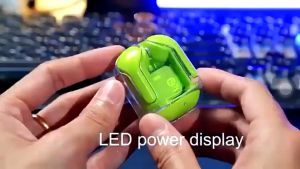
5 Colors Transparent Wireless Bluetooth Earplug Headset: Features & Benefits
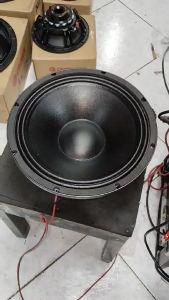
New Crown ND-1218 1800W Neodymium Magnet Speaker