



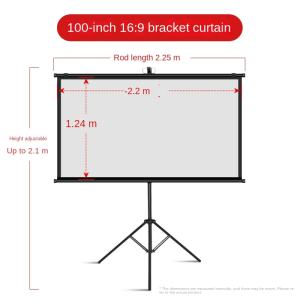
60/100 Inches Projector Screen Wall-mounted with Tripod Stand Portable Projector Screen
60/100 Inches Projector Screen Wall-mounted with Tripod Stand Portable Projector Screen
Introduction to Wall-Mounted & Tripod Stand Projector Screens
Projector screens come in various sizes, styles, and mounting options. This article focuses on two popular projector screens: the 60/100 inch compact and adjustable projector screens, available in wall-mounted and tripod stand options. These screens are perfect for enhancing your viewing experience, whether you're watching movies, presenting slideshows, or gaming.
Understanding the Benefits of Wall-Mounted Projector Screens
Wall-mounted projector screens offer several advantages:
- Space-saving: They can be easily hidden away when not in use, saving valuable floor space.
- Stability: Mounted securely to the wall, these screens provide a stable viewing surface, reducing vibrations that may affect image quality.
- Professional appearance: Wall-mounted screens give your room a polished, professional look.
Exploring the Advantages of Tripod Stand Projector Screens
Tripod stand projector screens are another great option, offering the following benefits:
- Portability: Tripod stands allow you to move your projector screen around, making it easy to set up in different locations.
- Adjustability: Tripod stands often feature adjustable legs, allowing you to find the perfect viewing angle.
- Affordability: Tripod stand projector screens tend to be less expensive than wall-mounted options.
Choosing the Right Size: 60 Inch vs. 100 Inch Projector Screens
Selecting the ideal projector screen size depends on various factors, including your room dimensions, seating distance, and desired viewing experience.
Factors to Consider When Selecting a Projector Screen Size
- Room dimensions: Larger screens work better in larger rooms, while smaller screens are suitable for compact spaces.
- Seating distance: The closer you sit to the screen, the smaller the screen size you'll need. Conversely, sitting farther away requires a larger screen for optimal viewing.
- Content: Different content types may require different screen sizes. For example, movies and TV shows often look better on larger screens, while presentations and gaming may work well on smaller screens.
Comparing 60 Inch & 100 Inch Projector Screens
- 60 inch projector screen: Ideal for small to medium-sized rooms, this screen size offers a great viewing experience for movies, TV shows, presentations, and gaming.
- 100 inch projector screen: Perfect for large rooms or home theaters, this screen size provides an immersive viewing experience, especially for movies and gaming.
Installation & Setup: Wall-Mounted & Tripod Stand Projector Screens
Installing and setting up your projector screen is a straightforward process, whether you choose a wall-mounted or tripod stand option.
Steps to Install a Wall-Mounted Projector Screen
- Measure the wall space and mark the desired mounting location.
- Attach the mounting bracket to the wall using screws and anchors.
- Attach the projector screen to the mounting bracket.
- Adjust the screen to ensure it's level and secure.
Setting Up a Tripod Stand Projector Screen
- Unpack the tripod stand and projector screen.
- Assemble the tripod stand according to the manufacturer's instructions.
- Attach the projector screen to the tripod stand.
- Adjust the legs to find the perfect viewing angle.
Enhancing Your Viewing Experience: Compact & Adjustable Projector Screens
Compact and adjustable projector screens offer several features to enhance your viewing experience.
Customizing Your Viewing Space with Compact Projector Screens
Compact projector screens are perfect for small spaces, offering a versatile viewing solution that can be easily moved around.
Adjusting Projector Screen Settings for Optimal Performance
Adjusting settings such as brightness, contrast, and color balance can significantly improve your viewing experience. Consult your projector screen's user manual for specific instructions.
Conclusion: Making the Best Choice for Your Projector Screen Needs
Choosing the right projector screen size, mounting option, and settings is crucial for maximizing your viewing experience. By considering factors such as room dimensions, seating distance, and content type, you can select the ideal projector screen for your needs. Compact and adjustable projector screens provide a versatile solution, whether you prefer wall-mounted or tripod stand options.

Ninesong
Review

You May Also Like
HY300 Monoz Projector: A Portable Mini Projector with Flexible Projection Angle
【2 Year Warranty】Xiaomi TV A 2026 32 Inch Smart Google TV Dolby Audio Television DTS-X Premium Metal
CP350 Mini Portable Projector Full HD 1080P Display Supported For Home Theater Entertainment
Xiaomi Portable Mini Projector 1080P 4K Ultra Clear 5G Projector HD Android 10.0 dual WIFI With Bluetooth Netflix YOUTUBE Home Theater Projector USB HD Ilepo Smart Projector
ZDSSY HY300 Ultra Android 11 Projector 4K HD Home Cinema Auto Keystone Built-in Netflix YouTube Speaker BT5.4 Dual-band wifi Projector Outdoor Movie
SF-HD850 Optical Pickup Laser Lens DV34 DVD Player Lens For Platinum / Hyundai / Megapro Player
HY320 MAX High-Quality 400ANSI Projetor para Casa for Immersive Gaming Experience and Cinema Atmosphere
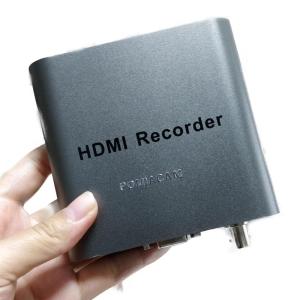
HDMI recorder Device 1080P CVBS Video Recorder DVR for PS4 Box play game Video recording DVR TV display recording
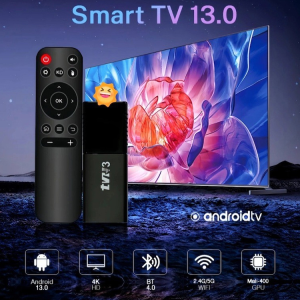
Upgraded TVR3 TV Set-Top Box 1080P Mini Wireless Display Receiver Powerful Processing Performance HD Smart
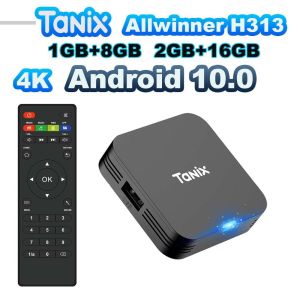
Tanix TX1 Android TV Box Allwinner H313 Quad Core 2.4G Wifi Mini Smart TV Box Power by DC 5V 2A
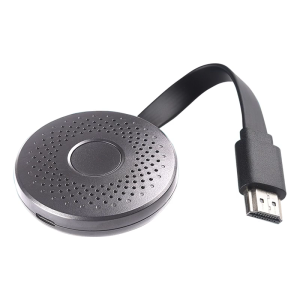
New Model A30 1080P Screen Transmitter for Easy Multimedia Projection in Various Environment
![Sony Mega Pro 32 Inch Smart Android LED TV [FREE Bracket] MegaPro32 Inch Ultra-slim Smart HD LED TV [3237] | Netflix & Youtube | android screen-mirroring | extra-loud sound | WIFI + LAN | Samsung LED panel inside | 1366x768 | flatscreen tv LED 32](https://img.lazcdn.com/g/ff/kf/S8df6563581d048e385974d743bbde88aH.jpg_300x300q80.jpg)

















