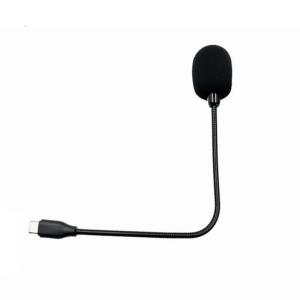
Flexible Gooseneck Mic Conference Microphone Ø9.7x6.7mm Mic Head 20Hz-16KHz Frequency for Phones Computer Meetings
Flexible Gooseneck Mic Conference Microphone Ø9.7x6.7mm Mic Head 20Hz-16KHz Frequency for Phones Computer Meetings
Introduction to Flexible Gooseneck Mics
Flexible gooseneck mics are versatile audio devices designed to capture clear sound during phone and computer meetings. These microphones feature a flexible neck that allows for easy positioning and adjustment to suit various environments. In this article, we will explore the key features and benefits of these microphones, compare them with other types of microphones, and provide guidance on selecting, setting up, and maintaining a flexible gooseneck mic for optimal performance.
Key Features & Benefits
Flexible gooseneck mics offer several key features and benefits that make them ideal for conference calls and meetings. One of the most notable features is their frequency range, which spans from 20Hz to 16KHz, ensuring crisp and clear sound quality. Additionally, the microphone head measures 9.7x6.7mm, providing a compact and unobtrusive design. Some other advantages include:
- Easy positioning and adjustment due to the flexible neck
- Compatibility with phones and computers
- Durability and reliability
Comparison with Other Microphones
When compared to other types of microphones, such as condenser or dynamic microphones, flexible gooseneck mics have distinct advantages. They offer better sound quality than built-in computer or phone microphones, and their compact design makes them more suitable for desktop use. Furthermore, they are easier to set up and maintain than more complex microphone setups, making them ideal for everyday use in conference calls and meetings.
How to Choose the Right Flexible Gooseneck Mic
When selecting a flexible gooseneck mic, it's important to consider several factors to ensure optimal performance. First, understand the mic specifications, such as frequency range and microphone head size, to determine if they meet your needs. Next, consider the intended use of the microphone, whether it's for phone or computer meetings, and choose a model that best suits your requirements.
Using Flexible Gooseneck Mics for Phone & Computer Meetings
Setting up and using a flexible gooseneck mic for phone and computer meetings is straightforward. First, position the microphone near the speaker, ensuring it captures clear sound without picking up background noise. Then, adjust the flexible neck to the desired angle and height. To maintain optimal sound quality, follow these best practices:
- Keep the microphone at a consistent distance from the speaker
- Position the microphone away from noise sources
- Test the microphone before starting the meeting
Maintenance & Troubleshooting Tips
To ensure the longevity and performance of your flexible gooseneck mic, proper maintenance and troubleshooting are essential. Clean the microphone head regularly using a soft cloth to remove any dust or debris. Store the microphone in a safe place when not in use to prevent damage. If you encounter any issues, consult the user manual or seek assistance from the manufacturer. Some common issues and solutions include:
- No sound: Check the microphone connection and ensure it is properly plugged in
- Background noise: Adjust the microphone position or use noise-cancelling software
- Distorted sound: Reduce the volume or adjust the microphone sensitivity

Jiaman
Review

You May Also Like
Replacement Ear Cushions Headband for QC35 QC35II QC45 QCSE Headphone Comfort and Durability Easy Installation
AC 220V 12v 24v Bluetooth 5.0 Audio Amplifier Karaoke Amplifier Hi-Fi Stereo Digital Power Amplifier Motherboard Plug Microphone Adjustable Echo Standalone Microphone Sound
![♥100%Original Product+FREE Shipping♥P47 Wireless Bluetooth [Good Quality] On-Ear Headphone Headset AUXFM radio Noise Cancellation w/ mic](https://img.lazcdn.com/g/ff/kf/S184f6efed8aa4af8839baa0a99653203k.jpg_300x300q80.jpg)
♥100%Original Product+FREE Shipping♥P47 Wireless Bluetooth [Good Quality] On-Ear Headphone Headset AUXFM radio Noise Cancellation w/ mic
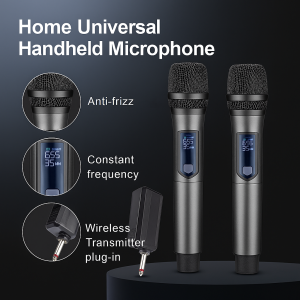
Home Universal Handheld Microphone Wireless Microphone Karaoke Sound Amplifier Microphone Audio Integrated Microphone
CVTA FT STAR PROFESSIONAL SPEAKER: A Comprehensive Guide
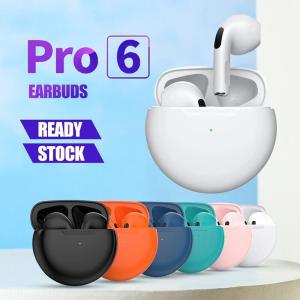
🎧【Readystock】 + FREE Shipping 🎧 For Smart iPhone Original Air Pro 6 TWS Wireless Headphones Bluetooth Earphones In Ear Earbuds Earpod Sports Gamer Pods Headset Readystock Airpods Pro - Lazada
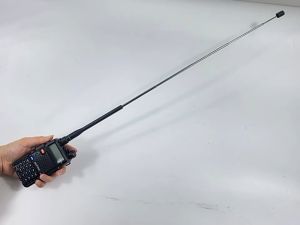
Baofeng Original Antenna Two-Way Radio Telescopic Rod High Gain Antenna Walkie Talkie SMA-Female BF-888s UV5R
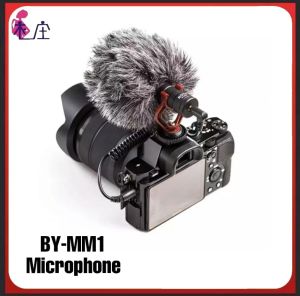
Original Microphone BY-MM1: A Compact On-Camera Smartphone Video Microphone for TikTok & YouTube Vlog Livestreaming
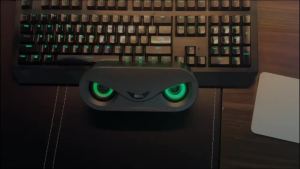
Audio Berlin Sound Bluetooth Speaker High Sound Quality Home Desktop E-Sports Wireless Audio Computer Subwoofer
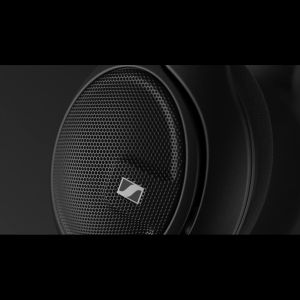
Sennheiser HD 560S
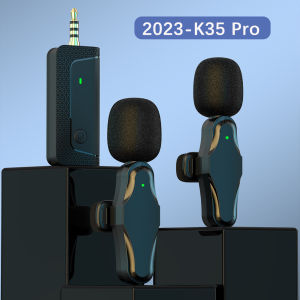
🎤【Ready stock】FREE Shipping+COD🎤 2023 K35Pro Wireless Lavalier Noise Reduction Microphone 3.5mm AUX for Amplifier Camera Computer Mobile Phone Speaker K35 Pro