QLS3600S 2.4\" TFT DDS Function Signal Generator - Programmable Signal Source with Frequency/Pulse/Sweep/Counter (5V DC)
QLS3600S 2.4" TFT DDS Function Signal Generator - Programmable Signal Source with Frequency/Pulse/Sweep/Counter (5V DC)
Overview & Key Features
What is a DDS Function Signal Generator?
A Direct Digital Synthesis (DDS) function signal generator is a versatile device used to produce precise and stable electrical signals with a wide range of frequencies and waveforms. It is widely employed in research, development, testing, and educational settings, where accurate signal generation is crucial.
Key Components of QLS3600S
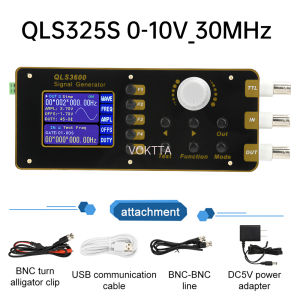
The QLS3600S is a high-performance DDS function signal generator that comes with a 2.4" TFT display, making it easy to read and operate. It is powered by a 5V DC power supply and includes a BNC-BNC cable, USB communication cable, BNC to clip cable, and an instruction manual. The device supports various communication protocols, including RS232, USB, and LAN.
Main Functions of QLS3600S
The QLS3600S offers a wide range of functions, including frequency generation, pulse generation, sweep generation, and counter functionality. Users can easily configure these settings through the intuitive interface, ensuring accurate signal generation for their specific applications.
Setup & Installation
Unboxing & Initial Setup
Upon unboxing the QLS3600S, users will find the host unit, power adapter, BNC-BNC cable, USB communication cable, BNC to clip cable, and instruction manual. Follow the steps outlined in the instruction manual to set up the device.
Connecting Power Supply & Display
Connect the power adapter to the QLS3600S and plug it into a 5V DC power source. The device will automatically turn on, and the 2.4" TFT display will show the initial screen. Adjust the brightness and contrast settings according to personal preference.
Connecting Cables & Communication Ports
Connect the BNC-BNC cable to the output port of the QLS3600S and the input port of the device under test. If necessary, use the BNC to clip cable to connect the output signal to the desired location. Connect the USB communication cable to the USB port on the QLS3600S and a computer for remote control or data logging.
Operating Instructions & Troubleshooting
Basic Operation & Control
The QLS3600S features a user-friendly interface with intuitive controls. Users can easily navigate through the menu options to configure the desired settings. The device supports various frequency ranges, pulse widths, and sweep parameters, allowing users to generate accurate signals for their specific applications.
Frequency/Pulse/Sweep/Counter Settings
To configure the frequency settings, navigate to the 'Frequency' menu option and adjust the desired parameters. Similarly, users can configure pulse generation, sweep generation, and counter functionality by navigating to the respective menu options and adjusting the relevant settings.
Troubleshooting Common Issues
If users encounter any issues while operating the QLS3600S, refer to the troubleshooting section in the instruction manual. Common problems include incorrect signal generation, display issues, and communication errors. Follow the recommended solutions to resolve these issues.
In conclusion, the QLS3600S is a powerful DDS function signal generator that offers a wide range of functions and features. With its user-friendly interface, intuitive controls, and accurate signal generation capabilities, it is an ideal choice for researchers, developers, testers, and educators alike.

VOKTTA Official Store
Review

You May Also Like

ROLL 1pc Welding Powerful Exhaust Sealing Repair Tool Pipe Clip Stainless Steel T Bolt Hose Clamps
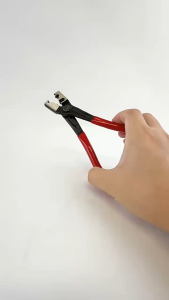
Auto Car Water Oil Pipe Hose Flat Band Ring Clamp Plier Vehicle Repair Tool Pliers CV Clamp Tool CV Joint Boot Clamp Pliers Professional Set Clip Hose for Exhaust Pipe Fuel Filter Cars Torque Wrench Tool Kit Caliper Hose Straight Hose Type Bundle Clamp
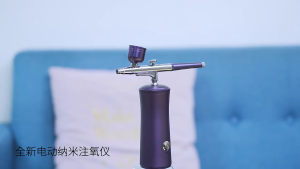
High Performances Airbrushes Compressor Set for Artists and Beauty Enthusiasts
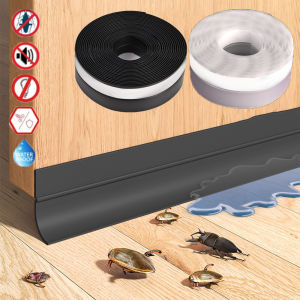
1/2/3M Self-adhesive Door Window Sealing Strip Glass Window Anti-collision Sound Insulation Rubber Strip Tape Door Bottom Insect-proof Stripe
Cord Storage Reel w/Stand

Super8 Kitchen Sticker: Self Adhesive PVC Waterproof Oilproof Heatproof Flower Design 5M * 40CM
Tuya Smart Door Lock for Glass Door with Fingerprint Password IC Card App Remote Key Unlock Office Keyless Entry Gateway Option

DUMA 2000VA AUTOMATIC VOLTAGE REGULATOR AVR AVRRDH 95V WITH MULTI-STAGE PROTECTION FOR HOME APPLIANCES
MIKROTIK ROUTER BOARD RB760iGS HEX S: High Performance & Business Solutions

Homehub 260g Shoe Cleaner & Eraser: Leather & Fabric Shoes Care Clean Brushes
Booster Pump DC 24V 150W Automatic Home Shower Silent Pressure Washer Pump