V380 Pro Three Lens Three Screens WiFi 4G SIM CCTV Camera Outdoor 10X Zoom PTZ Security Auto Tracking Waterproof Cam
V380 Pro Three Lens Three Screens WiFi 4G SIM CCTV Camera Outdoor 10X Zoom PTZ Security Auto Tracking Waterproof Cam
The V380 Pro Three Lens Three Screens WiFi 4G SIM CCTV Camera is a cutting-edge surveillance system designed to provide maximum security for both residential and commercial properties. This robust outdoor security camera comes equipped with advanced features such as a 10X Zoom PTZ Camera, waterproof capabilities, and auto tracking, making it an ideal choice for homeowners and business owners alike.
What is the V380 Pro?
The V380 Pro is a state-of-the-art CCTV camera system that offers unparalleled security and convenience. It features three lenses, three screens, WiFi connectivity, and support for 4G SIM cards, allowing users to monitor their property from anywhere in the world. This versatile camera system is perfect for outdoor use, thanks to its waterproof capabilities and robust design.
Key Features
- Three Lenses: The V380 Pro features three lenses, providing a comprehensive view of your property.
- Three Screens: Monitor multiple angles simultaneously with the three screens included in the package.
- WiFi & 4G SIM Connectivity: Connect to your network via WiFi or use a 4G SIM card for remote monitoring.
- 10X Zoom PTZ Camera: Get a closer look at potential threats with the powerful 10X zoom PTZ camera.
- Auto Tracking: Automatically track moving objects within the camera's field of view.
- Waterproof: With its IP66 rating, the V380 Pro is built to withstand harsh weather conditions.
Components Included
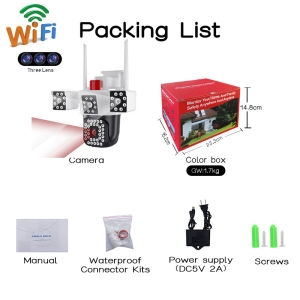
- 1x PTZ Camera
- 1x User Manual
- 1x Power Supply
- 1x Screws Bag
- 1x Corner Connectors
Warm tips: the SD Card is optional.
How to Set Up the V380 Pro
Setting up the V380 Pro is a straightforward process that can be completed in just a few simple steps.
Connecting to WiFi
To connect the V380 Pro to your WiFi network, follow these steps:
- Power on the camera by plugging in the power supply.
- Connect your smartphone or tablet to the camera's WiFi network.
- Open the camera's app and follow the on-screen instructions to connect to your home WiFi network.
Installing 4G SIM Card
If you prefer to use a 4G SIM card for remote monitoring, simply insert the SIM card into the designated slot on the camera and power it on.
Setting Up Auto Tracking
To enable auto tracking, follow these steps:
- Open the camera's app and navigate to the settings menu.
- Select the auto tracking option and adjust the sensitivity to your desired level.
- Save your changes and enjoy the peace of mind that comes with automatic object tracking.
Maximizing Security with V380 Pro
To get the most out of your V380 Pro CCTV Camera, it's essential to understand how to optimize its features for maximum security.
Outdoor Placement Tips
When installing the V380 Pro, consider the following tips for optimal outdoor placement:
- Mounting Height: Install the camera at a height that provides a clear view of your property while remaining out of reach from potential intruders.
- Angle of View: Adjust the camera's angle to cover the areas of your property that require the most attention.
- Lighting: Ensure adequate lighting is available to improve image quality during low-light conditions.
Waterproof Capabilities
The V380 Pro's IP66 rating makes it ideal for outdoor use, even in harsh weather conditions. This means you can trust the camera to withstand rain, snow, and dust without compromising performance.
10X Zoom PTZ Camera Usage
The 10X zoom PTZ camera allows you to get a closer look at potential threats from a distance. To use this feature, simply pan, tilt, and zoom the camera using the app's controls.
Troubleshooting Common Issues
If you encounter any issues with your V380 Pro CCTV Camera, refer to the following troubleshooting tips.
Connectivity Problems
If you're experiencing connectivity issues, try the following steps:
- Restart the Camera: Power off and power back on the camera to resolve any temporary connectivity problems.
- Check WiFi Signal Strength: Ensure that the camera is within range of your WiFi network and that the signal strength is strong enough for optimal performance.
- Reset to Factory Settings: If all else fails, reset the camera to its factory settings and start the setup process again.
Image Quality Concerns
If you're experiencing image quality issues, consider the following solutions:
- Adjust Camera Angle: Ensure that the camera is positioned at the optimal angle to capture clear images.
- Check Lighting Conditions: Adjust lighting conditions to improve image quality during low-light situations.
- Update Firmware: Keep the camera's firmware up-to-date to ensure optimal performance and image quality.
Auto Tracking Errors
If you're experiencing issues with auto tracking, try the following steps:
- Adjust Sensitivity Settings: Adjust the sensitivity settings to improve the accuracy of object tracking.
- Check Camera Angle: Ensure that the camera is positioned at the optimal angle to track moving objects effectively.
- Restart the Camera: Power off and power back on the camera to resolve any temporary tracking issues.
By following these guidelines and troubleshooting tips, you can maximize the security and performance of your V380 Pro Three Lens Three Screens WiFi 4G SIM CCTV Camera, providing peace of mind for both residential and commercial properties." }

Hot Mall Store
You May Also Like
Endura Compression Tool for BNC F and RCA compression type connector RG59/6/11 coaxial cable
4K Digital Camera HD Digicam For Photography 48MP 16X Vintage Mini Camera For Picture And Video

Techvortex V380 PRO: A Comprehensive Guide to 360-Degree Two-Way Audio & Panoramic Camera
TTArtisan 35mm F/1.4 APS-C Format Leica L Mount Prime Lens Large Aperture Sonnar Optical Design Full Metal Body MF Manual Focus 11" Focus Distance Clicked Aperture Ring for Smooth Bokeh & Low Light Photography | Black Silver | JG Superstore
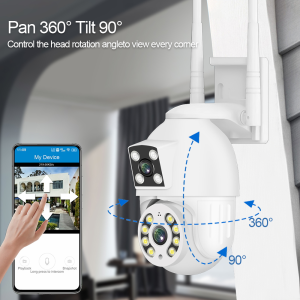
V380 Pro Outdoor waterproof CCTV Camera BUY 1 TAKE 1 8MP Dual Lens Dual Screens two-way audio and speaker Infrared night vision auto tracking APP Control remote Monitor COD
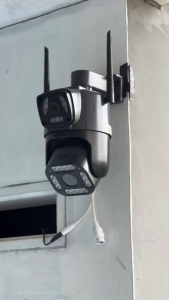
V380 PRO CCTV Camera: A Comprehensive Guide
TP-Link Tapo C320WS: A Comprehensive Guide to the Built-in Siren Night Vision Camera
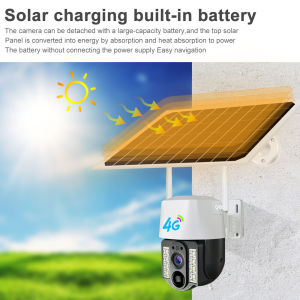
V380 Pro Solar CCTV 4G SIM 8MP WiFi Outdoor Wireless IP Camera: Features & Benefits
TP-Link Tapo C110 3.0 Megapixel Home Security Wi-Fi Camera 1080P HD WiFi Camera Wireless CCTV

Q6 CCTV Camera Connect Cellphone IP Security Cameras 1080P Cctv Camera Wifi Connect 360 Cctv With Audio And Speaker Wireless Smart Security Night Vision Cctv Set Package 4 Camera
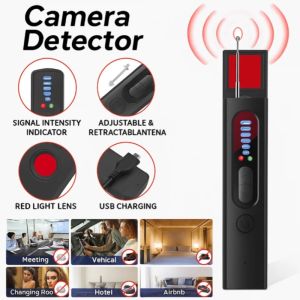
Upgraded Anti-Spy Detector Professional Hidden Camera Finder GPS Signal Scanner Wireless Bug Detector for Hotel/Home/Car Privacy Protection