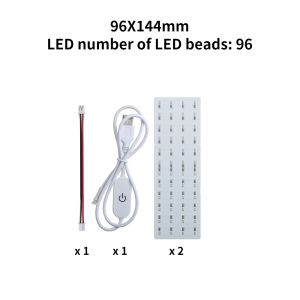
For Bambu lab CMYK Lithophane LED Backlight Board Kit DIY Lithophane Photo model for Bambu P1 X1 A1 A1 mini 3d Printers
For Bambu lab CMYK Lithophane LED Backlight Board Kit DIY Lithophane Photo model for Bambu P1 X1 A1 A1 mini 3d Printers
Introduction to Lithophane Technology & DIY Kits
What is a Lithophane?
A lithophane is a thin sheet of translucent material that displays an image when light is shone through it from behind. These delicate objects have been around since the early 19th century and have become increasingly popular as DIY projects for those interested in 3D printing.
Understanding the CMYK Lithophane LED Backlight Board
The CMYK Lithophane LED Backlight Board is a specialized kit designed to work with Bambu Lab 3D printers, including the P1 X1 A1 A1 mini models. This kit enables users to create their own lithophane photo models by converting images into 3D printable designs, then printing them using the included CMYK color process.
Customizable Lithophane Design: An Overview
With the Bambu Lab CMYK Lithophane LED Backlight Board Kit, users can customize their lithophane designs to suit their preferences. From choosing the image to adjusting the print settings, this guide will walk you through the process of creating your very own DIY lithophane photo model.
Setting Up Your Bambu Lab 3D Printer
Preparing Your Bambu P1 X1 A1 A1 mini 3D Printer
Before you begin printing your lithophane photo model, make sure your Bambu Lab 3D printer is properly set up and calibrated. Follow the manufacturer's instructions to ensure optimal print quality.
Installing the CMYK Lithophane LED Backlight Board Kit
Once your 3D printer is ready, install the CMYK Lithophane LED Backlight Board Kit according to the included instructions. This will allow you to print lithophane photo models using the CMYK color process.
Configuring the Printer Settings for Optimal Results
To achieve the best results when printing your DIY lithophane photo model, adjust your printer settings accordingly. Pay close attention to the layer height, infill density, and print speed to ensure a high-quality final product.
Creating Your Own DIY Lithophane Photo Model
Choosing the Right Image for Your Lithophane
Selecting the right image is crucial for creating a successful lithophane photo model. Look for images with good contrast and a simple composition to ensure they translate well into a 3D printed design.
Converting Images to 3D Models for 3D Printing
Once you've chosen your image, use a specialized software tool to convert it into a 3D printable model. This process involves adjusting the depth and resolution of the image to create a file compatible with your Bambu Lab 3D printer.
Printing Your DIY Lithophane Photo Model
With your 3D model file ready, load it onto your Bambu Lab 3D printer and begin printing. Monitor the print process closely to ensure everything goes smoothly and adjust settings as needed.
Finishing Touches & Displaying Your Lithophane
Post-processing Your Printed Lithophane
After your lithophane photo model has finished printing, take some time to clean up any excess material and smooth out the surface. This will help enhance the overall appearance of your final product.
Assembling the CMYK Lithophane LED Backlight Board
Follow the included instructions to assemble the CMYK Lithophane LED Backlight Board. This will provide the necessary illumination for your lithophane photo model.
Displaying Your Completed Lithophane Photo Model
Once everything is assembled, place your lithophane photo model on the LED backlight board and enjoy the beautiful image that comes to life when illuminated from behind.
By following this guide, you'll be able to create stunning DIY lithophane photo models using the Bambu Lab CMYK Lithophane LED Backlight Board Kit and your Bambu P1 X1 A1 A1 mini 3D printer.

GlobalLifestyle
Review

You May Also Like
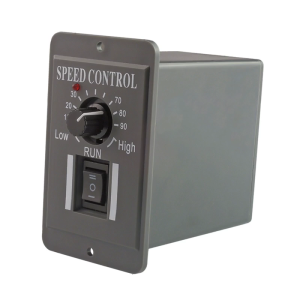
Accuracy Motor Speed Controllers 10 60V 6A Inversable Operate Speed Regulator for Packaging & Printing Machines

Upper Fuser Roller Compatible with SHARP AR 160 161 162 163 164 200 201 205 206 207 5015 5316 5516 5520 M160 M162 M205
Brother Original INK SET BTD60BK BT5000 Black Cyan Magenta Yellow Ink Bottle T220 T310 T420W T520W T710W T720DW T910DW T4500DW
EU 604XL T604 T 604 XL T604XL Premium Compatible InkJet Ink Cartridge for Epson XP-4205 WF-2910DWF/WF-2930DWF/WF-2935DWF Printer
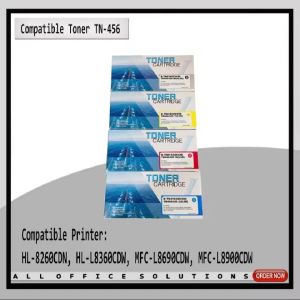
AOS TN456 Toner Compatible to Brother TN-456 HL L8260CDN HL L8360CDW MFC L8690CDW MFC L8900CDW Printer Ink
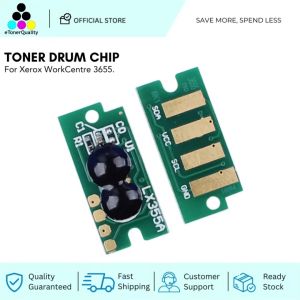
ETQ Toner Drum Chip for Xerox WorkCentre 3655 Cartridge
New Small Handheld Printer Mini Intelligent Hand-Held Inkjet Printer Full-Automatic Small Inkjet Printers Date Of Production、LOGO

Comix | Small Size Impact Printer Tax Invoice Receipt Delivery Note OutPut Document Printer Thermal Paper Receipts Non-Epson 630K
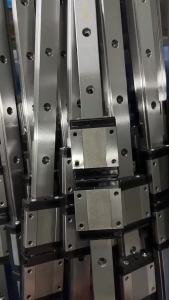
MGN7 MGN12 MGN15 MGN9 L from 100mm to 800mm ature linear rail slide 1pcs MGN linear guide MGN Black carriage 3D Printer part

GTCODESTAR GT-7100C Supermarket Auto Sense Wechat Alipay Payment Box QR Code Reader Handfree Wireless Desktop 2D Barcode Scanner
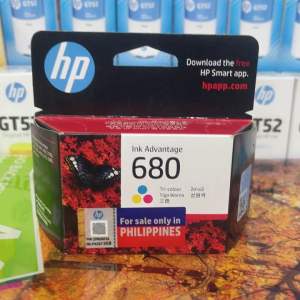
Original Deskjet Ink Cartridge 680Colored