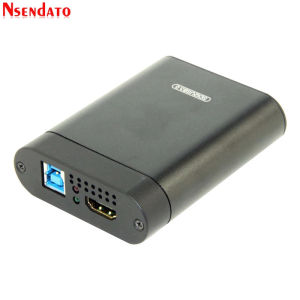
USB3.0 SDI 60FPS HDMI Video Capture Card HDMI to USB 3.0 2.0 Video Recording adapter Dongle Game Live Streaming Broadcast
USB3.0 SDI 60FPS HDMI Video Capture Card HDMI to USB 3.0 2.0 Video Recording adapter Dongle Game Live Streaming Broadcast
Introduction to Nsendato USB SDI HDMI Video Capture Card
The Nsendato USB SDI HDMI Video Capture Card is a versatile device designed for 60FPS game live streaming, HDMI to USB 3.0 video recording, and HDMI dongle for broadcast. With its origin in Mainland China, this smart home platform-independent device comes with CE, FCC, and WEEE certifications, making it a reliable choice for American users.
Key Features & Compatibility
The Nsendato USB SDI HDMI Video Capture Card boasts the following key features:
- Model Number: USB SDI HDMI Video Capture Card
- Brand Name: Nsendato
- Origin: Mainland China
- Smart Home Platform: None
- Certification: CE, FCC, WEEE
This device is compatible with Windows and Mac operating systems, making it a versatile option for users who want to stream their gaming sessions or record videos for future playback. Additionally, the Nsendato USB SDI HDMI Video Capture Card supports resolutions up to 1080p at 60 frames per second, ensuring smooth gameplay and video quality.
Benefits of Using This Device
There are numerous benefits to using the Nsendato USB SDI HDMI Video Capture Card, including:
- High-Quality Video: With support for resolutions up to 1080p at 60 frames per second, this device ensures smooth gameplay and video quality.
- Compatibility: Compatible with Windows and Mac operating systems, making it a versatile option for users who want to stream their gaming sessions or record videos for future playback.
- Ease of Use: Simple setup and configuration processes make it easy for users to start streaming or recording their videos.
- Affordable: Compared to other video capture cards on the market, the Nsendato USB SDI HDMI Video Capture Card is a cost-effective solution for users who want to stream or record their videos.
How to Set Up Your HDMI to USB 3.0 Video Recording Adapter
Setting up your Nsendato USB SDI HDMI Video Capture Card is a straightforward process that can be completed in just a few steps:
- Connect the HDMI cable from your gaming console or computer to the HDMI input port on the Nsendato USB SDI HDMI Video Capture Card.
- Connect the USB 3.0 cable from the Nsendato USB SDI HDMI Video Capture Card to your computer.
- Install the driver software provided by Nsendato on your computer.
- Launch your streaming or recording software and select the Nsendato USB SDI HDMI Video Capture Card as your video source.
Connecting Your HDMI Dongle for Broadcast
To connect your HDMI dongle for broadcast, follow these steps:
- Connect the HDMI cable from your gaming console or computer to the HDMI input port on the Nsendato USB SDI HDMI Video Capture Card.
- Connect the HDMI dongle to the HDMI output port on the Nsendato USB SDI HDMI Video Capture Card.
- Connect the HDMI cable from the HDMI dongle to your TV or monitor.
Configuring Your HDMI Video Adapter for Recording
To configure your Nsendato USB SDI HDMI Video Capture Card for recording, follow these steps:
- Install the driver software provided by Nsendato on your computer.
- Launch your recording software and select the Nsendato USB SDI HDMI Video Capture Card as your video source.
- Set the desired resolution and frame rate for your recording.
- Start recording your video.
Optimizing 60FPS Game Live Streaming with USB3.0 HDMI Video Capture Card
To optimize your 60FPS game live streaming experience with the Nsendato USB SDI HDMI Video Capture Card, consider the following best practices:
- Use a High-Speed Internet Connection: Ensure that you have a stable and fast internet connection to avoid buffering and lag during your live stream.
- Optimize Your Streaming Software Settings: Adjust your streaming software settings to optimize video quality and frame rate.
- Use a Dedicated Streaming Computer: If possible, use a dedicated computer for streaming to avoid any potential performance issues.
Troubleshooting Common Issues
If you encounter any issues while using the Nsendato USB SDI HDMI Video Capture Card, consider the following troubleshooting tips:
- Check Your HDMI Connections: Ensure that all HDMI connections are secure and properly connected.
- Update Your Driver Software: Make sure that you have the latest driver software installed on your computer.
- Restart Your Computer: Restarting your computer can help resolve any software-related issues.
Conclusion & Final Thoughts
The Nsendato USB SDI HDMI Video Capture Card is a versatile device that offers high-quality video capture and recording capabilities for users who want to stream their gaming sessions or record videos for future playback. With its support for resolutions up to 1080p at 60 frames per second, compatibility with Windows and Mac operating systems, and ease of use, this device is a cost-effective solution for users who want to get started with live streaming or video recording.

vnocbp
Review

You May Also Like

Aurora Gold Butterfly Phone Case for Apple 16ProMax New iPhone 15Pro Luxury Protection High End Feeling Elegant Women Style 14Plus 13 11

14\"-42\" / 26\"-63\" Inch LED/LCD/Plasma TV Wall Mount Fixed Flat Panel TV Frame LCD LED Monitor

Mini Desk Fans: Portable & Rechargeable Solutions
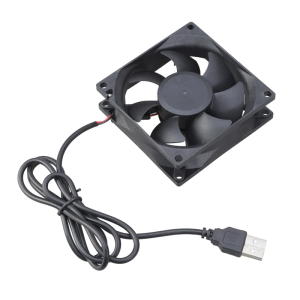
Quiet 5V USB Blower Fan High Airflow Cooling Radiator For 3D Printer PC CPU 80x80x25mm

Apple Watch S10 Ceramic Film Full Cover Protection Screen Guard Anti-Fingerprint High Definition Explosion Proof for Apple Watch Series 10
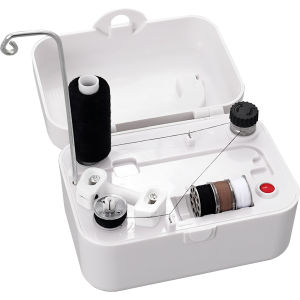
Electric Bobbin Winder Portable Bobbin Winder with Handle Automatic Bobbin Winder Machine Sewing Winding Tool

Huawei Nova11 Phone Case Full Cover Lens Anti-Fall Cartoon Strap Cute Capybara Design Premium Film Shell Silicone Material

Ultra-Thin Silicone Phone Case for Oppo K3 K1 Frosted Anti-Fingerprint Men Women Simple Black Full Lens Protection Cover
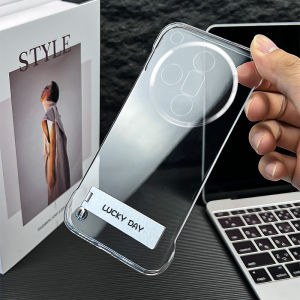
Oppo Findx7 Ultra Transparent Protective Case Ultra-Thin Stand No-Border Anti-Fall Simple Business Style for Men And Women
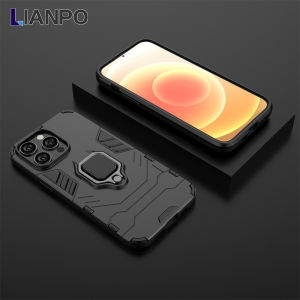
LIANPO For OPPO Realme 6 Realme 6i Realme 6 Pro Phone Case Silicone TPU and Hard PC Luxury Armor Shockproof Metal Ring Holder Cover For Realme 6/Realme 6i Case

U-Shaped Clamp with Cloud Platform Powerful Clip Mobile Phone Holder 360 Degree Rotating Ball Head Cloud Platform Photography Light Camera Holder Clamp