HDMI Video Wall Controller: A Comprehensive Guide
HDMI Video Wall Controller: A Comprehensive Guide
What is an HDMI Video Wall Controller?
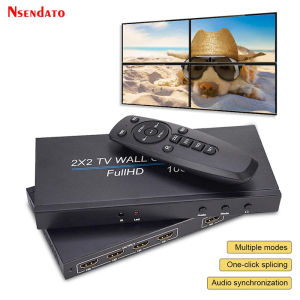
An HDMI video wall controller is a device that enables users to create a seamless video display using multiple screens connected via HDMI, DVI, VGA, and USB inputs. This innovative technology allows for a wide range of applications, from business presentations to digital signage and entertainment systems. In this guide, we will explore the key features, benefits, and applications of HDMI video wall controllers, with a focus on the Nsendato 4 Channel TV HDMI Video Wall Controller (Model Number: V1.4).
Key Features & Benefits
The Nsendato HDMI video wall controller offers several advantages over traditional display setups:
-
Compatibility: Supports HDMI, DVI, VGA, and USB inputs, making it versatile for various applications.
-
Resolution & Frame Rate Support: Capable of handling Full HD (1080p) resolution at 60 frames per second, ensuring smooth and clear visuals.
-
Certifications: CE and WEEE certified, ensuring compliance with international safety and environmental standards.
-
Functionality: Compatible with popular brands like Xiaomi and supports firmware updates for continuous improvements.
How Does It Work?
An HDMI video wall controller works by taking input signals from multiple sources and distributing them to individual screens in a synchronized manner. This creates a cohesive visual experience across the entire display area. The Nsendato HDMI video wall controller supports various configurations, including 2x2, 1x3, 1x4, 4x1, 3x1, and 2x1 setups, allowing users to customize their display layout according to their specific needs.
Applications & Use Cases
HDMI video wall controllers are widely used in various industries, including retail, hospitality, education, and entertainment. Some common applications include:
-
Digital Signage: Displaying promotional content, menus, and announcements in public spaces.
-
Business Presentations: Enhancing presentations with large-scale visuals for better audience engagement.
-
Entertainment Systems: Creating immersive experiences for gaming, movies, and live events.
Understanding HDMI Video Wall Controller Specifications
To make the most out of your HDMI video wall controller, it's essential to understand its specifications and capabilities. Here are some key points to consider:
HDMI, DVI, VGA, and USB Compatibility
The Nsendato HDMI video wall controller supports multiple input types, including HDMI, DVI, VGA, and USB. This allows users to connect various devices, such as laptops, media players, and game consoles, to their display setup.
Resolution & Frame Rate Support
The Nsendato HDMI video wall controller can handle Full HD (1080p) resolution at 60 frames per second, ensuring smooth and clear visuals. This makes it suitable for applications that require high-quality video playback.
Model Number & Brand Information
The Nsendato HDMI video wall controller is part of the V1.4 series, which includes various models with different configurations. It is manufactured in Mainland China and is CE and WEEE certified.
How to Use HDMI Video Wall Controller
Setting up and using an HDMI video wall controller is straightforward. Here are some steps to help you get started:
Setting Up Your HDMI Video Wall
- Connect the HDMI video wall controller to your power source.
- Connect the input devices (e.g., laptops, media players) to the controller using the appropriate cables (HDMI, DVI, VGA, or USB).
- Connect the output devices (e.g., TVs, monitors) to the controller using HDMI cables.
- Power on all devices and adjust the settings according to your preferences.
Connecting Multiple Inputs & Outputs
To connect multiple inputs and outputs, simply plug in the corresponding cables to the controller's input and output ports. The Nsendato HDMI video wall controller supports various configurations, so you can customize your display setup according to your needs.
Adjusting Resolution & Image Settings
Once your HDMI video wall is set up, you can adjust the resolution and image settings to optimize the visual experience. The Nsendato HDMI video wall controller allows you to adjust the resolution, aspect ratio, and color settings to suit your preferences.
Troubleshooting Common Issues
While HDMI video wall controllers are generally reliable, there may be instances where you encounter issues. Here are some common problems and their solutions:
No Signal or Poor Picture Quality
If you're experiencing no signal or poor picture quality, try the following troubleshooting steps:
- Check that all cables are securely connected.
- Verify that the input and output devices are powered on.
- Adjust the resolution and image settings to match the capabilities of your display setup.
Connectivity Problems & Solutions
If you're having trouble connecting your input or output devices, try the following solutions:
- Ensure that the cables are compatible with the input/output ports.
- Try using a different cable or port if possible.
- Reset the controller by unplugging it from the power source and plugging it back in.
Firmware Updates & Support
To keep your HDMI video wall controller running smoothly, it's important to stay up-to-date with firmware updates. The Nsendato HDMI video wall controller supports firmware updates, which can be downloaded from the manufacturer's website. Additionally, the manufacturer offers technical support to assist with any issues you may encounter.
In conclusion, an HDMI video wall controller like the Nsendato 4 Channel TV HDMI Video Wall Controller is a powerful tool for creating seamless video displays in various applications. By understanding its specifications, features, and usage, you can unlock its full potential and enhance your visual experience.

vnocbp
Review

You May Also Like
Carbon Steel Oil Tube Transition Joint American Standard Trumpet Mouth C Type Straight Head Single Hexagonal Squeezing Hydraulic Three Piece Set
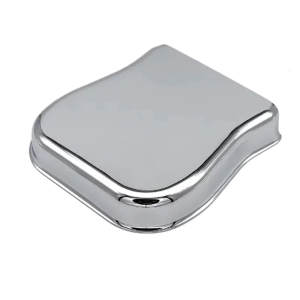
Metal Bass Guitar Pickup Guard Shield Prevents Damage During Use Professional Guitar Pickup Protector Perfect for Bass
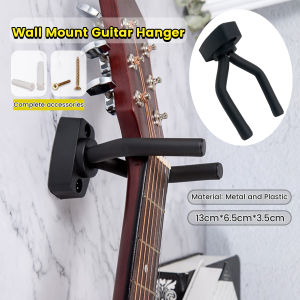
LoviRa Wall Hanger Holder Stand Hook Mount for Guitar Ukulele Bass

Dont Mess with My Professionalism
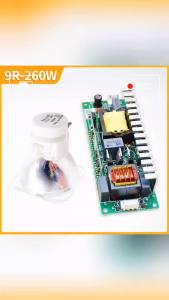
Maielpu Free Shipping Beam 9R 260W Sharpy Beam Light Bulb Moving Beam Bulb 260 Beam Lamp 260 Sicily for Stage Lighting
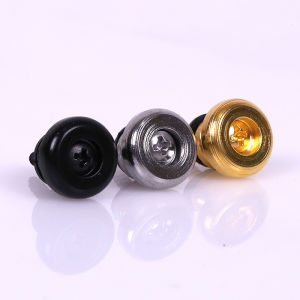
10pcs Guitar Strap Lock Button Buckles Electric Acoustic Guitar Bass Ukulele Strap Buckle
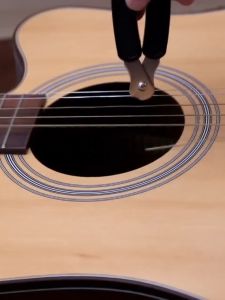
Guitar String Winder Cutter Pin Puller RIXTON 3 In 1 Multifunctional Guitar Maintenance Tool/String Peg Winder + String Cutter + Pin Puller Instrument Accessories
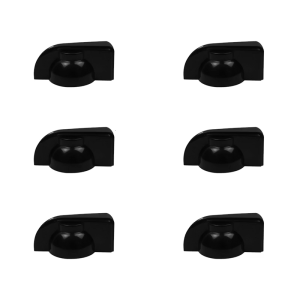
6Pcs Potentiometer Knob Caps Strong Plastic Guitar Volumes Control Tone Knobs Replacement Guitar Amplifier Knobs
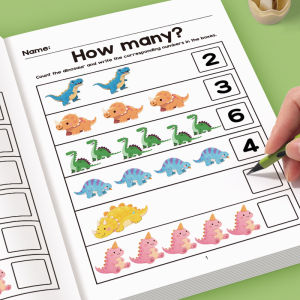
64-Page Childrens Math Workbook: Tracing Numbers Addition and Subtraction Exercises - Early Education Activities for Children Aged 3 and Above Preparatory Courses for Home or Classroom Use - Number Recognition and Basic Arithmetic Skills Education ...
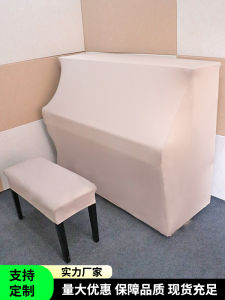
New Simple Washable Dustproof Full Cover Elastic Protection Piano Cover Cloth for Electronic Piano Home Fabric Dust Cover
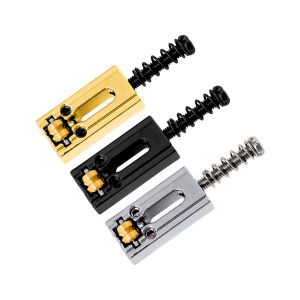
6Pcs Electric Guitar Roller Bridge Tremolo Saddles For Strat TL Zinc Alloy Electric Guitar Replacement Bridge Saddle Set