ANBERNIC RG40XXV: A Comprehensive Guide to the 4 IPS Screen RGB Joystick Game Console
ANBERNIC RG40XXV: A Comprehensive Guide to the 4 IPS Screen RGB Joystick Game Console
What is ANBERNIC RG40XXV?
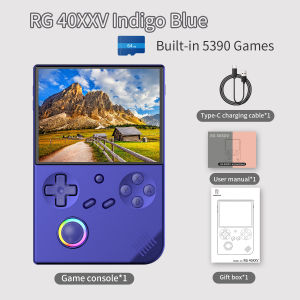
The ANBERNIC RG40XXV is a cutting-edge retro handheld game console that combines a 4 IPS screen RGB joystick with advanced features like WIFI streaming and HDMI output capabilities. This versatile device allows users to enjoy retro games, watch videos, and read e-books on the go. Targeted at American audiences, the ANBERNIC RG40XXV offers an immersive gaming experience for both casual and hardcore gamers.
Key Features
-
4 IPS Screen RGB Joystick: The ANBERNIC RG40XXV boasts a high-resolution 4 IPS screen, providing a vibrant and immersive visual experience. The RGB joystick ensures precise control, making it ideal for gaming enthusiasts.
-
WIFI Streaming Video E-book Player: With built-in WIFI streaming capabilities, users can stream videos, listen to music, and read e-books directly on the device. This feature makes the ANBERNIC RG40XXV a versatile entertainment hub.
-
HDMI Output Game Console: The device supports HDMI output, allowing users to connect it to external displays for a larger screen experience. This feature is perfect for sharing gaming sessions with friends and family.
Target Audience
The ANBERNIC RG40XXV is designed for American audiences who appreciate retro gaming, multimedia entertainment, and portable devices. It caters to both casual and hardcore gamers, making it a popular choice among enthusiasts.
How to Use ANBERNIC RG40XXV
Setting Up WIFI Streaming
To set up WIFI streaming on the ANBERNIC RG40XXV, follow these steps:
- Connect the device to a power source using the included USB-C cable.
- Turn on the device by pressing the power button located on the top right corner.
- Access the settings menu by pressing the 'Menu' button on the device.
- Navigate to the 'Network' option and select 'WIFI'.
- Choose your preferred WIFI network and enter the password.
- Once connected, you can stream videos, listen to music, and read e-books directly on the device.
HDMI Output for External Displays
To connect the ANBERNIC RG40XXV to an external display, follow these steps:
- Connect the device to a power source using the included USB-C cable.
- Turn on the device by pressing the power button located on the top right corner.
- Connect the HDMI cable to the device and the external display.
- Power on the external display and select the appropriate input source.
- Enjoy your gaming experience on a larger screen.
Enhancing Your Gaming Experience
Playing Retro Games
The ANBERNIC RG40XXV supports various retro game formats, allowing users to relive classic gaming experiences. To play retro games, simply download the desired game ROMs onto a microSD card and insert it into the device's microSD card slot. The device will automatically detect the ROMs and display them in the game library.
Using as an E-book Player
With its built-in WIFI streaming capabilities, the ANBERNIC RG40XXV can be used as an e-book player. Users can download e-books onto a microSD card or stream them directly from the internet. The device's high-resolution 4 IPS screen provides a comfortable reading experience.
Troubleshooting Common Issues
Connectivity Problems
If you're experiencing connectivity issues with the ANBERNIC RG40XXV, try the following troubleshooting steps:
- Ensure the device is connected to a power source.
- Check if the WIFI network is functioning properly.
- Restart the device by pressing and holding the power button for 10 seconds.
- Reset the device's network settings by accessing the settings menu and selecting 'Network' > 'Reset Network Settings'.
Display Issues
If you're experiencing display issues with the ANBERNIC RG40XXV, try the following troubleshooting steps:
- Ensure the device is connected to a power source.
- Restart the device by pressing and holding the power button for 10 seconds.
- Adjust the display settings by accessing the settings menu and selecting 'Display'.
Battery Life Concerns
If you're experiencing battery life concerns with the ANBERNIC RG40XXV, try the following troubleshooting steps:
- Ensure the device is fully charged before use.
- Turn off unnecessary features like WIFI streaming when not in use.
- Adjust the brightness level to a lower setting to conserve battery life.
In conclusion, the ANBERNIC RG40XXV is a versatile retro handheld game console that offers a wide range of features for gaming enthusiasts. With its 4 IPS screen RGB joystick, WIFI streaming capabilities, and HDMI output support, the device provides an immersive gaming experience for both casual and hardcore gamers. Whether you're reliving classic gaming experiences or enjoying multimedia entertainment, the ANBERNIC RG40XXV is the perfect choice for American audiences.

GlobalTechMart
Review

You May Also Like

ORIGINAL N SWITCH GAMES (LITE V1 V2 OLED)
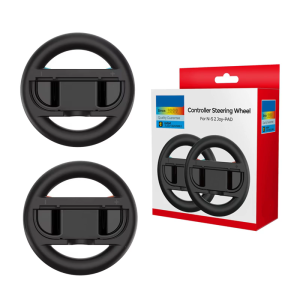
2Pcs Steering Wheel Controller Game Racing Wheel Replacement Racing Wheel Grip for NS2 Gaming Accessory
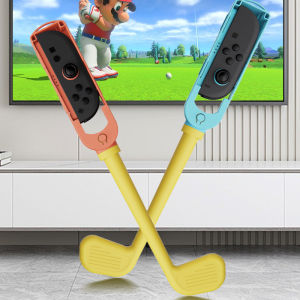
Nintendo Switch 2 Golf Club Second Generation Motion Sensing Sports Game Controller NS2 Golf Accessories Joy-Con Handle

A+Quick Push Game Console Pop It Game Console Educational Toy Childrens Focus Training Whack-A-Mole
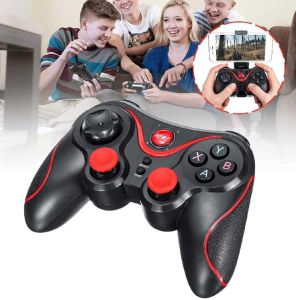
Terios T7 / X7 Wireless Bluetooth Gamepad Controller with Bracket
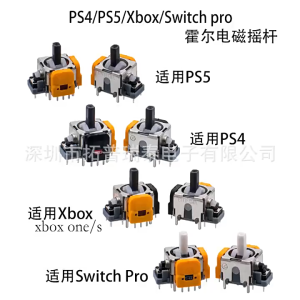
NSLikey 3D Analog Hall Effect Joystick: A Comprehensive Guide

M Sturdy Material Keychain Handheld Games Digital Virtual Consumer Electronics Mini Electronic Machine Portable Size

M17 Handheld Game Console: A Deep Dive
![Handheld Game Console Macaron Childrens Student Nostalgic Toy RetroClassic Handheld Console Popular Gift [ Free Shipping ]](https://img.lazcdn.com/g/p/7709d7f4f28899b61122c1300f0ed9b4.jpg_300x300q80.jpg)
Handheld Game Console Macaron Childrens Student Nostalgic Toy RetroClassic Handheld Console Popular Gift [ Free Shipping ]

2025 New F1 Mario Handheld Game Console 620 Nostalgic Childhood High-Definition Large Screen

Handheld Video Game Console 3.5-inch LCD Mini Portable Brick Game Machine Built-in 23+26 Games