INPLAY M10 Dual-Sided Rainbow Fan: A Comprehensive Guide
INPLAY M10 Dual-Sided Rainbow Fan: A Comprehensive Guide
Introduction
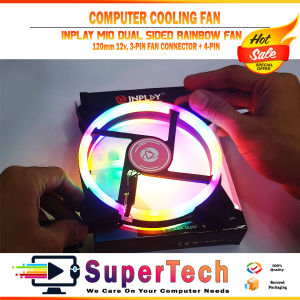
The INPLAY M10 Dual-Sided Rainbow Fan is a versatile cooling solution that enhances both performance and aesthetics in your computer setup. This 120mm 12V fan offers a dual-sided rainbow lighting effect that illuminates your system, making it stand out among others. It is compatible with various systems and comes equipped with a 3-Pin Fan Connector and a 4-pin Molex connector.
Key Features & Specifications
- Fan Size: 120mm
- Voltage: 12V
- Fan Connector: 3-Pin Fan Connector + 4-pin Molex
- Lighting: Dual-sided rainbow lighting
- Compatibility: Various systems
Installation & Setup
Installing the INPLAY M10 Dual-Sided Rainbow Fan is a straightforward process. Follow these steps to set up your fan:
- Locate an available 120mm fan mount on your system.
- Align the fan with the mounting holes and secure it using screws.
- Connect the 3-Pin Fan Connector to the appropriate header on your motherboard.
- Connect the 4-pin Molex connector to a power source.
How to Install the 120mm 12V Fan
Installing the fan involves locating an appropriate 120mm fan mount on your system, aligning the fan with the mounting holes, and securing it using screws. Ensure that the fan is properly aligned and securely mounted to avoid any issues during operation.
Connecting the 3-Pin Fan Connector & 4-Pin Molex
After installing the fan, connect the 3-Pin Fan Connector to the appropriate header on your motherboard. This will allow your system to monitor the fan's performance and adjust its speed accordingly. Additionally, connect the 4-pin Molex connector to a power source to provide the necessary voltage for the fan to operate.
Performance & Benefits
The INPLAY M10 Dual-Sided Rainbow Fan offers numerous benefits for your computer setup. Not only does it enhance cooling performance, but it also adds a visually appealing element to your system.
Enhancing Cooling & Aesthetics
The dual-sided rainbow lighting effect of the INPLAY M10 Dual-Sided Rainbow Fan adds a vibrant touch to your computer setup. This feature, combined with the fan's cooling capabilities, ensures that your system remains cool and visually appealing.
Compatibility with Various Systems
The INPLAY M10 Dual-Sided Rainbow Fan is compatible with a wide range of systems, making it a versatile addition to any computer setup. Its compatibility with various systems ensures that you can enjoy its benefits regardless of your system configuration.
Troubleshooting & Maintenance
If you encounter any issues with your INPLAY M10 Dual-Sided Rainbow Fan, refer to the following common issues and solutions.
Common Issues & Solutions
- Issue: Fan does not turn on.
- Solution: Ensure that the fan is properly connected to both the 3-Pin Fan Connector and the 4-pin Molex connector.
- Issue: Fan is noisy.
- Solution: Check if the fan is properly aligned and securely mounted. If the issue persists, consider contacting INPLAY for further assistance.
Tips for Optimal Performance
To ensure optimal performance of your INPLAY M10 Dual-Sided Rainbow Fan, follow these tips:
- Keep the fan clean by regularly removing dust and debris.
- Ensure that the fan is properly connected to both the 3-Pin Fan Connector and the 4-pin Molex connector.
- Monitor the fan's performance using your system's monitoring software.
In conclusion, the INPLAY M10 Dual-Sided Rainbow Fan is a versatile cooling solution that enhances both performance and aesthetics in your computer setup. With its dual-sided rainbow lighting effect, compatibility with various systems, and easy installation process, it is a valuable addition to any computer setup.

SuperTech RJPC Online Shop
Review

You May Also Like
BPV-3000 Coolant Mist Lubrication Drill Press Oil Reservoirs Mist Coolant Lubrication Sprays System Mist Coolant
3D Printer Nozzle Cleaning Tool Reliable 3D Printer Nozzle Cleaner Cleaning Tool For Extended Equipment Lifespan

Signal Source Module Generator Meter Sine Square Triangle Sawtooth Waveform Professional Frequency Counter 1Hz-500KHz

Aolion RGB Temperature Sensing Side-mounted Cooling Fan For PS5 Slim Digital/Disc Version 2 USB Ports Host Side Cool For PS5 PRO
3A DC-DC Buck Converter Adjustable Voltage Regulator Module 3.2V-35V to 1.25V-35V Step Down Power Supply for Car USB Charger
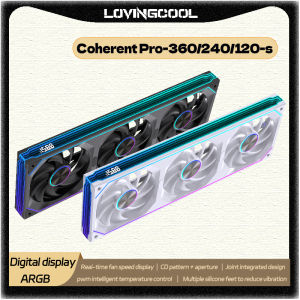
LOVINGCOOL Coherent Pro-360/240/120 ARGB digital display PC fan computer case Siamese Building block fan Integration
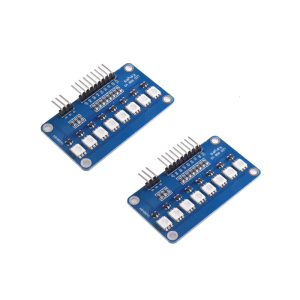
2025 5050 Full Color LED Water Lamp Development Board LED Water Light Module For MCU Programming And Decoration

Seagate ST500DQM002 500GB HDD Hard Disk
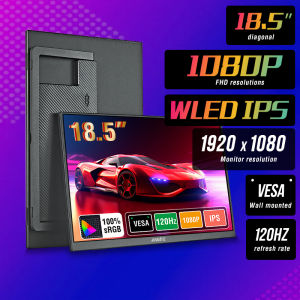
Anmite 18.5-Inch Portable Monitor 1080P 120Hz HDR Low Blue Light For XBox PS4 / 5 Switch Cell Phone PC Loptop Extension
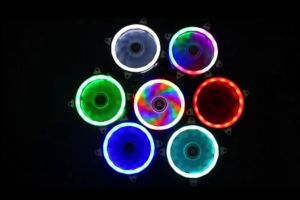
PERFECT-EF 120mm CPU Fan Cooler Case Chassis Cooling Dual Ring Double Sided LED Fan (RGB) Silent - High Air Flow CPU Radiator Heatsink For PC Case

COMPLETE DESKTOP PACKAGE Dell HP Lenovo Intel i3 i5 2nd 3rd 4th Gen Student Office Work From Home Bundle REFURBISHED