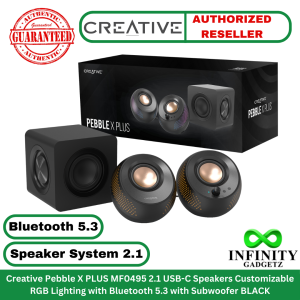
Creative Pebble X PLUS MF0495 2.1 USB-C Speakers Customizable RGB Lighting with Bluetooth 5.3
🟩Authentic 🟩Authorized Dealer of Creative🟩Sealed and Brand New🟩With 3 Months Warranty (Must keep the complete carton for warranty claim)Compatible with: Windows PC, Mac, PS5, Nintendo Switch, Mobile (via Bluetooth), PS4SPECIFICATIONS & FEATURES:Features:🟩2.1 USB-C Speakers Customizable RGB LightingEnjoy rich, expansive audio with deep bass with the all-new compact subwoofer and custom-tuned drivers.🟩DEEPER, RICHER BASS PERFORMANCERetaining the well-loved Pebble look, Creative Pebble X Plus features 2.75” full-range drivers, delivering up to 15W RMS acoustic power and a total peak power of 30W when connected to a PC USB-C port.🟩Coupled with a compact subwoofer with dual passive radiators, the speakers can deliver a well-balanced, rich audio and deep bass experience.🟩Boasting thicker subwoofer walls of up to 15 mm, it effectively reduces vibrations and isolates external sounds, minimizing interference for clearer and more precise bass reproduction.🟩MULTIPLE SETUP OPTIONSChoose between wired or wireless modes with Creative Pebble X Plus, which offers USB audio playback, Bluetooth® 5.3 streaming, and analog connection via the universal 3.5 mm AUX input port.🟩Creative AppAccess our proprietary Acoustic Engine audio technologies, including Surround, Smart Volume, Bass, Dialog+, and Crystal Voice via our Creative app on your PC.Specifications:🟩Model: Pebble X PLUS MF0495🟩Color: Black🟩Speaker System: 2.1🟩Bluetooth: Bluetooth 5.3🟩RGB: Yes, Up to 16.8 million colors🟩Connector Type: Bluetooth, Mic-in, PD Adapter (Min. 30W), 3.5 mm AUX-in, USB Power (USB-C, up to 5V 3A), Headphones Port🟩Charging Type: USB-C Input (Audio and Power): Up to 5V 3A, USB PD Input (Power Only): Up to 15V 2A🟩Dimensions: Subwoofer: 156.4 x 156 x 158.5 mm / 6.16 x 6.14 x 6.24 inches, Left: 139.5 x 145 x 136 mm / 5.49 x 5.71 x 5.35 inches, Right: 139.5 x 145 x 136 mm / 5.49 x 5.71 x 5.35 inches🟩High Gain Switch: Auto🟩Frequency Response: 45–20,000 Hz🟩Signal-to-Noise Ratio (SNR): > 93 dB🟩Operating Frequency: 2402–2480 MHz🟩Wireless Codecs: SBC🟩Technology: Sound Blaster Acoustic Engine, BassFlex, EQ, Dialog+🟩Controls: Volume: Yes | Bluetooth Pairing: Yes | RGB Lighting: Yes🟩Drivers Configuration: Speaker: Dual 2.75″ Full range Speaker Drivers, Subwoofer: 3.5″ Flat-cap Subwoofer Driver with Dual Passive Radiators🟩Power Output: When connected to PC USB-C port: Up to 15W RMS and 30W Peak* When connected to USB-PD Power Adapter: Up to 30W RMS and 60W Peak** Support USB-PD 3.0 Subwoofer: 1 x 15W RMS (With Power Adapter) * When plugged into a PC USB-C Port ** With USB PD Adapter, rated at 30W or higher (not Included)Package Contents:🟩Creative Pebble X Plus 🟩2 x USB-C to USB-C Cable 🟩1 x 3.5 mm AUX Input Cable 🟩1 x Quick Start Guide

infinitygadgetz
Review

You May Also Like
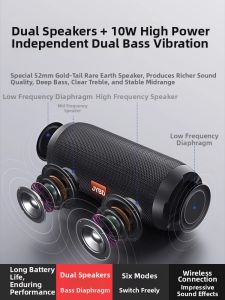
Weilade | Bluetooth New Model Powerful Portable Wireless Speaker
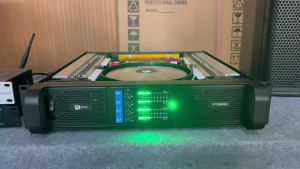
KYTAS FP20000Q 2400W Per Channel 4-Channel Professional Amplifier Heavy Duty Cooling System for D18 Subwoofer Stage KTV

BTS-2339 1740 Wireless Bluetooth Karaoke Speaker Equipped with free microphone Outdoor karaoke speakers
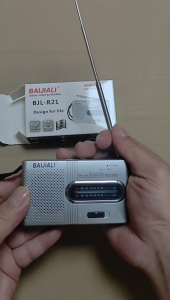
QIUWU Portable Mini Radio Handheld AM FM Music Player Speaker Outdoor Stereo Radio with Telescopic Antenna

Somic | Bluetooth Noise Cancelling Microphone Headphones
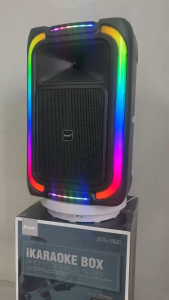
Speaker BTS-1890 Brodu 12 inch Bluetooth Speaker With Rechargeable Wireless Microphone
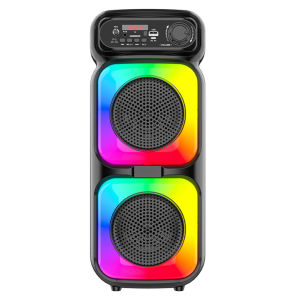
BT Wireless Speaker Support MIC/TF/USB/AUX Portable Speaker with Microphone for Party Outdoor Travel Birthday Gift
MINISO MS118 AI Translation Earbuds with Screen ENC Noise Canceling IPX5 Waterproof Wireless Bluetooth Earphones for Android & iOS Perfect for Travel & Business
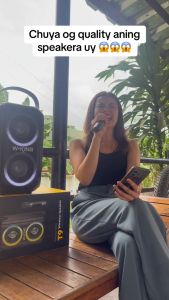
W-KING T9 Loud Bluetooth Speakers with Subwoofer 80W Party Portable Outdoor Speakers Bluetooth Wireless -Deep Bass Huge 105dB Sound Mixed Color Lights 24H Play AUX USB Play TF Card Non-Waterproof

DAOUBO | Kids Karaoke Machine Bluetooth Wireless Microphone
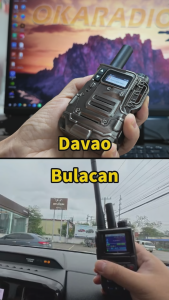
OKARADIO 611 Network POC Radio with SIM Card Walkie Talkie 6000KM Long Range Portable Two Way Radio Intercom for Fleet Driver Hotel Logistics Park Construction and Emergency