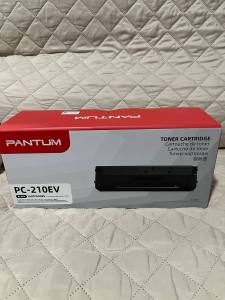
Pantum PC-210EV Toner Cartridge 1600 Page Yield
Pantum PC-210EV Toner Cartridge 1600 Page Yield
Introduction to Pantum PC-210EV Toner Cartridge
Pantum is a well-known printer manufacturer that has gained popularity among businesses and individuals alike due to its high-quality printers and toner cartridges. One of their popular models is the Pantum PC-210EV, which is designed to meet the needs of small offices and home users. This article will focus on the compatible toner cartridge for the Pantum PC-210EV, specifically the 1600 page yield toner cartridge.
Overview of Pantum Printer Models
Pantum offers a wide range of printer models, including monochrome laser printers, color laser printers, and multifunctional devices. The Pantum PC-210EV is a monochrome laser printer that delivers fast print speeds and high-quality prints, making it an ideal choice for small offices and home users who require reliable printing solutions.
Pantum PC-210EV Toner Cartridge Specifications
The Pantum PC-210EV toner cartridge has a page yield of 1600 pages, which means it can produce up to 1600 pages before requiring replacement. This makes it a cost-effective option for users who print frequently.
Choosing the Right Replacement Toner
When selecting a compatible toner cartridge for the Pantum PC-210EV, there are several factors to consider to ensure you choose the right one.
Factors to Consider When Selecting Compatible Toner
- Page Yield: Look for a toner cartridge with a page yield that meets your printing needs. The Pantum PC-210EV toner cartridge has a page yield of 1600 pages, so make sure the compatible toner you choose has a similar page yield.
- Brand Reputation: Choose a reputable brand that produces high-quality toner cartridges. Research the brand's reputation and read reviews from other users to ensure you're getting a reliable product.
- Price: Compare prices from different retailers to find the best deal. Keep in mind that the cheapest option may not always be the best value for money.
High-Quality Toner Cartridge Options for Pantum PC-210EV
There are several high-quality toner cartridge options available for the Pantum PC-210EV. Some popular choices include:
- Pantum Original Toner Cartridge: This is the official toner cartridge produced by Pantum, designed specifically for the PC-210EV. It offers a page yield of 1600 pages and is known for its high-quality prints.
- Compatible Toner Cartridges: There are several third-party brands that produce compatible toner cartridges for the Pantum PC-210EV. These cartridges are designed to meet the same specifications as the original toner cartridge and offer a cost-effective alternative.
Installing and Using the Toner Cartridge
Installing the toner cartridge in the Pantum PC-210EV is a simple process. Follow these steps to install the toner cartridge:
Step-by-Step Guide to Installing Pantum PC-210EV Toner
- Turn off the printer and unplug it from the power source.
- Open the front cover of the printer.
- Remove the old toner cartridge by pulling it out gently.
- Remove the new toner cartridge from its packaging and remove any protective tape or plastic.
- Insert the new toner cartridge into the printer and close the front cover.
- Plug the printer back into the power source and turn it on.
Tips for Maximizing Printer Performance with Compatible Toner
To get the most out of your compatible toner cartridge, follow these tips:
- Regular Maintenance: Clean the printer regularly to prevent dust and debris from affecting the quality of your prints.
- Proper Storage: Store the toner cartridge in a cool, dry place away from direct sunlight.
- Avoid Overloading: Do not overload the printer with too many print jobs at once, as this can affect the quality of your prints.
Troubleshooting Common Issues
If you experience any issues with your Pantum PC-210EV toner cartridge, here are some common problems and their solutions:
Addressing Print Quality Concerns
- Prints Are Faint: If your prints are faint, check the toner cartridge to ensure it has enough toner left. If the toner level is low, replace the toner cartridge.
- Prints Are Blurry: If your prints are blurry, clean the printer's print head and ensure the toner cartridge is properly installed.
Resolving Toner Cartridge Installation Problems
- Toner Cartridge Will Not Install: Ensure the toner cartridge is properly aligned and inserted into the printer. If the problem persists, consult the printer's user manual for further assistance.
Conclusion
In conclusion, choosing the right compatible toner cartridge for the Pantum PC-210EV is essential for maintaining the quality of your prints and maximizing the performance of your printer. By considering factors such as page yield, brand reputation, and price, you can find a high-quality toner cartridge that meets your needs. Remember to follow the step-by-step guide for installing the toner cartridge and to maintain your printer regularly to ensure optimal performance. With the right toner cartridge and proper maintenance, you can enjoy high-quality prints from your Pantum PC-210EV for years to come.

Office Supplies Products
Review

You May Also Like
BLOOM 4 Color Refill For Brother Ink BTD60 BT5000 BT6000 Dye Ink For Printer DCP-T420W T710W

CANON MAINTENANCE CARTRIDGE 31
Replacement Toner Cartridge for Canon 328/326
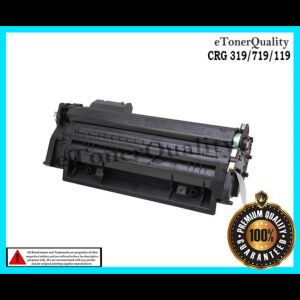
Alternative LaserJet Toner Cartridge FOR CANON CRG-119/319/719 Black
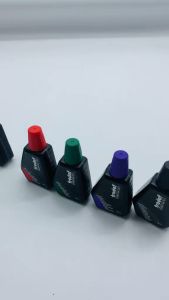
ORIGINAL TRODAT INK 28ML
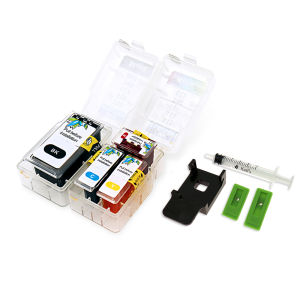
Smart Ink Cartridge For Canon PG 510 CL 511 445 446 810 512 513 145 146 245 246 745 545 XL with Clip Tool

Brother BTD60BK / BTD60BK INK / BTD60 INK Compatible Refill Ink for T310 T510W T420W T710W T810W T910DW T4500DW T4000DW
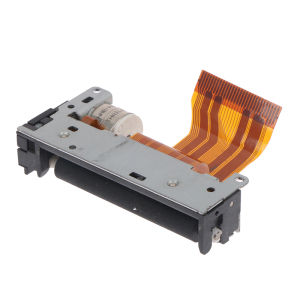
💕 Store opening 💕 LTP01-245-11 LTP01-245-01 LTP01-245-08 Thermal print head for receipt printing
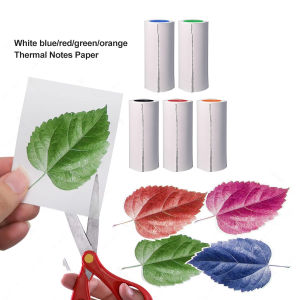
Thermal Printer Papers 57mm HD Color Thermal Papers for Inkless Mini Portable Pocket Photo Children Kids Camera Printer
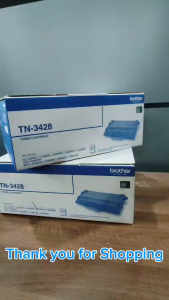
BrotherR TN 3428 (TN-3428) Original Toner Cartridge
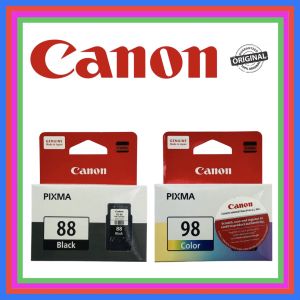
Canon Pixma Original Ink Cartridge PG-88 Black & CL-98 Tricolor For Canon Pixma E500, E510, E600, E610