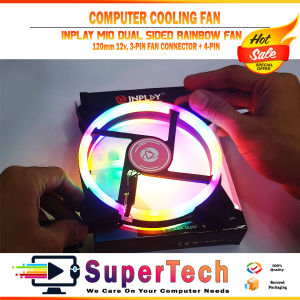
INPLAY M10 Rainbow Cooling Case Fan 4 Pin For PC/ COMPUTER / DESKTOP
INPLAY M10 Rainbow Cooling Case Fan 4 Pin For PC/ COMPUTER / DESKTOP
What is the INPLAY M10 Rainbow Cooling Case Fan?
The INPLAY M10 Rainbow Cooling Case Fan is a high-performance cooling solution designed for PCs and desktop computers. It features a sleek, modern design with a 4-pin PWM connector, allowing users to control fan speed and noise levels. The fan comes equipped with vibrant rainbow LED lighting, adding a touch of style and flair to any computer setup.
Key Features
-
High Performance: The INPLAY M10 Rainbow Cooling Case Fan delivers exceptional cooling performance, ensuring your PC remains cool even during intense gaming sessions or demanding tasks.
-
Rainbow LED Lighting: The fan features vibrant rainbow LED lighting that adds a touch of style and flair to any computer setup.
-
4-pin PWM Connector: The fan comes equipped with a 4-pin PWM connector, allowing users to control fan speed and noise levels.
-
Durable Construction: The INPLAY M10 Rainbow Cooling Case Fan is built to last, with a robust design that can withstand the rigors of daily use.
Benefits of the INPLAY M10 Rainbow Cooling Case Fan
-
Improved Performance: The INPLAY M10 Rainbow Cooling Case Fan helps maintain optimal temperatures in your PC, leading to improved performance and reliability.
-
Enhanced Aesthetics: The vibrant rainbow LED lighting adds a touch of style and flair to any computer setup, making it a great choice for gamers and enthusiasts.
-
Easy Installation: The fan is easy to install, requiring minimal effort and time.
How to Install the INPLAY M10 Rainbow Cooling Case Fan
Installing the INPLAY M10 Rainbow Cooling Case Fan is a straightforward process that can be completed in just a few steps.
Preparing for Installation
Before installing the fan, make sure you have all the necessary tools and accessories, including:
- A screwdriver
- A Phillips-head screw
- A 4-pin PWM connector cable
Step-by-Step Installation Process
-
Unpack the fan: Carefully unpack the fan and remove any packaging materials.
-
Locate the fan mounting location: Identify the location on your PC case where you want to install the fan.
-
Mount the fan: Secure the fan to the mounting location using the provided screws and screwdriver.
-
Connect the fan: Connect the 4-pin PWM connector cable to the fan and the motherboard.
-
Test the fan: Power on your PC and test the fan to ensure it is functioning properly.
Troubleshooting Common Issues
If you encounter any issues during installation or while using the fan, try the following troubleshooting steps:
-
Fan not spinning: Check the connection between the fan and the motherboard.
-
Fan making noise: Check the screws and ensure they are tightened properly.
-
LED lighting not working: Check the connection between the fan and the motherboard.
How to Maximize the Performance of the INPLAY M10 Rainbow Cooling Case Fan
To get the most out of your INPLAY M10 Rainbow Cooling Case Fan, consider the following tips:
Optimal Placement
Place the fan in a location that maximizes airflow and cooling efficiency. For example, placing the fan near the CPU or GPU can help keep these components cool.
Pairing with Other Cooling Solutions
Pairing the INPLAY M10 Rainbow Cooling Case Fan with other cooling solutions, such as liquid cooling or additional fans, can further improve cooling performance.
Regular Maintenance Tips
To ensure optimal performance, it is important to regularly clean the fan and remove any dust or debris that may accumulate.
Conclusion
The INPLAY M10 Rainbow Cooling Case Fan is a high-performance cooling solution that offers exceptional cooling performance, vibrant rainbow LED lighting, and easy installation. By following the tips outlined in this article, you can maximize the fan's performance and keep your PC running cool and efficiently.
Summary of Key Points
-
The INPLAY M10 Rainbow Cooling Case Fan is a high-performance cooling solution designed for PCs and desktop computers.
-
The fan features a sleek, modern design with a 4-pin PWM connector and vibrant rainbow LED lighting.
-
Installing the fan is a straightforward process that can be completed in just a few steps.
-
To get the most out of the fan, consider optimal placement, pairing with other cooling solutions, and regular maintenance.
Final Thoughts on the INPLAY M10 Rainbow Cooling Case Fan
Overall, the INPLAY M10 Rainbow Cooling Case Fan is a great choice for anyone looking to improve cooling performance and add a touch of style to their PC setup. With its high-performance capabilities and easy installation process, it is a must-have accessory for any PC enthusiast.

Supertech RJPC Store
Review

You May Also Like

Comprehensive Guide to Desktop & Laptop HDD: 160GB - 1TB

15.6" IPS Laptop LCD Touch Screen B156HAK02.3 NV156FHM-T06 LP156WFD-SPK1 Display Matrix Panel Replacement 1920x1080 eDP 40 Pins

AMD Ryzen 5 5600G / Ryzen 7 5700G Gaming PC Set With DDR4 16GB RAM + 512GB SSD Full Set PC Computer For Gaming Office
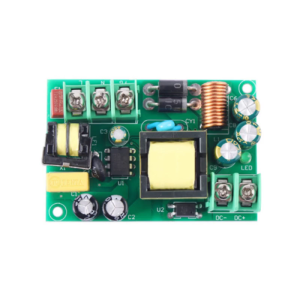
Industrial Power Converter Module AC220V To DC5V 3A Enhances Safety High-Efficiency Conversion Circuit
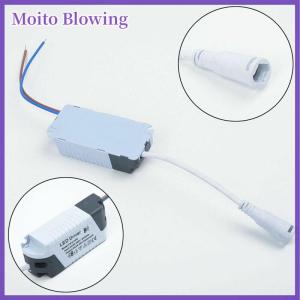
Moito LED Driver 8 12 15 18 21W Power Supply Dimmable Transformer Waterproof LED Light

17.3 Inch 144Hz LCD Screen B173HAN03.2 LP173WFG-SPD2 For Lenovo Legion Y740-17IRH Y740-17IRHg Y740-17ICHg Display Matrix Panel
Precise Control High Load Capacity 7 Pin Relays For High Compatibility With Flasher Devices Various Circuit Connections
Adjustable Full Aluminum Vertical Support Bracket for Graphics Card Sea View Room Card Holder Durable Computer Peripheral
ORICO M.2 NVMe SSD 7400MB/S For PS5 Gaming Internal Solid State Drive M Key 2280 SSD for Content Creators 1TB/2TB/4TB

HP S5 524SF 23.4" IPS 100Hz FHD 1920x1080 VGA/*HDMI Monitor | HP Monitor | Monitor | Monitor for PC | PC Monitor

15.6" 165Hz Laptop LCD Screen NV156FHM-NY9 NV156FHM-NY7 B156HAN12.1 LP156WFG-SPT1 LP156WFG-SPT6 Display Matrix Panel eDP 40 Pins