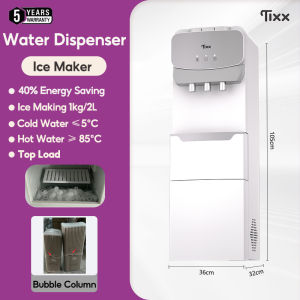
Tixx Water Dispenser: Hot & Cold Bottom Loading with Compressor Ice Maker & Automatic Water Pump
Tixx Water Dispenser: Hot & Cold Bottom Loading with Compressor Ice Maker & Automatic Water Pump
What is the Tixx Water Dispenser?
The Tixx Water Dispenser is a versatile and efficient solution for providing hot and cold water in homes, schools, and offices. Designed with modern conveniences in mind, this dispenser comes equipped with a compressor ice maker and automatic water pump, making it a top choice for those seeking a reliable and user-friendly water dispenser.
Key Features
- Hot and cold bottom loading
- Compressor ice maker
- Automatic water pump
- Compact and stylish design
Benefits for Home, School, & Office
-
Convenience: The Tixx Water Dispenser offers quick access to hot and cold water, making it perfect for preparing beverages, cooking, and more.
-
Efficiency: With its automatic water pump, the dispenser ensures a steady supply of water without the need for manual refilling.
-
Space-saving: The compact design of the Tixx Water Dispenser makes it ideal for small spaces, such as classrooms, home kitchens, and office break rooms.
-
Versatility: The compressor ice maker allows users to produce ice cubes effortlessly, perfect for keeping drinks cool.
How to Install & Set Up Your Tixx Water Dispenser
Setting up your Tixx Water Dispenser is a simple process that requires minimal effort. Follow these steps to ensure proper installation and setup:
Connecting to Power Supply
- Locate a suitable power outlet near the designated location for your Tixx Water Dispenser.
- Plug the power cord into the dispenser and then connect it to the power outlet.
Filling the Reservoir
- Open the lid of the water reservoir.
- Fill the reservoir with fresh, clean water, leaving a few inches of space at the top.
- Close the lid securely.
Configuring Ice Maker Settings
- Press the ice maker button on the control panel to activate the compressor ice maker.
- Set the desired ice cube size and production rate according to your preferences.
How to Use the Tixx Water Dispenser
Using the Tixx Water Dispenser is straightforward and intuitive. Follow these steps to enjoy hot and cold water at your fingertips:
Dispensing Hot & Cold Water
- Press the hot water button to dispense hot water.
- Press the cold water button to dispense cold water.
Adjusting Temperature Settings
- Access the temperature settings by pressing the temperature control button on the control panel.
- Adjust the temperature according to your preferences using the up and down arrows.
Cleaning & Maintenance
Regular cleaning and maintenance are essential to keep your Tixx Water Dispenser functioning optimally. Follow these guidelines for proper care:
- Clean the exterior of the dispenser with a damp cloth regularly.
- Empty and clean the water reservoir every two weeks.
- Clean the ice maker according to the manufacturer's instructions.
Tixx Water Dispenser: FAQs & Troubleshooting
Common Issues & Solutions
Issue: No hot water dispensed Solution: Check the temperature settings and ensure the dispenser is properly connected to the power supply.
Issue: Ice maker not producing ice cubes Solution: Verify that the ice maker settings are correct and that the water reservoir is filled with sufficient water.
Tips for Optimal Performance
- Keep the Tixx Water Dispenser away from direct sunlight and extreme temperatures.
- Regularly clean the dispenser to maintain hygiene and prevent bacterial growth.
- Follow the manufacturer's instructions for proper maintenance and care.
Contacting Customer Support
For any questions or concerns regarding your Tixx Water Dispenser, please contact our customer support team at [support email] or visit our website at [support website].

Tixx Mall
Review

You May Also Like
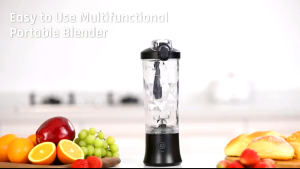
Japan Portable Blender Wireless Original Portable Blender 600ML Bottled Juicer Electric USB Rechargeabl Mini Blender Portable Blender With Tumbler. Portable Blender Juicer Tumbler
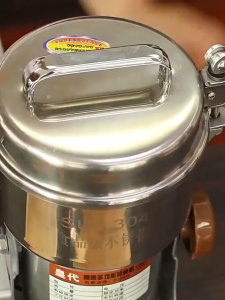
Household Electric Dry Food Grinder Machine 800G Stainless Steel Ultrafine Pulverizer for Grains Spices Herbs Chinese Medicine Coffee Grinding
YIERYI High-speed Brushless Rechargeable Handheld Fan: A Powerful Outdoor Solution
Hiena Professional Electric Hair Clipper: A Comprehensive Guide
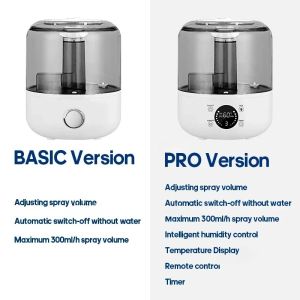
Household Air Humidifier 3L Large Capacity Plant Spray Aroma Diffuser With Remote Control Timing Control Portable Mute Humidifie

1 pcs Round/rectangle Honeycomb Ceramic Plate Honeycomb Ceramic Board Infrared Burner Replacement High Effeciency

Yoobao Y-F04 Stroller Fan Multi Functional Portable Rechargeable Strong Wind Cooling Hand Held Clip Fan
Bottled 500g Reusable Color Changing Silica Gel Discoloration Desiccant For Electronic Equipment
![[COD] Biubiuni 1Pcs Chinese Fans Folding Hand Fan Wedding Hand Fans Bamboo Portable Fan Dancing Fan Party Decorative Fan Ventilador](https://img.lazcdn.com/g/p/dae79c399fb0ae8412dd0e555fc4e1be.jpg_300x300q80.jpg)
[COD] Biubiuni 1Pcs Chinese Fans Folding Hand Fan Wedding Hand Fans Bamboo Portable Fan Dancing Fan Party Decorative Fan Ventilador

Electric Face Lift Instrument: A Comprehensive Guide
Refrigerator Two Door Direct Cool Mini Refrigerator inverter Refrigerator With Freezer Save Electricity