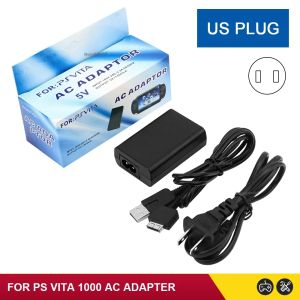
NEW EU US Plug Home Charger Power Supply 5V AC Adapter USB Charging Cable Cord For PlayStation PS Vita
NEW EU US Plug Home Charger Power Supply 5V AC Adapter USB Charging Cable Cord For PlayStation PS Vita
What is the EU US Plug Home Charger?
The EU US Plug Home Charger is a versatile power supply solution designed specifically for charging electronic devices such as the PlayStation Vita. This 5V AC adapter features a USB charging cable that seamlessly connects to your device, ensuring a reliable and efficient charging experience. The charger is compatible with both European and American plug types, making it ideal for international travelers or those who require a universal power solution.
Key Features & Benefits
- Universal Compatibility: The EU US Plug Home Charger is compatible with both European and American plug types, allowing you to charge your device anywhere in the world.
- Efficient Charging: The 5V AC adapter provides a steady power supply, ensuring your device charges quickly and efficiently.
- Durable Design: The charger features a robust construction, making it resistant to wear and tear, and ensuring a long-lasting performance.
Compatibility & Usage
The EU US Plug Home Charger is compatible with the PlayStation Vita, a popular handheld gaming console. It can also be used with other devices that support USB charging, such as smartphones, tablets, and portable speakers. To use the charger, simply plug it into a power outlet and connect the USB cable to your device.
How to Choose the Right Charger for Your Device
Selecting the right charger for your device is crucial for ensuring optimal performance and longevity. Here are some factors to consider when selecting a charger:
Factors to Consider When Selecting a Charger
- Voltage: Ensure that the charger's voltage matches your device's requirements. In this case, the EU US Plug Home Charger provides a steady 5V power supply, which is suitable for the PlayStation Vita.
- Compatibility: Verify that the charger is compatible with your device. The EU US Plug Home Charger is specifically designed for the PlayStation Vita, but it can also be used with other devices that support USB charging.
- Safety Features: Look for chargers that feature safety certifications, such as CE or FCC, to ensure they meet safety standards.
Recommended Chargers for Different Devices
- PlayStation Vita: The EU US Plug Home Charger is the ideal choice for the PlayStation Vita, providing a reliable and efficient charging experience.
- Smartphones: For smartphones, consider chargers that offer fast charging capabilities and support multiple devices.
- Tablets: When selecting a charger for tablets, look for options that provide a steady power supply and have a durable design.
Setting Up & Using the EU US Plug Home Charger
Using the EU US Plug Home Charger is simple and straightforward. Follow these steps to set up and use the charger:
Step-by-Step Guide to Installation
- Unbox the charger and locate the USB charging cable.
- Plug the charger into a power outlet, ensuring that the correct plug type is used for your location.
- Connect the USB cable to your device, making sure it is securely attached.
- Your device will begin charging immediately.
Tips for Optimal Performance & Longevity
- Avoid Overcharging: To extend the life of your device's battery, avoid leaving it plugged in for extended periods once it has reached 100% charge.
- Keep the Charger Clean: Regularly clean the charger and USB cable to prevent dust buildup, which can affect charging performance.
- Store Properly: When not in use, store the charger and USB cable in a safe place to prevent damage.
Troubleshooting Common Issues
Encountering issues with your charger can be frustrating, but there are steps you can take to resolve common problems:
Dealing with Charging Problems
- Check the Connection: Ensure that the USB cable is securely connected to both the charger and your device.
- Inspect the Charger: If the charger is not functioning properly, check for any visible damage or loose connections.
- Try a Different Port: If possible, try using a different power outlet to see if the issue persists.
Resolving Connectivity Issues
- Check the Cable: If you're experiencing connectivity issues, inspect the USB cable for any signs of damage or wear.
- Update Firmware: Some devices may require firmware updates to ensure optimal performance. Check your device's manual for instructions on how to update the firmware.
- Contact Support: If you're still experiencing issues, contact the manufacturer's customer support for further assistance." }

GlobalTechMart
Review

You May Also Like
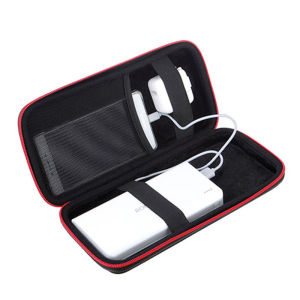
zhencool | Portable Protective Case for Power Bank and Mobile Power Bank
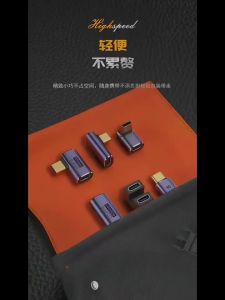
USB C to Type-C Converter: A Comprehensive Guide
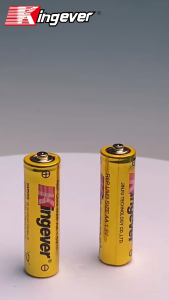
Kingever 100% Original AA R6P High Power Extra Heavy Duty Battery Golden Series
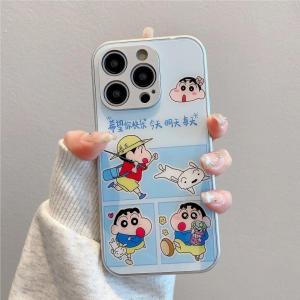
Cute Electroplated Silver Glass Case for iPhone 16 Pro Max Apple 15 Reno 10/11 Couples Cartoon Happy Everyday Design

My World iPad10 pro 2024 Case 11 Inch 5 Apple Air6 Mini7 4 Fold with Pen Slot Compatible 2018 Ninth 2020 Surrounding 2021

HOCE 20000D Luxury Front Back Full Cover Film Screen Protector For iPhone 16 15 14 13 12 11 Pro Max Hydrogel Film 7 8 6 6S 16 Plus X XR XS Max 13 Soft Film Not Glass
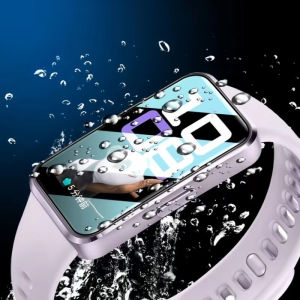
Screen Protector for Huawei Smart Band 10/9/8 Women Men Smartwatch Huawei Band 10/9/8 Screen Cover
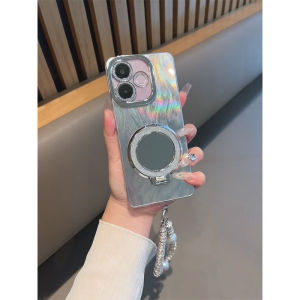
OPPO A5 Pro 5G Case Mirror Bracket Exquisite Hole Camera Protector Advanced Sense Gradual Feather Sand Hard Phone Case
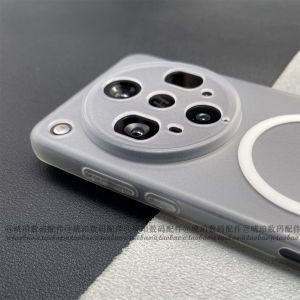
Oppo FindX8 Ultra Magnetic Absorption Silicone Phone Case Thin Lightweight Full Lens Coverage Matte Anti-Fingerprint Design
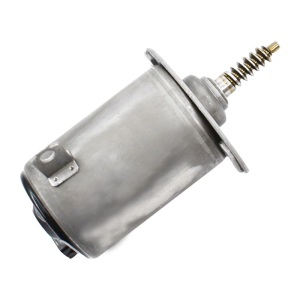
OEM Equivalent Eccentric Shaft Actuator for E60 E63 E64 E66 E81 E85 E86 E88 E90 E91 Valvetronics VVT System 11377548388
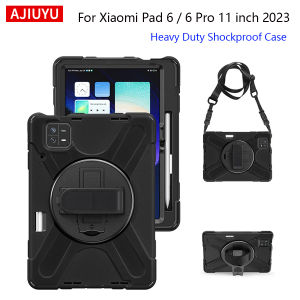
Case For Xiaomi Pad 6 11" Mi Pad 6 Pro 2023 MiPad 6 Pro 11 inch Kids Case Heavy Duty Shockproof Rugged Cover With Shoulder Strap