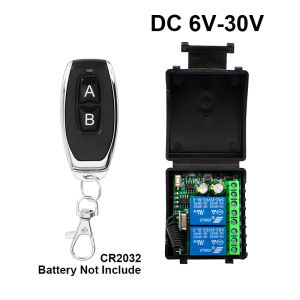
2CH DC 6V-30V AC 85V-256V Wireless Remote Control Switch 2 Gang 433Mhz Controller Relay Receiver for Lamp Pump Motor Light Door
2CH DC 6V-30V AC 85V-256V Wireless Remote Control Switch 2 Gang 433Mhz Controller Relay Receiver for Lamp Pump Motor Light Door
Introduction to 2CH DC 6V-30V AC 85V-256V Wireless Remote Control Switch
A 2CH wireless remote control switch is a versatile device designed to provide remote control capabilities for various home automation applications. This particular model supports both DC (6V-30V) and AC (85V-256V) power sources, making it compatible with a wide range of devices.
What is a 2CH Wireless Remote Control Switch?
The 2CH wireless remote control switch is a device that allows users to control two separate channels remotely. It consists of a receiver and a transmitter, which work together to enable wireless communication between the two devices. This setup makes it ideal for controlling lamps, pumps, motors, lights, and doors, among other applications.
Key Features of 2CH Wireless Remote Control Switch
- Supports both DC (6V-30V) and AC (85V-256V) power sources
- 2CH design for controlling two separate channels
- 433Mhz controller for reliable wireless communication
- Compatible with various devices, including lamps, pumps, motors, lights, and doors
- Easy-to-use remote control interface
Setting Up Your 2CH Wireless Remote Control Switch
To get started with your 2CH wireless remote control switch, follow these steps:
Connecting the Receiver for Lamp Pump Motor
- Connect the receiver to the power source using the appropriate cables.
- Connect the load (e.g., lamp, pump, motor) to the output terminals of the receiver.
- Ensure that the power source and load connections are secure and properly insulated.
Configuring the 2 Gang 433Mhz Controller
- Power on the transmitter by pressing the power button.
- Pair the transmitter with the receiver by pressing the pairing button on both devices simultaneously.
- Once paired, use the transmitter to control the connected load(s).
Using Your 2CH Wireless Remote Control Switch
With your 2CH wireless remote control switch set up, you can now control lights and doors remotely.
Controlling Lights and Doors with the 2CH Wireless Remote Control Switch
To control lights and doors using the 2CH wireless remote control switch, simply use the transmitter to send signals to the receiver. This will activate or deactivate the connected load(s), allowing you to turn lights on/off or open/close doors remotely.
Troubleshooting Common Issues with the 2CH Wireless Remote Control Switch
If you encounter any issues while using your 2CH wireless remote control switch, try the following troubleshooting steps:
- Ensure that the power source and load connections are secure and properly insulated.
- Check if the transmitter and receiver are paired correctly.
- Verify that the transmitter batteries are not low or depleted.
Advantages of the 2CH Wireless Remote Control Switch
The 2CH wireless remote control switch offers several advantages for home automation.
Cost-Effective Solution for Home Automation
Compared to other home automation solutions, the 2CH wireless remote control switch is a cost-effective option. It allows users to control multiple devices remotely without the need for expensive smart home systems.
Easy Installation and Setup Process
Setting up the 2CH wireless remote control switch is straightforward and does not require any specialized skills or tools. Users can easily connect the receiver to their power source and load, and pair the transmitter with the receiver.
Compatibility with Various Devices
The 2CH wireless remote control switch is compatible with a wide range of devices, including lamps, pumps, motors, lights, and doors. This versatility makes it an ideal choice for home automation projects.
For more information on the 2CH DC 6V-30V AC 85V-256V Wireless Remote Control Switch, visit our website or contact us directly.

GlobalLifestyle
Review

You May Also Like
OUDISI 220V 1000W Φ20-63mm Plastic Pipe Welder: A Comprehensive Guide
304 Stainless Steel Bidet Sprayer: A Comprehensive Guide
Still Putting It like This? Suction Cup Mop Rack Wall Hanging Clamp Holder Rack Bathroom Storage Fantastic Hook
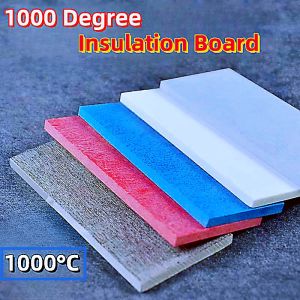
Mould Insulation Board 1000 ℃ Degree High Temperature Resistant Insulation Insulation Sheet Material Fireproof Mica Board Processing Custom Zero Cut Factory Direct Sales
Professional Mini Electric Grinding Set: A Comprehensive Guide
Universal Twist Lock Zinc Alloy Security Thicken Cast Barrel Bolt Slide Latch Bathroom Door
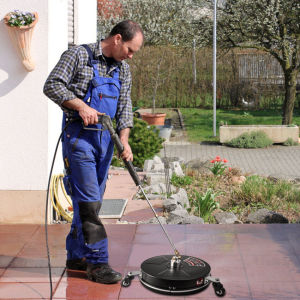
Shipping In 24 Hours 15-Inch High-Pressure Three-Color Stainless Steel Floor Scrubber Brush Is Flexible And Lightweight For Cleaning The Floor

32pcs Stainless Steel Feeler Gauge 0.04mm-0.88mm Metric Thickness Gage Set For Gap Measurment Tool
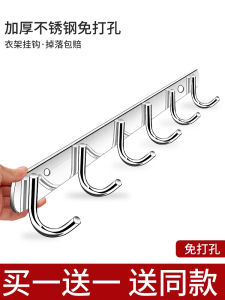
MuJie Stainless Steel Adhesive Wall Hooks No Drilling Required Strong Load Bearing Kitchen Bathroom Storage Organizer
![11pcs Die Snap Rivet Tools DIY Leather Craft Metal Rivet Button Setter with Base for Punch Hole for Install Rivet Button For Leather Tool[Winnereco World]](https://img.lazcdn.com/g/ff/kf/S227005afc9a043d8a2e127f4bf901358q.jpg_300x300q80.jpg)
11pcs Die Snap Rivet Tools DIY Leather Craft Metal Rivet Button Setter with Base for Punch Hole for Install Rivet Button For Leather Tool[Winnereco World]
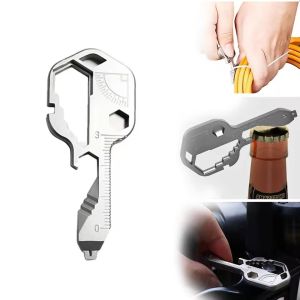
24 In 1 Multifunctional Pendant Wrench Keys Gear Clips Measuring for Home Hand Tools Outdoors Repair Multi Tools