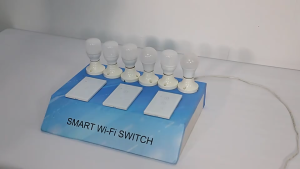
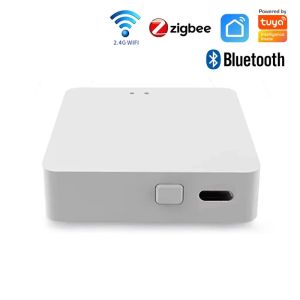
Tuya Multi Mode ZigBee Bluetooth Gateway Hub: A Comprehensive Guide
Tuya Multi Mode ZigBee Bluetooth Gateway Hub: A Comprehensive Guide
What is a Wireless Smart Home Controller?
A wireless smart home controller, also known as a multi-mode smart home hub, is a central device that connects and manages various smart devices within a home. It acts as a bridge between different ecosystems, allowing users to control their smart home appliances remotely using voice assistants like Alexa and Google Home.
Key Features & Benefits
The Tuya Multi Mode ZigBee Bluetooth Gateway Hub offers numerous features and benefits, including:
- Multi-mode connectivity: Supports ZigBee, Bluetooth, and Wi-Fi protocols for seamless integration with various smart devices.
- Voice control: Compatible with Alexa and Google Home, enabling hands-free control of connected devices.
- Energy efficiency: Optimizes energy consumption by automatically adjusting settings based on usage patterns.
- Security: Provides robust encryption and authentication mechanisms to protect against unauthorized access.
Compatibility with Alexa & Google Home
The Tuya Multi Mode ZigBee Bluetooth Gateway Hub supports both Alexa and Google Home, allowing users to control their smart home devices using voice commands. This compatibility ensures a seamless experience, regardless of the preferred voice assistant.
How to Set Up Your Multi Mode Smart Home Hub
Setting up the Tuya Multi Mode ZigBee Bluetooth Gateway Hub is a straightforward process. Follow these steps to get started:
Step-by-Step Installation Process
- Unpack the device: Remove the hub from its packaging and locate the power adapter.
- Connect the power adapter: Plug the power adapter into the hub and connect it to a power outlet.
- Download the Tuya app: Install the Tuya app on your smartphone or tablet.
- Create an account: Sign up for a Tuya account or log in if you already have one.
- Add the hub: Follow the prompts within the app to add the hub to your network.
- Connect devices: Pair your smart devices with the hub using the app.
Connecting Devices & Configuring Settings
Once the hub is set up, connect your smart devices by following these steps:
- Identify supported devices: Check the compatibility list to ensure your devices are supported.
- Pair devices: Use the Tuya app to pair your devices with the hub.
- Configure settings: Customize device settings within the app, such as scheduling and automation rules.
Maximizing the Potential of Your Remote Controller
The Tuya Multi Mode ZigBee Bluetooth Gateway Hub offers numerous opportunities to enhance home security, automation, and integration with other smart home ecosystems.
Enhancing Home Security & Automation
By leveraging the hub's capabilities, users can create custom security and automation scenarios, such as:
- Motion detection: Automatically turn on lights or activate alarms when motion is detected.
- Smart schedules: Set timers for devices to turn on or off at specific times.
- Voice control: Use voice commands to control devices hands-free.
Integrating with Other Smart Home Ecosystems
The Tuya Multi Mode ZigBee Bluetooth Gateway Hub supports integration with other smart home ecosystems, including Philips Hue, Samsung SmartThings, and more. This allows users to expand their smart home setup and enjoy a seamless experience across multiple platforms.
Troubleshooting Common Issues
Encountering connectivity problems or device compatibility issues? Here are some solutions to help you resolve common issues:
Connectivity Problems & Solutions
- Check Wi-Fi connection: Ensure the hub is connected to the correct Wi-Fi network.
- Reset the hub: Perform a factory reset if connectivity issues persist.
- Update firmware: Keep the hub's firmware up-to-date for optimal performance.
Device Compatibility & Firmware Updates
- Check compatibility: Verify that your devices are supported by the hub before attempting to connect them.
- Update firmware: Regularly update device firmware to ensure compatibility and optimal performance.
In conclusion, the Tuya Multi Mode ZigBee Bluetooth Gateway Hub offers a versatile and reliable solution for managing smart home devices. With its support for Alexa and Google Home, users can enjoy hands-free control and a seamless experience across multiple platforms." }

Global Joy
You May Also Like

Z83 Max Smart Watch for Men Women NFC Smartwatch Mens Wristwatch Straps Waterproof Wrist Watches Fitness Bracelet With 3 Straps
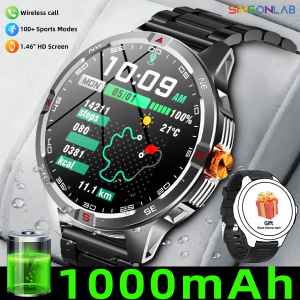
NEW 1000mAh Battery Smart Watch Wireless Call Answer Compass Sports Men for Android/IOS Flashlight IP68 Waterproof for Xiaomi
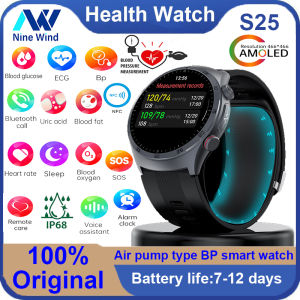
NineWind New S25 Smart Watch: A Comprehensive Guide

Aolon Tetra S3 Sports Watch for Men Anti-scratch Smart Watch for Men Bluetooth call Watchs Running Pria Pace 3ATM Waterproof 100+ Sports Mode Smartwatch Custom wallpaper Heart Rate Monitoring Swimming Smartwatchs - Lazada
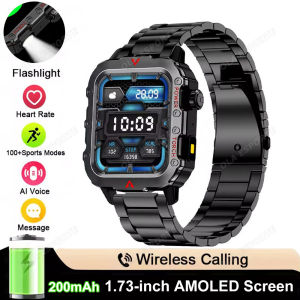
Men Smart Watch Flashlight IP68 Waterproof Compass Wireless Call Fitness Clock Multiple Sports Modes Smartwatch For Android IOS

Magnetic Metal Airtag Protective Case Shockproof Hard Shell Case for Airtag Tracker with Key Chain Buckle Anti-Lost Case(1 Pack)
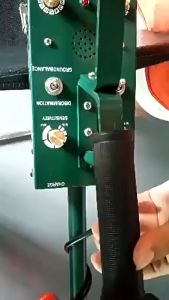
Underground Metal Detector Depth 8.5m Gold Silver Copper Treasure Finder With LED Screen
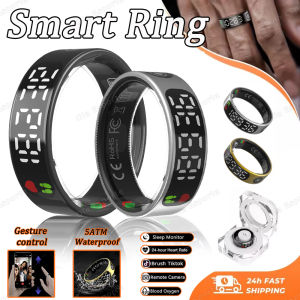
New SR08 Smart Ring: A Comprehensive Guide
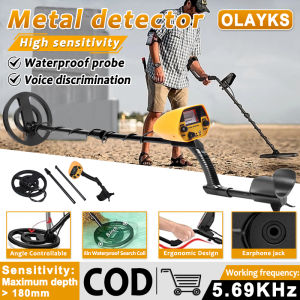
Hand-Held Outdoor Treasure Hunting: A Guide to High Sensitivity Waterproof Metal Detectors
Original Smart Watch For Men Women Waterproof i5 Smartwatch Sport Heart Rate Blood Pressure Oxygen Monitor Activity Tracker Fitness Sports Watch Bracelet for IOS and Android

Tomato McDonalds Bag Compatible Apple AirTag Locator Silicone Protective Cover Keychain Airtags Soft Digital Accessories