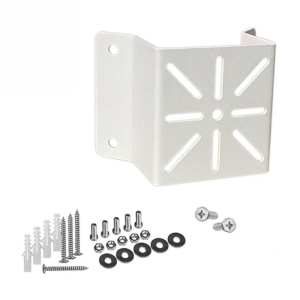
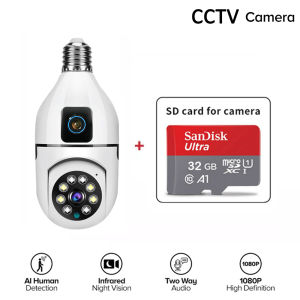
Xiaomi Dual Lens CCTV Camera: A Comprehensive Guide
Xiaomi Dual Lens CCTV Camera: A Comprehensive Guide
What is the Xiaomi Dual Lens CCTV Camera?
The Xiaomi Dual Lens CCTV Camera is a state-of-the-art security device designed to provide comprehensive surveillance coverage for both indoor and outdoor spaces. This innovative camera features dual lenses, enabling it to capture a wide-angle view of its surroundings while maintaining high-resolution image quality.
Key Features
- Auto Tracking: Automatically tracks moving objects within the camera's field of view, ensuring no movement goes unnoticed.
- Night Vision: Equipped with infrared LEDs that allow the camera to capture clear images in low-light conditions.
- Water Resistance: Built to withstand harsh weather conditions, making it suitable for outdoor use.
- WiFi Connect 360 Surveillance Camera: Connects to your home network, allowing you to monitor your property remotely via a smartphone app.
- Mini IP Security Camera: Compact design that blends seamlessly into any environment.
- Two-Way Audio: Enables two-way communication between the camera and your smartphone, allowing you to interact with anyone within the camera's range.
How It Works
The Xiaomi Dual Lens CCTV Camera works by connecting to your home Wi-Fi network, allowing you to access live footage and recorded clips through a dedicated mobile app. This app enables you to adjust settings, receive notifications, and control the camera's features remotely.
Who Can Benefit From This Camera?
The Xiaomi Dual Lens CCTV Camera is ideal for homeowners, small business owners, and anyone looking to enhance their property's security. Its compact size, high-resolution image quality, and advanced features make it a versatile choice for both indoor and outdoor surveillance needs.
How to Set Up Your Xiaomi Dual Lens CCTV Camera
Setting up your Xiaomi Dual Lens CCTV Camera is a straightforward process that can be completed in just a few simple steps.
Unboxing and Installation
Begin by unboxing your camera and power adapter. Mount the camera in a suitable location using the included mounting hardware. Connect the power adapter to the camera and plug it into a power outlet.
Connecting to WiFi
Open the dedicated mobile app and follow the on-screen instructions to connect your camera to your home Wi-Fi network. Once connected, you can access live footage and recorded clips through the app.
Setting Up Two-Way Audio
To enable two-way audio, navigate to the settings menu within the app and select the option to activate this feature. This will allow you to communicate with anyone within the camera's range.
Maximizing Security with Your Xiaomi Dual Lens CCTV Camera
The Xiaomi Dual Lens CCTV Camera offers several advanced features that can help you maximize the security of your property.
Auto Tracking
Auto tracking enables the camera to automatically track moving objects within its field of view, ensuring that no movement goes unnoticed. This feature is particularly useful for monitoring large areas or detecting potential intruders.
Night Vision
The camera's infrared LEDs allow it to capture clear images in low-light conditions, making it ideal for outdoor surveillance. This feature ensures that your property remains secure even after dark.
Water Resistance
The Xiaomi Dual Lens CCTV Camera is built to withstand harsh weather conditions, making it suitable for outdoor use. Its water-resistant design helps protect the camera from rain, snow, and other elements.
Motion Detection
Motion detection alerts you to any movement within the camera's field of view, allowing you to take action if necessary. This feature is particularly useful for monitoring areas where you may not be able to physically monitor yourself.
Troubleshooting Common Issues
If you encounter any issues with your Xiaomi Dual Lens CCTV Camera, the following troubleshooting tips may help:
Connectivity Problems
- Ensure that your camera is properly connected to your home Wi-Fi network.
- Check that your router is functioning correctly and that there are no network connectivity issues.
Audio Issues
- Verify that the two-way audio feature has been activated within the app.
- Ensure that your smartphone's microphone and speaker are functioning correctly.
Camera Not Working
- Check that the camera is properly powered and connected to your home Wi-Fi network.
- Restart the camera and the app to resolve any potential software issues.
Conclusion
The Xiaomi Dual Lens CCTV Camera is a powerful security device that offers a wide range of features to help protect your property. With its auto tracking, night vision, water resistance, and motion detection capabilities, this camera provides comprehensive surveillance coverage for both indoor and outdoor spaces. Whether you're a homeowner or small business owner, the Xiaomi Dual Lens CCTV Camera is an excellent choice for enhancing your property's security.

V380 Camera
You May Also Like

Endura 16 Port HD Video Transceiver in 1U Rack Mounting Panel
V380 Solar Dual CCTV Camera: No Wifi Needed & Connect to Cellphone

A200 4K HD Vlog Action Camera dual screen anti-shake video recorder outdoor waterproof sports camera
BUY 1 TAKE 1 V380 Pro Smart 5G CCTV Camera: A Comprehensive Guide
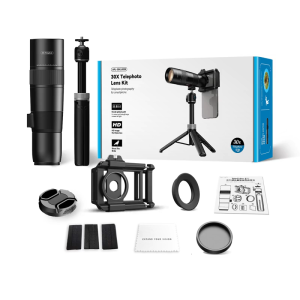
36X Magnifier Photography Lens Telephoto Lens with Tripod Telephoto Phone Lens for Phone Picture Video Taking
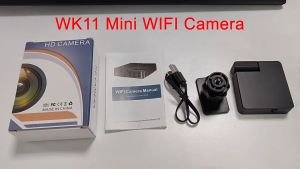
Mini Hidden Camera Wireless HD 1080P Night Vision WiFi CCTV Connect Cellphone Audio Video Recording Surveillance Camera
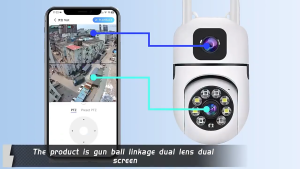
V380 Pro CCTV Camera Dual Lens Connect Cellphone No Wifi Needed Full Color Night Vision Two Way Audio And Speaker AI Motion Detection Surveillance Camera PTZ Rotatable 360° Automatic Tracking
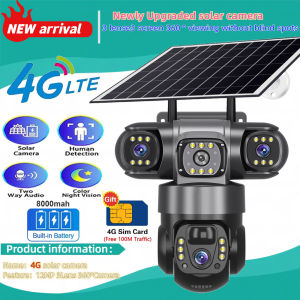
Solar Camera 4G Sim Outdoor 3 Lens 3 Screen 10X Zoom PIR Human Detect Cameras Waterproof Night Vision CCTV Security Protection
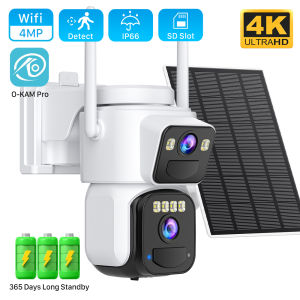
8MP Dual Lens Solar WIFI Security Cameras With Solar Panels Color Night Vision PIR Motion Detection Ourdoor IP Camera O-KAM App
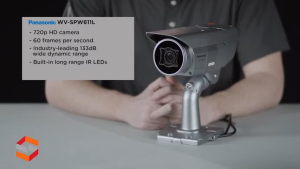
Panasonic Super Dynamic HD Weatherproof Network Camera / Outdoor ( WV-SPW611L)
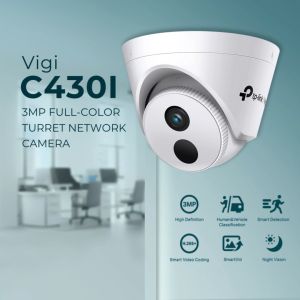
TP-Link Official | VIGI C430I | 3MP IR Turret Home Security Network CCTV Camera Connect to Cellphone