


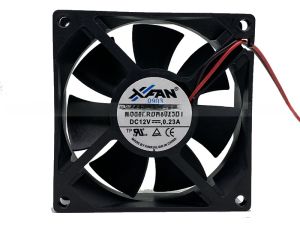
New Original XFAN RDH8025B1 Silent Power Supply Case Fan 12V 0.23A 8cm Computer Hardware Monitor Accessories Cooling Fan

New Original XFAN RDH8025B1 Silent Power Supply Case Fan 12V 0.23A 8cm Computer Hardware Monitor Accessories Cooling Fan
New Original XFAN RDH8025B1 Silent Power Supply Case Fan 12V0. 23A8cm Computer Hardware Monitor Accessories Cooling Fan

TAO Electronic Accessories
Seller ratings 95%
Review

Oops
This video has no reviews.
You May Also Like
![[COD] PkYeG Tool 1Set Computer CPU Radiator Mounting Bracket Backplane Accessories For LGA2011 X99 X79 E5 1700 1366 115X 1200 AMD AM2 AM3 AM4 AM5](https://img.lazcdn.com/g/p/134d776b706b375cfb659084ec463a5e.jpg_300x300q80.jpg)
00:12
[COD] PkYeG Tool 1Set Computer CPU Radiator Mounting Bracket Backplane Accessories For LGA2011 X99 X79 E5 1700 1366 115X 1200 AMD AM2 AM3 AM4 AM5
00:17
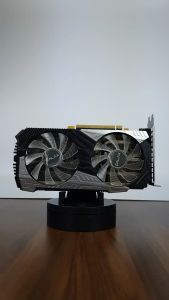
GALAX GEFORCE RTX 2060 12GB PLUS (1-CLICK OC FEATURE) | 12 GB GDDR6 | 192-BIT | Display Port 1.4 | HDMI 2.0b | DVI-D | (SLIGHTLY USED)

00:43
HP 14-ep1144TU | Intel i5-120U | 16GB | 512GB SSD | W11 | Office 2024 + M365 | Silver
00:38
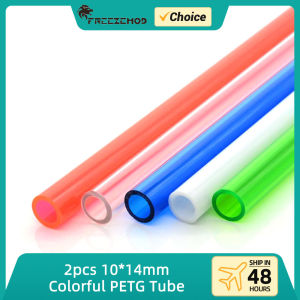
2pcs FREEZEMOD Colorful PETG Tube 50cm Rigid OD14mm Water Cooling Green Red Blue White Hard Pipe PC MOD Liquid Cooler 10*14mm
00:30
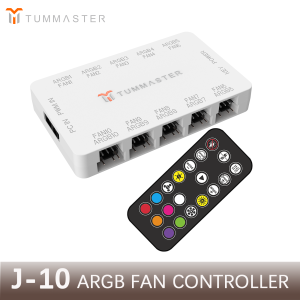
PC Accessories 10Port 4Pin ARGB Fan Hub 5V 3Pin PWM Fan Controller for PC/Computer CaseMagnetic Suction & Remote Control Lights
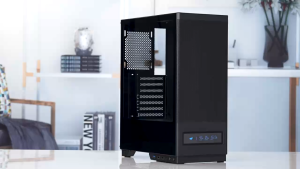
00:43
YGT V8202 PC Case With Screen Tempered Glass Micro ATX Gaming Desktop Case

00:52
Laptop LCD Screen 17.3 inches 40 Pins 144Hz Full HD 1920 x 1080 Thin Bezel Borderless B173HAN04.9 No Brackets\\n\\n Introduction to B173HAN04.9 Borderless Screen\\n\\nThe B173HAN04.9 Borderless Screen is a high-quality 17.3-inch LCD display that offers an exceptional viewing experience. This 40 Pins Full HD Display boasts a resolution of 1920 x 1080 pixels, providing sharp and clear visuals for your laptop. With its 144Hz refresh rate and thin bezel design, this screen is perfect for gaming enthusiasts and professionals alike who demand top-notch performance and quality.\\n\\n Key Features & Specifications\\n\\n* 17.3 inches 40 Pins Full HD Display\\n* 1920 x 1080 Resolution\\n* 144Hz Thin Bezel Monitor\\n* No Brackets design\\n\\n Benefits of Thin Bezel Design\\n\\nThe B173HAN04.9 Borderless Screen features a thin bezel design that offers several benefits:\\n\\n* **Enhanced Immersion**: The narrow borders allow for a more immersive viewing experience, making it ideal for gaming, watching movies, or working on graphic-intensive tasks.\\n* **Increased Screen-to-Body Ratio**: With less bezel area, the screen-to-body ratio is higher, resulting in a more compact and sleek appearance.\\n* **Improved Multi-Monitor Setup**: The thin bezels make it easier to align multiple monitors side by side, creating a seamless viewing experience.\\n\\n Compatibility with Various Laptops\\n\\nThe B173HAN04.9 Borderless Screen is compatible with a wide range of laptops, including popular models such as Dell, HP, Lenovo, and Acer. To ensure compatibility, check the specifications of your laptop and verify that it supports a 40 Pins Full HD Display with a 1920 x 1080 resolution.\\n\\n How to Install the 17.3 Inch 40 Pins Full HD 144Hz Screen\\n\\nInstalling the B173HAN04.9 Borderless Screen is a straightforward process. Follow these steps to install the screen on your laptop:\\n\\n Tools & Materials Needed\\n\\n* Screwdriver\\n* Spudger\\n* Plastic opening tool\\n* Pliers\\n* Heat gun\\n* Replacement screen (B173HAN04.9)\\n\\n Step-by-Step Installation Guide\\n\\n1. Power off your laptop and remove the battery if possible.\\n2. Use a screwdriver to remove the screws securing the back cover of your laptop.\\n3. Carefully lift the back cover and disconnect any cables connected to the old screen.\\n4. Use a spudger to gently pry the old screen away from the laptop frame.\\n5. Disconnect the ribbon cable connecting the old screen to the motherboard.\\n6. Remove the old screen and install the new B173HAN04.9 Borderless Screen.\\n7. Reconnect the ribbon cable and secure the new screen in place.\\n8. Replace the back cover and screws.\\n9. Power on your laptop and test the new screen.\\n\\n Troubleshooting Common Issues\\n\\n* **Screen Not Working**: Ensure that the ribbon cable is securely connected and that the screen is properly seated.\\n* **Incorrect Resolution**: Adjust the display settings in your laptop's control panel to match the 1920 x 1080 resolution.\\n* **Color Distortion**: Check that the color settings are correct and adjust if necessary.\\n\\n Performance & Quality of the 1920 x 1080 Resolution Screen\\n\\nThe B173HAN04.9 Borderless Screen offers excellent performance and quality:\\n\\n Color Accuracy & Brightness\\n\\nThe screen features accurate color reproduction and brightness levels, making it ideal for graphic design, photo editing, and gaming.\\n\\n Refresh Rate & Response Time\\n\\nWith a 144Hz refresh rate and fast response time, the B173HAN04.9 Borderless Screen delivers smooth and lag-free visuals, even during fast-paced gaming sessions.\\n\\n Image Quality & Clarity\\n\\nThe 1920 x 1080 resolution provides sharp and clear images, ensuring that every detail is visible and crisp.\\n\\n Conclusion & Final Thoughts\\n\\nThe B173HAN04.9 Borderless Screen is a top-notch 17.3-inch LCD display that offers exceptional performance and quality. With its thin bezel design, 144Hz refresh rate, and 1920 x 1080 resolution, this screen is perfect for gaming enthusiasts and professionals alike. Whether you're looking to enhance your laptop's display capabilities or replace a damaged screen, the B173HAN04.9 Borderless Screen is an excellent choice.\"
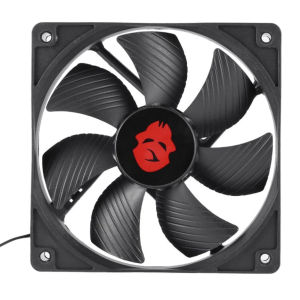
00:16
Compact 12cm Desktop Air Compressor 4 Pin High Speed Large Air Volume for PC Case Cooling
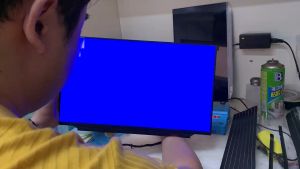
00:12
NEW 15.6 144Hz Laptop LCD LM156LF2F01 For ASUS FX505 FX506 FX507 FX571 FA506 G512 G513 G531 FHD Display 40pins
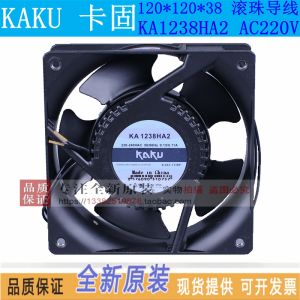
00:34
New Kaku Khaki Waterproof Fan Ka1238ha2 220V Ball 12038 All-Metal 4-Inch Cooling Fan
00:24
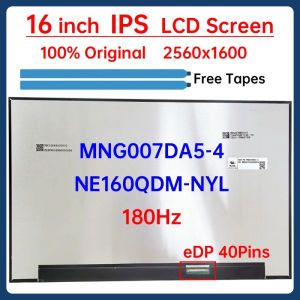
16 Inch Laptop LCD Screen NE160QDM NYL NE160QDM-NYL MNG007DA5-4 Display Panel Matrix Replacement 2560x1600 180Hz eDP 40 Pins
00:10
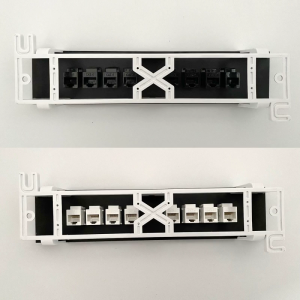
8 Ports Patch Panel CAT6 RJ45 Extender Keystone Gigabit LAN Coupler Plug Module Slot For Internet Jack Ethernet
Hot Search
American Tourister Instagon 3p Set V2scent geeks by the fireplace1:12 RC Cybertruck Offroad Wagonbetta tank dividerlabubu limited edition toyslong handle gripmsi monitor standyoung baby powderpower window switch honda brvplastic ng yelo makapalhonor tab x9a casesmith and wesson revolver griplagayan ng plato baso durabox mura langfull body cover for mio sportymotowolf hand guard

















