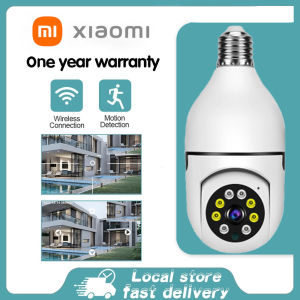
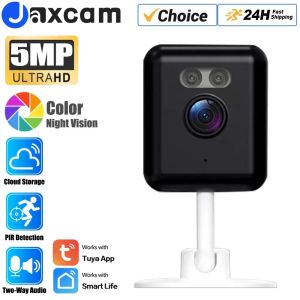
Tuya Smartlife 5MP WiFi IP Camera: Indoor Wireless Color Night Home Security AI Human Detect CCTV Surveillance Block Camera
Tuya Smartlife 5MP WiFi IP Camera: Indoor Wireless Color Night Home Security AI Human Detect CCTV Surveillance Block Camera
What is Tuya Smartlife 5MP WiFi IP Camera?
The Tuya Smartlife 5MP WiFi IP Camera is a cutting-edge indoor wireless color night home security camera designed to provide comprehensive surveillance coverage. This innovative device combines advanced features like AI human detection, 5MP resolution, and wireless connectivity to deliver top-notch performance and convenience.
Key Features
- 5MP Resolution: Capture every detail with crystal-clear images and videos.
- AI Human Detection: Identify and alert you about human activity within the camera's range.
- Indoor Wireless Connectivity: No need for complicated wiring; simply connect to your WiFi network for seamless operation.
- Night Vision: See clearly even in low-light conditions thanks to built-in infrared LEDs.
- Color Night Vision: Enjoy vibrant colors during nighttime surveillance.
- Surveillance Block Camera: Protect your home with a compact, unobtrusive design.
Benefits of Using
- Enhanced Security: Keep your loved ones and belongings safe with reliable monitoring capabilities.
- Convenience: Set up and control the camera remotely using your smartphone or tablet.
- Peace of Mind: Receive real-time alerts and notifications to stay informed about potential threats.
How to Install Tuya Smartlife 5MP WiFi IP Camera
Installing the Tuya Smartlife 5MP WiFi IP Camera is a straightforward process that requires minimal tools and equipment.
Required Tools and Equipment
- Mounting hardware (included)
- Screwdriver
- WiFi network access
Step-by-Step Installation Guide
- Choose a suitable location for the camera, ensuring it has a clear view of the area you want to monitor.
- Attach the mounting hardware to the wall or ceiling using the screwdriver.
- Connect the camera to the mounting hardware.
- Power on the camera by plugging it into an electrical outlet.
- Download and install the Tuya Smart Life app on your smartphone or tablet.
- Follow the app's instructions to connect the camera to your WiFi network.
How to Use Tuya Smartlife 5MP WiFi IP Camera
Once installed, you can start enjoying the benefits of the Tuya Smartlife 5MP WiFi IP Camera with ease.
Basic Settings and Configuration
- Camera Angle: Adjust the camera angle to ensure optimal coverage.
- WiFi Network: Connect the camera to your preferred WiFi network for stable connectivity.
- Motion Detection: Enable motion detection to receive alerts when movement is detected.
- Privacy Mode: Activate privacy mode to disable the camera temporarily.
Advanced Features and Customization
- AI Human Detection: Configure the AI human detection settings to tailor the alerts to your preferences.
- Live View: Access live footage from the camera using the Tuya Smart Life app.
- Recording Schedule: Set recording schedules to capture specific times of day.
- Sound Alerts: Enable sound alerts to hear notifications directly from the camera.
How to Maintain Tuya Smartlife 5MP WiFi IP Camera
To keep your Tuya Smartlife 5MP WiFi IP Camera in top condition, follow these cleaning and maintenance tips.
Cleaning and Maintenance Tips
- Regularly Clean: Wipe the camera lens with a soft cloth to remove dust and debris.
- Update Firmware: Keep the camera's firmware up-to-date for optimal performance.
- Check Connections: Ensure all connections are secure and functioning properly.
Troubleshooting Common Issues
- No WiFi Connection: Restart the camera and check your WiFi network settings.
- Low Battery: Replace the battery if applicable or ensure the power source is stable.
- Distorted Images: Adjust the camera angle or clean the lens.
Conclusion
The Tuya Smartlife 5MP WiFi IP Camera is a powerful indoor wireless color night home security camera that offers numerous benefits. With advanced features like AI human detection, 5MP resolution, and wireless connectivity, this camera provides reliable monitoring and peace of mind for homeowners. By following the installation, usage, and maintenance guidelines outlined in this article, you can maximize the potential of your Tuya Smartlife 5MP WiFi IP Camera and enjoy enhanced security for your loved ones and belongings.

GlobalLifestyle
You May Also Like
Dahua IP Camera 2MP HD Bullet Network Camera: A Comprehensive Guide
WD300 Camera 8K Digital Camera for Photography camera for vlogging88MP18X digital zoom,3.0-inch flip screen.
KERUI Dual Lens Industrial Endoscope Inspection Camera With Screen IP67 Waterproof Snake 1080P Handheld Digital Video Borescope
Hamrol 8MP 4K H.265X Wireless PTZ Camera: Features & Benefits
TP-Link Official | VIGI C340-W | 4MP Outdoor Home Security Network CCTV Camera Connect to Cellphone
Wireless Indoor Home Surveillance Camera 360 Degree Angle Mobile Remote Monitoring No Need for Plugging in Shop Security
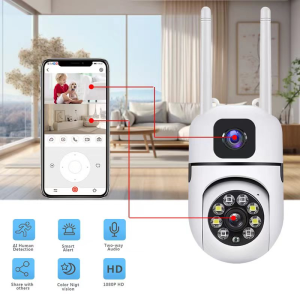
V380 Pro: A Comprehensive Guide to Night Vision Dual Screens & Remote Control Security Camera
YONGNUO YN33mm F1.4R DA DSM 33MM APS-C Frame F1.4 Large Aperture for RP R5 R6 R6II R7 R8 R3 R10 R50 R100
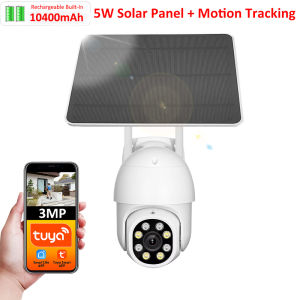
Tuya Smart Life APP 3MP WiFi Battery Solar Auto Motion Tracking PIR Surveillance Security Outdoor PTZ Color Night Vision Camera
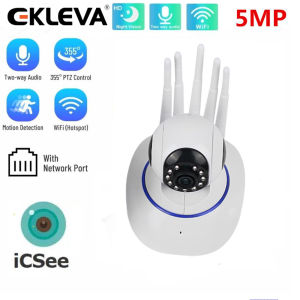
EKELEVA Smart Home WIFI Camera IP Wireless Surveillance Two Way Audio CCTV Pet Baby Monitor Security Indoor Camera
![Kodak Professional Ektar 100 35mm film[GRAB/COD] (36 shots)](https://img.lazcdn.com/collect/social-img/c9f3069ace2f4afba811aca226e19df5_6cd2630302ae4176a58cd7442cd01816.png_300x300q80.png)
Kodak Professional Ektar 100 35mm film[GRAB/COD] (36 shots)