TL-SG105E: A Comprehensive Guide to the 5-Port Plug & Play Gigabit Easy Smart Desktop Network Ethernet Switch Hub
TL-SG105E: A Comprehensive Guide to the 5-Port Plug & Play Gigabit Easy Smart Desktop Network Ethernet Switch Hub
What is the TL-SG105E?
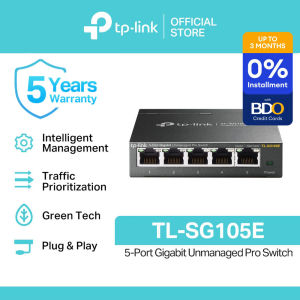
The TP-Link TL-SG105E is a plug-and-play 5-port gigabit network hub designed specifically for desktop use. This easy-to-use switch enables users to expand their home or small office network by connecting up to five devices, such as computers, printers, and gaming consoles, to a single network.
Key Features & Benefits
- Plug & Play: The TL-SG105E is designed for quick and easy setup, requiring no configuration or software installation.
- Gigabit Speed: With support for up to 1 Gbps speeds, this switch ensures fast data transfer rates for a seamless user experience.
- Desktop Friendly: Compact and lightweight, the TL-SG105E is perfect for desktop environments.
TL-SG105E Components
The package includes:
- TL-SG105E: The 5-port gigabit network hub itself
- Power Cord: To power the switch
- Installation Guide: Step-by-step instructions for setting up the switch
- Resource CD: Additional resources, including firmware updates and user manuals
- Rubber Feet: For secure placement on a desk or table
How to Install the TL-SG105E
Step-by-Step Installation Process
- Unpack the Components: Remove the TL-SG105E switch, power cord, installation guide, resource CD, and rubber feet from the packaging.
- Place the Switch: Position the switch on a flat surface, such as a desk or table, and attach the rubber feet to prevent sliding.
- Connect the Power Cord: Plug the power cord into the switch and then into a power outlet.
- Connect Devices: Connect up to five devices, such as computers, printers, or gaming consoles, to the switch using Ethernet cables.
Troubleshooting Common Issues
- Power Not Turning On: Check if the power cord is securely connected to both the switch and the power outlet. If the issue persists, contact TP-Link customer support.
- Slow Data Transfer Rates: Ensure that all connected devices support gigabit speeds and that the cables being used are compatible with gigabit networks.
Maximizing the Performance of Your TL-SG105E
Configuring the Network Hub
Although the TL-SG105E is plug-and-play, users can further optimize their network by configuring settings such as port mirroring, link aggregation, and VLANs through the web-based management interface. Refer to the installation guide or resource CD for instructions on accessing and configuring these settings.
Enhancing Network Security
To ensure a secure network environment, users can implement measures such as enabling MAC address filtering, setting up a DMZ, and configuring QoS policies. These settings can also be accessed through the web-based management interface.
Frequently Asked Questions about the TL-SG105E
TL-SG105E Compatibility
The TL-SG105E is compatible with a wide range of devices, including computers, printers, gaming consoles, and other Ethernet-enabled devices. However, users should verify that their devices support gigabit speeds and use compatible Ethernet cables to achieve optimal performance.
Upgrading & Expanding Your Network
To expand your network beyond five devices, consider using a daisy-chain configuration or adding additional switches. Users can also upgrade their network infrastructure by replacing older switches with newer models that support higher speeds or offer enhanced features.

TP-Link
Review
You May Also Like
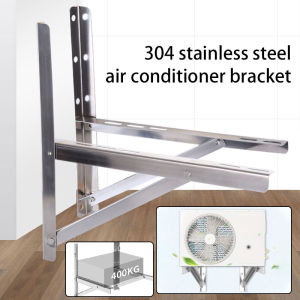
2pcs Air Conditioner Holder: A Comprehensive Guide
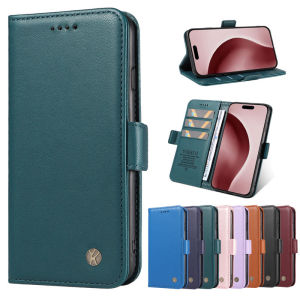
Slim Wallet Casing for iPhone 16 15 14 Pro Plus Max Leather Flip Case Magnetic Card Slots Phone Cover

YUYIN4 Photo Flash Diffuser Dome Bounce For V1 TT600 V850II V860III TT600 520 685 850 860 Flash Speedlight Soft Box Case Replacement

Durable Protective Case for Charging Cable And Charger Prevent Breakage Dirt Resistant Compatible with OPPO Findx8s/Findx7 Oneplus Ace5

3Pcs Hydrogel Film For Xiaomi Redmi Note 14 5G Redmi 14C 5G Turbo 4 Note 14 Pro 5G Screen Protector For Note 14Pro+ 5G Film
Cashmere Fitness Band Stretchy Breathable Sports Wristband Adjustable Waterproof Tracker Strap for Whoop 4.0 Women Men

FreeWOLF M96 Wireless Keyboard 96-Keys PBT Dual-Mode 2.4G/BT RGB Lighting Volume Knob 2000mAh Battery
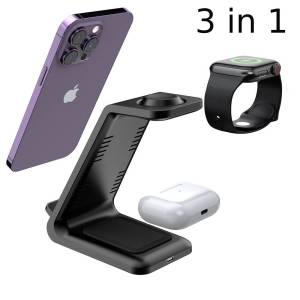
3 in 1 Wireless Charger Stand: Fast Charging Dock Station for iPhone & Apple Watch
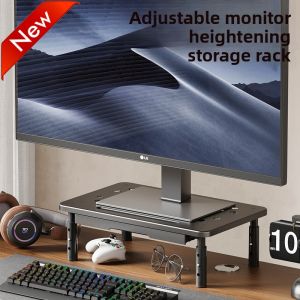
Display elevated computer elevated laptop stand desktop storage rack multi-layer desktop file rack
L-003 Universal all-carbon steel metal 360° rotating foldable desktop live broadcast mobile phone tablet holder
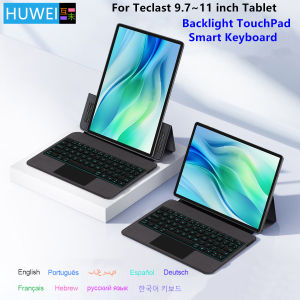
HUWEI Backlight Keyboard Case For Teclast P30 T P30T P50 P50S M50S T50HD T50 Max M50 Pro 10.1 inch Tablet PC Stand Cover Folio