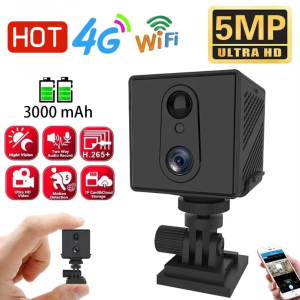
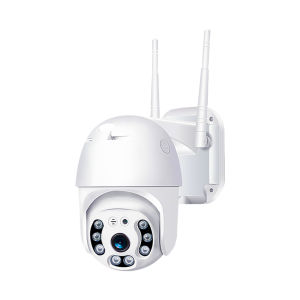
V380 Pro P2: A Comprehensive Guide to Outdoor Waterproof 360 HD 1080p PTZ Control IP Camera
V380 Pro P2: A Comprehensive Guide to Outdoor Waterproof 360 HD 1080p PTZ Control IP Camera
Key Features & Specifications
High-Quality Video & Audio
The V380 Pro P2 CCTV Security Camera offers high-definition video at 1080p resolution, providing crystal-clear images for monitoring your home or business. With a 2MP CMOS sensor, the camera captures sharp images even in low-light conditions. Additionally, it features two-way audio capabilities, allowing you to communicate with anyone in the camera's field of view.
PTZ Control & Connectivity
The V380 Pro P2 supports Pan-Tilt-Zoom (PTZ) control, enabling you to adjust the camera's position remotely through the V380 PRO app. This feature allows you to monitor specific areas of interest within your property. The camera connects to your Wi-Fi network via the 2.4G channel, ensuring stable and reliable connectivity.
Weatherproof & Easy Installation
Designed for outdoor use, the V380 Pro P2 is waterproof and weatherproof, making it suitable for various environments. It can withstand rain, snow, and extreme temperatures, ensuring uninterrupted surveillance. The camera comes with a side wall bracket for easy installation.
How to Set Up Your V380 Pro P2
Connecting to Your Wi-Fi Network
To set up your V380 Pro P2, connect it to your home wireless network using the 2.4G channel. Follow the instructions provided in the user manual to connect the camera to your Wi-Fi router.
Downloading & Installing the V380 PRO App
Download the V380 PRO app from the App Store or Google Play Store, depending on your device. Install the app and follow the on-screen instructions to set up your account and add the V380 Pro P2 camera to your network.
Configuring Camera Settings
Use the V380 PRO app to configure the camera settings, such as adjusting the PTZ control, setting motion detection sensitivity, and enabling night vision. The app also allows you to customize alarm actions, including FTP photo uploads and local alarms.
Using V380 Pro P2 for Home Security
Motion Detection & Night Vision
The V380 Pro P2 features advanced motion detection capabilities, which trigger alerts when movement is detected within the camera's field of view. The camera also includes infrared (IR) night vision, allowing it to capture clear images in low-light conditions. The IR distance ranges from 10 to 30 meters, providing adequate coverage for most properties.
Two-Way Audio & Alarm Actions
With two-way audio, you can communicate with anyone in the camera's field of view, enhancing your security measures. The V380 Pro P2 supports various alarm actions, including FTP photo uploads and local alarms, which can be customized through the V380 PRO app.
Monitoring & Recording Capabilities
Monitor your property in real-time using the V380 PRO app, which allows you to view live video feeds from the camera. You can also record video clips and store them locally or on a remote server, depending on your preference.
V380 Pro P2: Customization & Compatibility
Supported Operating Systems & Power Supply
The V380 Pro P2 is compatible with Windows XP, Windows 7, Windows 8, and Windows 10 operating systems. It requires a DC 12V 2A power supply, with a maximum power consumption of 8W.
Model Number & Certifications
The model number for the V380 Pro P2 is Q8-C. It has been certified by the CE mark, indicating compliance with European Union safety standards.
Additional Features & Customization Options
The V380 Pro P2 offers several customization options, including the ability to adjust the PTZ control, set motion detection sensitivity, and enable night vision. It also supports FTP photo uploads and local alarms, allowing you to customize your security system according to your needs.

ICSEE Philippines
Review

You May Also Like
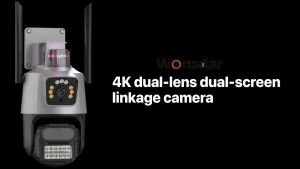
V380 CCTV outdoor waterproof APP HD 4K wifi Security Camera Dual Lens 8X Zoom Outdoor 4MP IP Night Vision Camera Camera outdoor household 360 degrees without dead Angle binocular remote high-definition monitoring
V- MD80 Mini camera cctv body camera video recorder bike accessories parts DV DVR Audio Lasting cctv camera connect to cellphone with voice Sport mera video recorder Camera For Bicycle Outdoor Professional Micro Cam High speed recording small camera
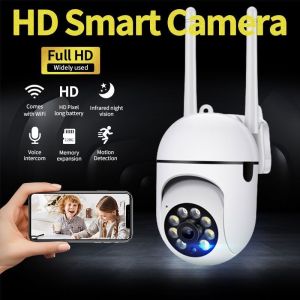
V380 Pro buy 1 take 3 Smart CCTV Camera 2K 8MP 5G Video Surveillance WIFI connect to phone two-way audio night vision auto tracking 360°PTZ Control remote monitoring Intelligent Alarm Video Playback Samsung COD
60x21 Zoom Pocket Mini Small escope Binocular Monocular Sport Outdoor Hunting
KIPRUN Monocular Telescope Mini Pocket Monocular Scope 30X25 Optical Zoom 1000m Long Range Zoom Waterproof
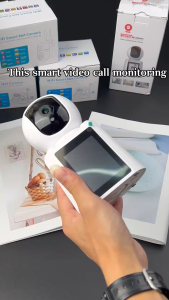
V380 PRO Video Calling Smart CCTV Camera HD 1080P Home Two Way Voice Night vision PTZ Control Detect Alarm Baby Monitor IP Camera Connect to phone
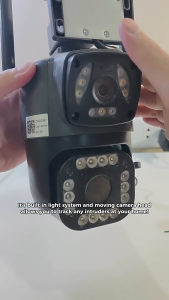
South Ocean V380 Outdoor CCTV Dual Camera Wifi Connect To Cellphone With Voice Dual Lens Waterproof Night Vision
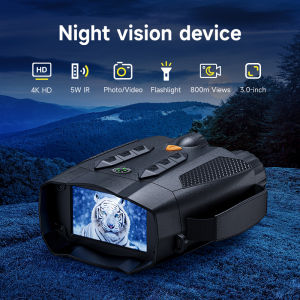
Night Vision Goggles 2mp Night Vision camera Binoculars Equipped with 28mm Objective Lens 3 HD Screen Wildlife Watching /Camp
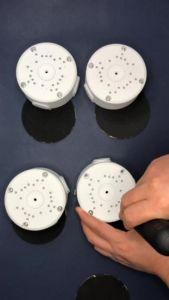
Waterproof CCTV Round Junction Box Hide Cable Cable Junction Base Boxes Mount Bracket
New Panasonic dmc-fs9 & Depend 25 Digital Camera: A Comprehensive Guide
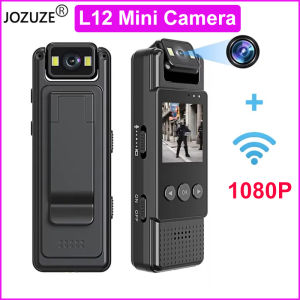
1.3in Screen Body Camera Sport Worn Camcorder 1200mAh Portable Cam 1080P Mini Wearable Camera with Fill Light 180° Rotatable Lens for Outdoor Police Law Enforcement up to128GB