


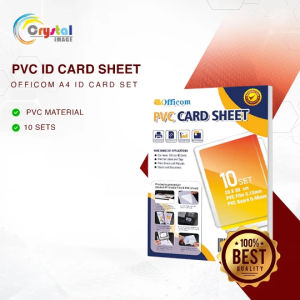
PVC ID Card Sheet Officom A4 Size 50 Sheets 10 Sheets Printable Overlay Overlay Film Laminating Sheet for Personalized Name Tag Employee Membership School ID Printing
SPECIFICATIONSBrand: OfficomProduct Name: PVC ID Card Sheet & Film SetGSM & PACK QUANTITY:Sheet Size: A4 SizePack Quantity Options: 10 Sheets Pack | 50 Sheets Pack (Variant Dependent)Material Composition: Sturdy Polyvinyl Chloride (PVC) Plastic MaterialColor / Base Surface: Blank White Base SurfacePrintability: Double-Sided Printable (Can be printed on both sides)✨ ADVANTAGES & FEATURESSturdy & Chemical Resistant: Made from high-impact strength PVC plastic that resists most liquid chemicals.Vibrant Double-Sided Printing: Offers clear image printing with accurate color reversion on both sides of the sheet.Long-Lasting & Fade-Resistant: Retains sharp graphics, text, photos, and barcodes without easy fading over time.Professional Quality Output: Ideal for custom identification needs, providing durable and professional-looking results. HOW & WHERE TO USE✅ Recommended Applications:Identification Cards: Employee IDs, school ID cards, and visitor badges.Custom Membership & Passes: VIP membership cards, loyalty cards, and event access passes.Personalized Tags: Customized name tags, graphics badges, and personalized data tags. Step-by-Step Usage Guide:Prepare Layout: Set your image or variable data layout on your computer to your desired custom dimensions (refer to video guide).Peel Protective Film: Before printing, peel off the protective cover from the PVC film (note: this protective layer is not the printable area).Print Image: Print your design onto the PVC film using specialized ink (pigment ink is recommended for best results).Trim Center Sheet: Cut the core PVC center sheet to match the approximate size of your printed image.Assemble Layers: Peel the transparent protective film from both sides of the center PVC sheet, then sandwich it between the two printed PVC films (align both sides carefully to prevent misalignment).Laminate: Set your laminating machine to 130°C–140°C and feed the assembled card through (laminating from different sides helps achieve optimal bonding).Die Cut: Pass the laminated sheet through a PVC ID Die Cutter to cut out exact standard ID-sized cards.Final Polish: Peel off the front protective film to reveal your completed PVC ID card.⚠️ REMINDERS & DISCLAIMER Printer & Ink Requirement: Requires specialized printers or appropriate ink systems (pigment ink recommended); it may not yield optimal results on standard ordinary inkjet setups. Temperature Setting: Set the laminating machine strictly to the required temperature (130°C–140°C) to prevent thermal damage to the white PVC printing sheet. Print Quality Factor: Final output resolution depends heavily on source image quality and printer ink quality. Handle Surface Carefully: Do NOT scratch the surface film with sharp objects prior to printing, as scratches will mar the final printed image. Video Reference: Please refer to the video tutorial for a detailed step-by-step visual demonstration of the printing process.

Crystal Image
You May Also Like
XUEDELE | Non-toxic Ultra Light Clay 24 Colors 36pcs
PaperCornerPh - QUAFF 20 Sheets A4 Kraft Sticker Paper Dark/Light Brown | 165gsm
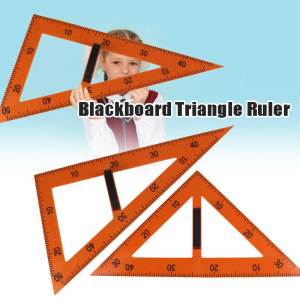
2Pcs/set Blackboard Triangle Ruler Professional - 30x60 And 45x90 Degrees
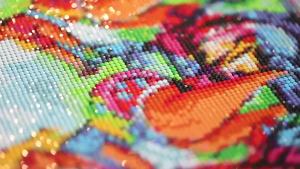
Kayou | Diamond Painting Anime W-WIND B-BREAKER Hayato Suou Diamond Mosaic Handmade Art Exquisite Creative Gift Home Decor
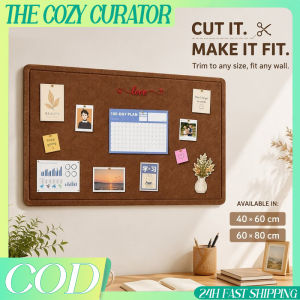
Felt Pin Board Cuttable Wall Bulletin Board Memo Photo Note Display Panel For Home Office Study
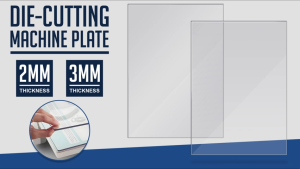
Partner Print - 3MM Embossing Machine Mat for Precision Projects

(10pcs) HELLO BUNNY Printed Plastic Bag w/ Handle Expandable Sides for Parties Shopping Packaging Business
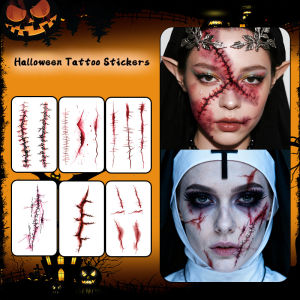
Halloween Horror Scar Temporary Tattoo Sticker Long-lasting and Waterproof Tears of the Nun Tattoo Sticker for Face Arm
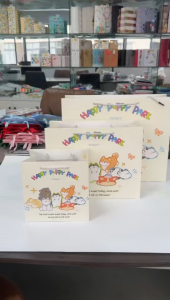
Happy Puppy Park 5PCS Cute Dog Pattern Gift Bag Korean Style 3 Sizes for Birthday Friend Party Student College Supplies Aesthetic Packaging Bags for Small Business Food Storage Souvenirs Giveaways High Quality Ready Stock Fast Delivery
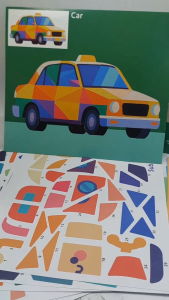
Sticker Puzzle Painting for Kids DIY Mosaic Sticker Art Activity Set 3+ Years Old TPC
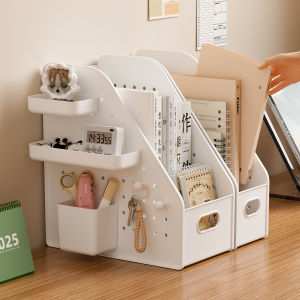
YAMU | Desktop Storage Organizer & Bookend