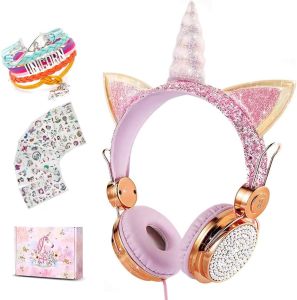
Unicorn Kids Headset w/ Mic ✨ Safe Volume ✨ Gift Ready
Unicorn Kids Headset w/ Mic ✨ Safe Volume ✨ Gift Ready
What is the Unicorn Kids Headset?
The Unicorn Kids Headset is a specially designed, safe volume gaming headset that combines fun and functionality for kids. With its vibrant unicorn design, this headset is perfect for children who love gaming, watching videos, or listening to music. The built-in mic ensures clear communication during online play, while the gift-ready packaging makes it an ideal present for birthdays, holidays, or any special occasion.
Key Features
-
Unicorn Design: This colorful and eye-catching design will appeal to children, making them feel special while they enjoy their favorite activities.
-
Safe Volume: The Unicorn Kids Headset features a built-in volume limiter, ensuring that sound levels remain within a safe range for young ears.
-
Built-in Mic: The included mic allows for clear communication during online gaming sessions, enhancing the overall experience.
-
Gift Ready: The headset comes in a gift-ready package, making it easy to wrap and present to a child on any occasion.
Benefits for Kids
-
Improved Listening Experience: With the Unicorn Kids Headset, kids can enjoy their favorite activities with improved audio quality and clarity.
-
Safe for Young Ears: The built-in volume limiter ensures that sound levels remain within a safe range, protecting young ears from potential damage.
-
Enhanced Online Gaming: The built-in mic allows for clear communication during online gaming sessions, making it easier for kids to interact with friends and family.
-
Fun and Engaging: The vibrant unicorn design adds a playful touch to the headset, making it more enjoyable for children to use.
Gift Options
The Unicorn Kids Headset is available in various colors and designs, allowing parents and caregivers to choose the perfect gift for their child. Whether it's for a birthday, holiday, or special occasion, this headset is sure to bring joy and excitement to any young gamer.
How to Choose the Right Unicorn Kids Headset
When selecting a Unicorn Kids Headset, consider the following factors:
Age & Skill Level Considerations
-
Age Range: Ensure the headset is suitable for the child's age group, taking into account their skill level and interests.
-
Skill Level: Choose a headset that matches the child's gaming abilities, whether they're just starting out or more experienced.
Compatibility with Devices
- Device Compatibility: Make sure the headset is compatible with the child's preferred gaming devices, such as consoles, computers, or mobile devices.
Additional Features to Look For
-
Adjustable Headband: Look for a headset with an adjustable headband to ensure a comfortable fit for the child.
-
Noise-Canceling Mic: Consider a headset with a noise-canceling mic for clearer communication during online gaming sessions.
How to Set Up Your Unicorn Kids Headset
Setting up your Unicorn Kids Headset is easy and straightforward. Follow these steps:
Connecting to Devices
-
Plug-and-Play: Simply plug the headset into the desired device, and it will automatically connect.
-
Bluetooth Connection: For wireless devices, pair the headset with the device using Bluetooth.
Adjusting Settings
-
Volume Control: Adjust the volume to a comfortable level, keeping in mind the built-in volume limiter.
-
Mic Settings: Configure the mic settings to ensure clear communication during online gaming sessions.
Safe Volume Usage Tips
-
Monitor Sound Levels: Keep an eye on the sound levels to ensure they remain within a safe range for young ears.
-
Take Breaks: Encourage the child to take regular breaks to rest their ears and eyes.
How to Care for Your Unicorn Kids Headset
Proper care and maintenance will help extend the life of your Unicorn Kids Headset. Follow these tips:
Cleaning & Maintenance
-
Regular Cleaning: Wipe the headset with a soft cloth to remove dust and dirt.
-
Avoid Exposure to Water: Keep the headset away from water to prevent damage to the internal components.
Troubleshooting Common Issues
-
Sound Quality: If the sound quality is poor, check the connections and settings.
-
Mic Not Working: If the mic isn't working, try restarting the device or resetting the headset.
Extending Headset Lifespan
-
Handle with Care: Encourage the child to handle the headset gently to prevent damage.
-
Store Properly: When not in use, store the headset in a cool, dry place to protect it from dust and damage.

6d2ecd97
Review

You May Also Like
Sing-E ZQS4270M Portable Bluetooth Speaker LED Model IPX7 Waterproof Speaker RGB High-Resolution Sound with Microphone Long Battery Life with mic
Baofeng UV13H Walkie Talkie 2 Set 10W Tri-Band Two Way Radio 999CH Portable Base Radio Type-C Fast Charging Multimode Scanning
Microphone Protector Guard High Density Foam Sleeve Ensures Safety in Studios Stage and Home Karaoke
Wireless Microphone 8 Channel Desktop Dynamic Mike Wireless Gooseneck Handheld / Desk / Pocket Conferences Mic Work Range 100m/328ft Designed For Meeting Public Speaking Events
Wireless TG116C Bluetooth Speaker Outdoor Hands Free Call Portable Stereo Cloth Portable TWS Bluetooth Speaker
1 Pair Earpads Replacement Earpads Memory Foam Ear Pad Covers Replacement for SR225x SR325x Headsets Accessories
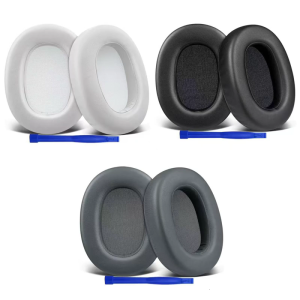
High Density Foam Ear Pad For ULT WEAR/WH ULT900N Headphone Sweatproof Earpads Lightweight Noise Cancelling Earpads

DRIN AUDIO DA-737 Amplifier Board (PCB Only) 4 Pairs 400W to 600W RMS 45-65VAC
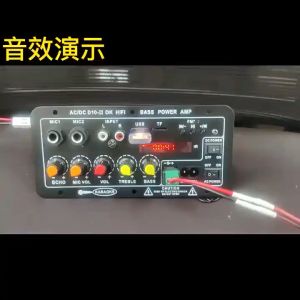
AC 220V 12v 24v Bluetooth 5.0 Audio Amplifier Karaoke Amplifier Hi-Fi Stereo Digital Power Amplifier Motherboard Plug Microphone Adjustable Echo Standalone Microphone Sound

LJE Set 2 10in1 Classic Fairy Tales Big Size (No Audio)
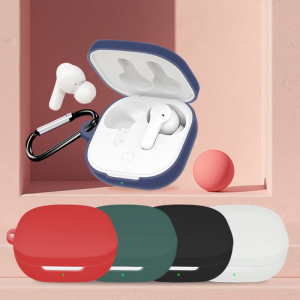
Protective for Case Soft for Shell Spare Parts for Qcy T13 Earphones for Shell Anti-fall for Protection Cover Precise Cu