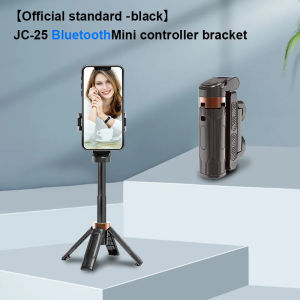
Portable Phone Holder & Tripod: A Must-Have for Vloggers & Livestreamers
Portable Phone Holder & Tripod: A Must-Have for Vloggers & Livestreamers
In today's digital age, creating high-quality content for vlogs and livestreams has become more accessible than ever before. With the right tools, anyone can enhance their content creation experience and take their vlogging to the next level. In this article, we will explore four essential tools for photography enthusiasts, vloggers, and livestreamers: Portable Phone Holder, Tripod for Livestreaming, Selfie Stick for Vlog, and Bluetooth Remote Control.
What is a Portable Phone Holder?
A portable phone holder is a compact device designed to securely hold your smartphone while filming or taking photos. It allows you to position your phone at various angles and heights, giving you greater flexibility and control over your content creation.
Key Features of Portable Phone Holders
- Compatibility: Most portable phone holders are compatible with a wide range of smartphone brands and models, making them a versatile choice for any photography enthusiast.
- Adjustability: Many portable phone holders come with adjustable arms and swivel heads, allowing you to position your phone at the perfect angle for your shoot.
- Durability: High-quality portable phone holders are made from durable materials that can withstand regular use and accidental drops.
How to Choose the Right Portable Phone Holder
When selecting a portable phone holder, consider the following factors:
- Compatibility: Make sure the holder is compatible with your smartphone brand and model.
- Durability: Look for a holder made from high-quality materials that can withstand regular use.
- Adjustability: Choose a holder with adjustable arms and swivel heads for greater flexibility and control over your shoot.
Tripod for Livestreaming: A Game-Changer for Vloggers
A tripod is an essential tool for vloggers and livestreamers who want to capture high-quality footage while maintaining stability and control over their camera angles.
Benefits of Using a Tripod for Livestreaming
- Stability: A tripod provides a stable platform for your smartphone, reducing camera shake and blur.
- Control: With a tripod, you can easily adjust your camera angles and positions, giving you greater control over your content creation.
- Versatility: A tripod can be used for both indoor and outdoor shoots, making it a versatile tool for any photography enthusiast.
How to Set Up Your Tripod for Livestreaming
To set up your tripod for livestreaming, follow these steps:
- Adjust the height of the tripod legs to the desired level.
- Attach the portable phone holder to the tripod head.
- Secure your smartphone in the holder.
- Adjust the angle and position of the holder to achieve the desired camera angle.
Selfie Stick for Vlog: Enhancing Your Content Creation Experience
A selfie stick is a handy tool that allows you to capture wide-angle shots and get creative with your vlog content.
Advantages of Using a Selfie Stick for Vlog
- Wide-Angle Shots: A selfie stick enables you to capture wide-angle shots that would be difficult to achieve with just your smartphone.
- Creative Possibilities: With a selfie stick, you can get creative with your vlog content and experiment with different angles and positions.
- Ease of Use: Selfie sticks are easy to use and portable, making them a convenient tool for any photography enthusiast.
How to Use a Selfie Stick for Vlog
To use a selfie stick for vlog, follow these steps:
- Attach the portable phone holder to the selfie stick.
- Secure your smartphone in the holder.
- Extend the selfie stick to the desired length.
- Adjust the angle and position of the holder to achieve the desired camera angle.
Bluetooth Remote Control: A Must-Have for Photography Enthusiasts
A Bluetooth remote control allows you to take photos and videos hands-free, giving you greater control over your content creation.
Benefits of Using a Bluetooth Remote Control
- Hands-Free Operation: With a Bluetooth remote control, you can take photos and videos hands-free, freeing up your hands to focus on other aspects of your shoot.
- Remote Control: The remote control allows you to adjust camera settings and trigger the shutter from a distance, giving you greater control over your content creation.
- Compatibility: Most Bluetooth remote controls are compatible with a wide range of smartphone brands and models, making them a versatile choice for any photography enthusiast.
How to Set Up Your Bluetooth Remote Control
To set up your Bluetooth remote control, follow these steps:
- Turn on the Bluetooth feature on your smartphone.
- Pair the remote control with your smartphone according to the manufacturer's instructions.
- Adjust the settings on the remote control to achieve the desired camera settings.
Conclusion: Enhance Your Vlogging Experience with These Essential Tools
By incorporating portable phone holders, tripods, selfie sticks, and Bluetooth remote controls into your content creation toolkit, you can take your vlogging and livestreaming to the next level. These essential tools provide greater stability, control, and creative possibilities, allowing you to capture high-quality footage and enhance your content creation experience." }

ToKerNew
Review

You May Also Like
1Pair Grip Handle Survival Game Grips Game Joystick Trigger Tablet Holder Silicone Controller Game Grips Tablet Holder Silicone Handle Joystic Silicone Handle Tablet Bracket for PUBG Mobile Game Gamepad Grip Holder Hand Rest for Ipad Pad Games Accessories
Original Oxygen Dog Cartoon Illustration Phone Case for Huawei Mate70 pro Womens Version Fun Personality Character Protection Shell
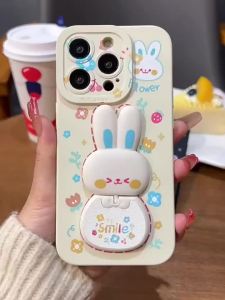
Case for realme C63 4g REALME C61 phone casing Softcase Silicone shockproof Cover new design aesthetic mirror Rabbit with holder JTCETZJ01
Kuulaa 5000mAh Power Bank 35W Super Fast Charging Power Bank With Built-In Cable & Plug for iPhone 16 15 Pro Max Portable Phone Charger Built-in Retractable Type C Cable for Samsung Huawei Xiaomi
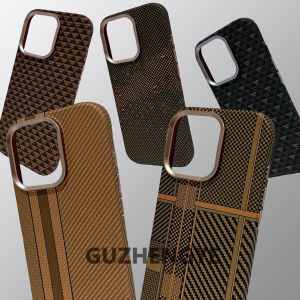
Gold Series Magsafe Carbon Fiber Kevlar Texture Phone Case for iPhone 16ProMax Apple 17Pro Matte Anti-Fingerprint Business Style
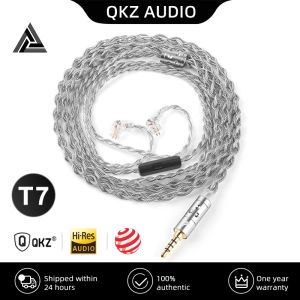
New QKZ T7 336 Core Silver-Plated Earphone Upgrade Cable 3.5MM Plug 2Pin Connector HiFi Stereo 4-Strand Upgrade Headset Wire
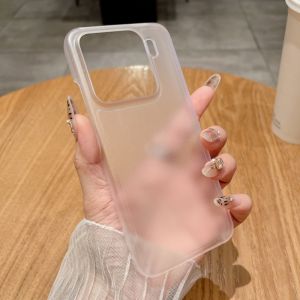
Ultra Thin Matte Hard PC Clear Phone Case For Xiaomi 15 14 Ultra Pro Soft TPU Translucent Shockproof Frosting Skin Back Cover
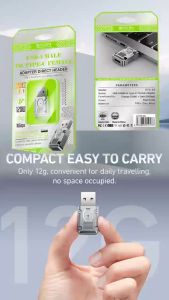
BAVIN O59 120W OTG Data Transfer / Fast Charging Adapter for USB to Type-C USB 3.1 & 10 Gbps Speed for Smartphones
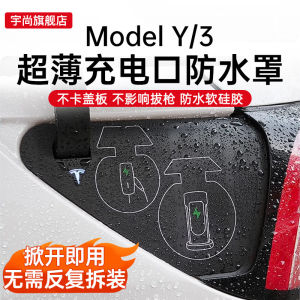
Tesla Model 3Y Revival Edition Waterproof Silicone Charging Port Cover Ultra-Thin Rainproof Protective Accessory by Yushang
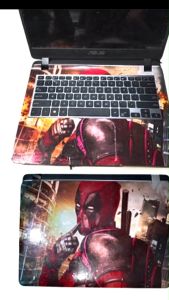
Laptop skin wrap decals design w for all kind of laptop universal skin decals
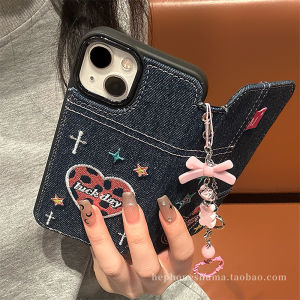
Embroidered Heart Denim Flip Cover Leather Case for iPhone 15 Cartoon Apple 14 pro Max New Model 16 pro Fashion Accessories