Yookie Smart Tab Android Tablet 5G/Wi-Fi Gaming Tablet With Keyboard 12GB+512GB 10.1\" Screen Display With Double SIM Card Slot 6000mAh Battery
Yookie Smart Tab Android Tablet 5G/Wi-Fi Gaming Tablet With Keyboard 12GB+512GB 10.1" Screen Display With Double SIM Card Slot 6000mAh Battery
What is the Yookie Smart Tab?
The Yookie Smart Tab is a cutting-edge Android tablet designed to provide users with an unparalleled gaming experience. With its 12GB RAM and 512GB storage, this 5G gaming tablet is equipped to handle even the most demanding games and applications. The Yookie Smart Tab features a sleek, modern design with a 10.1-inch screen display, making it easy to carry around and use on-the-go.
Key Features
The Yookie Smart Tab offers a range of impressive features, including:
- 12GB RAM 512GB Storage: The tablet comes with 12GB RAM and 512GB storage, providing ample space for games, apps, and files.
- 5G Gaming Tablet with Keyboard: The Yookie Smart Tab supports both Wi-Fi and 5G connectivity, ensuring fast and reliable internet access for gaming and browsing. It also comes with a built-in keyboard for added convenience.
- Yookie Smart Tab Android Tablet: This tablet runs on the Android operating system, offering users access to millions of apps and games available on the Google Play Store.
- 6000mAh Battery with Double SIM: The Yookie Smart Tab is powered by a 6000mAh battery, which provides up to 10 hours of continuous use. It also features a double SIM card slot, allowing users to switch between two different phone numbers and carriers.
- 10.1 Inch Screen Display: The tablet's 10.1-inch screen display offers a clear and vibrant viewing experience, making it perfect for gaming, watching videos, and browsing the web.
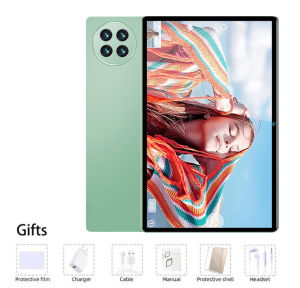
Unboxing & Accessories
When you unbox your Yookie Smart Tab, you'll find the following items:
- Tab*1: The tablet itself, featuring a sleek design and modern look.
- Headphones*1: A pair of headphones for listening to music, watching videos, and gaming.
- Transparent shell*1: A protective transparent shell to keep your tablet safe from scratches and damage.
- Charger*1: A charger for powering up your tablet.
- Charging cable*1: A charging cable for connecting your tablet to the charger.
- Touch pens*1: A touch pen for drawing, writing, and navigating the tablet's interface.
- Case*1: A protective case to keep your tablet safe and secure while on-the-go.
How to Set Up Your Yookie Smart Tab
Setting up your Yookie Smart Tab is easy and straightforward. Follow these steps to get started:
Connecting to Wi-Fi & 5G
To connect your Yookie Smart Tab to Wi-Fi, simply open the Settings app and select Wi-Fi. From there, choose your network and enter the password to connect.
To connect to 5G, make sure your tablet is within range of a 5G network and that your SIM card supports 5G connectivity. Once connected, you'll enjoy fast and reliable internet access for gaming and browsing.
Setting Up Dual SIM Cards
The Yookie Smart Tab features a double SIM card slot, allowing users to switch between two different phone numbers and carriers. To set up dual SIM cards, follow these steps:
- Open the Settings app and select SIM Card Management.
- Choose the SIM card you want to use as your primary SIM card.
- Insert both SIM cards into their respective slots.
- Restart your tablet to ensure the SIM cards are recognized.
How to Get the Most Out of Your Yookie Smart Tab
To get the most out of your Yookie Smart Tab, consider the following tips:
Gaming Performance & Experience
The Yookie Smart Tab is designed to provide users with an unparalleled gaming experience. With its 12GB RAM and 512GB storage, the tablet can handle even the most demanding games and applications. To optimize your gaming performance, consider the following tips:
- Use the built-in keyboard: The Yookie Smart Tab comes with a built-in keyboard, which can improve your gaming experience by providing faster and more accurate input.
- Adjust settings: Adjust the tablet's settings to optimize performance for gaming, such as increasing the graphics quality and adjusting the screen brightness.
Using the 6000mAh Battery Efficiently
The Yookie Smart Tab is powered by a 6000mAh battery, which provides up to 10 hours of continuous use. To extend the battery life of your tablet, consider the following tips:
- Adjust screen brightness: Lowering the screen brightness can help extend the battery life of your tablet.
- Close unused apps: Closing unused apps can help conserve battery power and improve overall performance.
Conclusion
The Yookie Smart Tab is a powerful Android tablet designed to provide users with an unparalleled gaming experience. With its 12GB RAM and 512GB storage, 5G connectivity, and built-in keyboard, this tablet is perfect for gaming, browsing, and productivity. By following the tips outlined in this article, you can get the most out of your Yookie Smart Tab and enjoy a seamless and enjoyable user experience.

VEGGY BASKET Women's Shoes and Clothing
Review
You May Also Like
Samsung Galaxy Xcover Pro G715 SM-G715U 64GB ROM Original Unlocked 4G LTE Smartphone

Lips telephone cute red mouth shape lip phone corded landline phones for home and office decor pink role play telephone gift
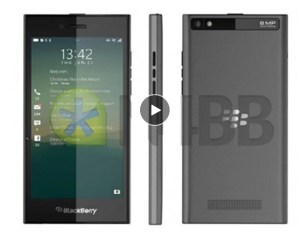
Blackberry Leap Z20 Original Dual Core 5.0" 4G TouchScreen 16GB ROM 8MP Camera Mobile Phones

【1 Year Warranty】Original Viv Y11 Phone 5000mAh battery 6G RAM + 128G ROM Legit Smartphone
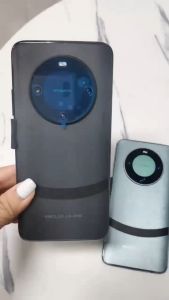
High Quality MATE60 PRO 4G/5G Smartphone 6.8inch Screen 8GB RAM+256GB ROM Battery 6800mAh Android 13.0

World Premiere DOOGEE S200 X 5G 12GB 512GB Rugged Phone MTK Dimensity 7050 10100mAh 33W battery 6.72” FHD+120Hz IPS screen
![[NEW] Xiaomi 15T Pro 12+256/12+512GB | Leica 5x Pro telephoto camera | MediaTek Dimensity 9400+ | 24-month quality assurance one free screen replacement within 6 months](https://img.lazcdn.com/g/ff/kf/S94e3f3c22a374566bf781a4d8333028a4.png_300x300q80.png)
[NEW] Xiaomi 15T Pro 12+256/12+512GB | Leica 5x Pro telephoto camera | MediaTek Dimensity 9400+ | 24-month quality assurance one free screen replacement within 6 months
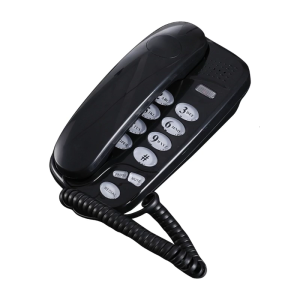
KXT-580 Fixed Landline Wall Telephone Portable Mini Phone Wall Hanging Telephone for Home Office Hotel Spas Center
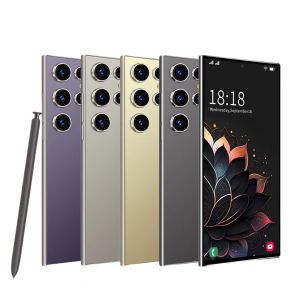
S25 ProSmartphone Android6.8 inch8+256GB ROMDual SIMMobile phoneGoogle Play Store24+48MP6000mAhcelulares

Y2k Style Phone Lanyard Strap Cute Bag Charm Phone Pendant Anti Lost Phone Chain Alloy Material Suitable for Phone Bags
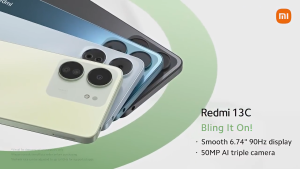
✨Ready Stock✨ XIAOMI REDMI 13C 5G Smartphone 8GB RAM+256GB ROM | 6.74" 90Hz HD+ Display | 50MP Camera | 5 Year Warranty | Powerful Practical Pocket Friendly