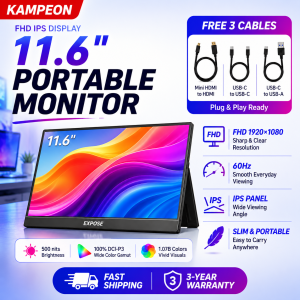
KAMPEON 11.6 inches Portable Monitor for Laptop 1080P FHD Monitor Extension Screen Monitor with TapeC HDMI Connection
Compatible with laptop and mobile phone Switch / XBOX / PS3 / PS4 / PS5 etc.------------------------------------------------------Five points:【FHD 1080P IPS Display】11.6 inches full HD 19201080 resolution, IPS display, 800:1 dynamic contrast ratio provides excellent details, 14 inches full HD IPS portable screen provides 178° full viewing angle and eye protection technology makes your eyes get tired from prolonged use【Multi-Device Connection】: Equipped with 2 USB Type-C ports and a Mini-HDMI port, just plug the HDMI cable or Type C cable (cable included) into the portable gaming monitor and connect it to your smartphone, laptop , desktop or gaming devices such as PS4/5, XBOX or Switch (the left USB Type-C interface is used for data transmission and power supply, and the right USB Type-C interface is only used for power supply.)【Smart Durable Stand Cover】: The portable monitor comes with a scratch-resistant cover made of PU leather and a soft lining to protect your monitor. Slim, lightweight and travel-friendly, this portable laptop monitor fits easily in a briefcase for easy portability.【3-in-1 Display Modes】: The USB-C portable monitor has a plug-and-play function, no need to install any drivers. It can be used as a second screen for gaming, a screen extender for your laptop or phone, or a duplicate screen for study or business meetings. Its three-in-one display mode (copy mode, extension mode, dual-screen mode) has greatly improved our work efficiency.【Built-in Dual Speakers】Portatble Monitor USBC's built-in dual speakers provide loud sound and clear sound quality, especially when listening to music/watching movies/playing games. Plus, you can use your own headphones for better sound through the 3.5mm audio jack.------------------------------------------------------Product Description:19201080 resolution laptop display, advanced IPS mirror screen, supports 178° full viewing angle, presents accurate and vivid colors, allowing you to display realistic colors and amazing details in videos or games. No flicker and freeze, protect your eyes and avoid long-term visual fatigue.------------------------------------------------------Reminder:1. Please check whether the Type C port of your device is a full-featured Type C port. If not, use the HDTV port to connect.2. Power supply is required when using HDTV cable input signal (adapter and cable are in the box).3. Only suitable for mobile phones with full function type-c port. (For iPhone, a Lightning to HDTV adapter is required.)4. The Bluetooth keyboard and mouse need to be connected through the Bluetooth of the mobile phone/laptop.5. You can fold the screen side of the smart cover back to support the bottom of the screen firmly.6. If you encounter any technical problems, please contact the professional team to get the best solution.

KAMPEON
You May Also Like
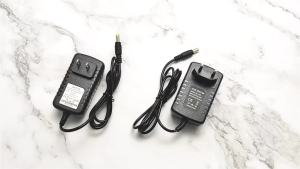
AC 220V to DC 12V Switching Power Supply Adapter AC to DC 12V 1A 2A 3A 4A 5A 6A 8A 10A Transformer Led 12 V Power Supply SMPS
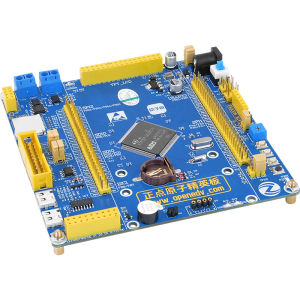
ZHENGDIANYUANZI | Learning ARM Embedded Development Board
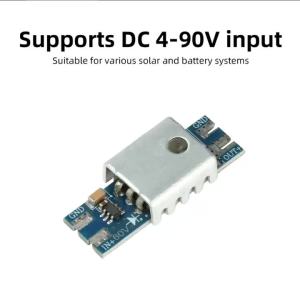
diymore | DC3.5-60V 4-90V Ideal Diode Module Solar Backflow Prevention Ideal Diode Rectifier Backflow Reverse-Connect Protection Heat Sink
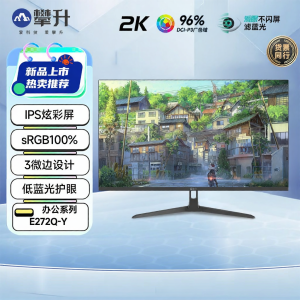
External IPS Design LCD 27 inch
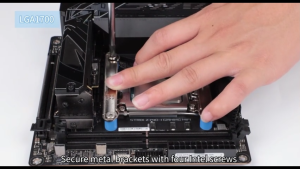
Thermalright Peerless Assassin 90 SE Black Dual Towers CPU Cooler 110mm Height Intel 1700/115X/1200/1851AMD:AM4/ AM5
EXPOSE Gaming Monitor 165hz Curved 4k display computer monitor 27/24 inch Frameless Full Screen 1MS HDMI/DP/VGA Warranty 10 Years
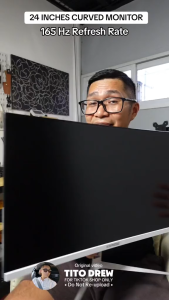
EXPOSE 24 27 Inch IPS OLED Office Monitor 165Hz 4K UHD Frameless Gaming Monitor Computer For PC Laptop Office Design Monitor

LPO Gaming Unit AMD Ryzen 7 5700G 3.80Ghz AsRock B450M-HDV R4.0 AM4 Socket Motherboard AMD Radeon Vega 8 16GB DDR4 512GB M.2 SSD Inplay Thunder 01 Cyborg with AC550+80 Bronze PSU (Game Ready Unit)

Ultra Slim Indoor Power Supply DC 12v 4A / 48 Watts Led sign signage Cctv / Piso / Net Vendo Wifi / Led Power Supply
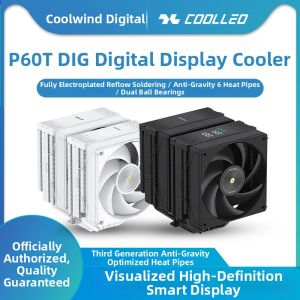
coolleo | Digital CPU Cooler Fan with 6 Heatpipes
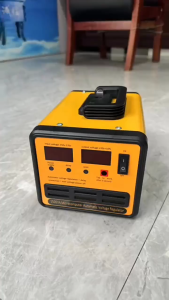
AVR Automatic Voltage Regulator 3000watts SVR-3000VA/2500VA/1500VA/1000VA Servo Type AVR Time Delay