Silk Lime Green PLA Filament 1.75 mm 3D Printer Filament Consumables 1kg Spool Bright Neon Green 3D Printing Material FDM Printer Silky Metal Like Shiny Metallic Green PLA Filament CC3D Green Color
Silk Green PLA filament is selling only on this link. Smoothly Print-Feed smoothly and constantly without clogging the nozzle or extruder. Shiny Silk Bright Green. High Compatibility-Perfectly compatible with most of the FDM 3D Printer. Silk Like Feel-Silky shinny surface with silk luster, giving smooth, pearly and unique touch. Recommended: Extrusion 195~225. Print speed: 30-45mm/s. Guide tube temperature. Within 24 Hours Reply: If You're not Satisfied for Any Reason, Contact us any timen please, In order to better printing, please only choose zhuopu new material store. Silk Green PLA filament is selling only on this link. Smoothly Print-Feed smoothly and constantly without clogging the nozzle or extruderShiny Silk Bright Green. High Compatibility-Perfectly compatible with most of the FDM 3D Printer. Silk Like Feel-Silky shinny surface with silk luster, giving smooth, pearly and unique touchRecommended: Extrusion 195~225, Print speed: 30-45mm/s, Guide tube temperature 60. Within 24 Ho

sheche1996sxt
Review

You May Also Like
AOS Brand New Compatible Toner Cartridge TN261 TN-261 TN 261 CMYK TN221 TN-221 TN 221 for Brother Color Printer\\n\\n What is AOS Compatible Toner Cartridge TN261 & TN221?\\n\\nThe AOS compatible toner cartridge TN261 and TN221 is a high-quality replacement option for Brother color printers. These cartridges come in CMYK (Cyan, Magenta, Yellow, and Black) colors and offer a cost-effective solution for printing tasks.\\n\\n Key Features\\n\\n- High-quality output: AOS compatible toner cartridges TN261 and TN221 provide excellent print quality, rivaling original Brother cartridges.\\n- Cost-effective: These cartridges offer a more affordable alternative to the OEM (Original Equipment Manufacturer) options, without compromising on print quality.\\n- Easy installation: Installing these cartridges is simple and straightforward, even for users who are not familiar with printer maintenance.\\n\\n Compatibility\\n\\nAOS compatible toner cartridge TN261 and TN221 are designed to work seamlessly with Brother color printers, providing reliable performance and consistent results.\\n\\n Cost-effectiveness\\n\\nThe AOS compatible toner cartridge TN261 and TN221 offer significant cost savings compared to OEM alternatives, allowing users to enjoy high-quality printing without breaking the bank.\\n\\n How to Install AOS Compatible Toner Cartridge TN261 & TN221\\n\\nInstalling AOS compatible toner cartridges TN261 and TN221 is a simple process that can be completed in just a few steps.\\n\\n Preparing the Printer\\n\\nBefore installing the new toner cartridge, make sure the printer is powered on and connected to a power source. Open the front cover of the printer to access the toner compartments.\\n\\n Installing the Toner Cartridge\\n\\n1. Remove the old toner cartridge from its compartment by gently pulling it out.\\n2. Take the new AOS compatible toner cartridge TN261 or TN221 out of its packaging and remove any protective tape or seals.\\n3. Insert the new cartridge into the appropriate compartment, making sure it clicks into place.\\n\\n Final Steps\\n\\nAfter installing the new toner cartridge, close the front cover of the printer and allow the printer to initialize. The printer will automatically detect the new cartridge and adjust settings accordingly.\\n\\n How to Maintain AOS Compatible Toner Cartridge TN261 & TN221\\n\\nTo ensure optimal performance and longevity of AOS compatible toner cartridges TN261 and TN221, follow these maintenance tips.\\n\\n Cleaning Tips\\n\\n- Keep the printer clean and free of dust to prevent clogging and ensure smooth operation.\\n- Clean the toner compartments regularly using a soft, lint-free cloth.\\n\\n Storage Recommendations\\n\\n- Store unused cartridges in a cool, dry place away from direct sunlight and moisture.\\n- Keep cartridges in their original packaging until ready for use.\\n\\n Troubleshooting Common Issues\\n\\nIf you encounter any issues with your AOS compatible toner cartridge TN261 or TN221, refer to the troubleshooting guide included with the product or consult the manufacturer's website for further assistance.\\n\\n Why Choose AOS Compatible Toner Cartridge TN261 & TN221?\\n\\nThere are several reasons why users should consider choosing AOS compatible toner cartridges TN261 and TN221 for their Brother color printers.\\n\\n High-Quality Output\\n\\nThese cartridges provide excellent print quality, rivaling OEM options and ensuring consistent results for all printing tasks.\\n\\n Easy Installation\\n\\nInstalling AOS compatible toner cartridges TN261 and TN221 is simple and straightforward, even for users who are not familiar with printer maintenance.\\n\\n Eco-Friendly Solution\\n\\nBy choosing AOS compatible toner cartridges TN261 and TN221, users can reduce their environmental impact and contribute to a more sustainable future.\n}

For Lab Rings/Single/Y Shape LED Light with Magnetic Control DIY 3D Printing Model Parts for Voron AD5M 3D Printer

Handhel Barcode 1D/2D Bar Code Scanner Reader QR 2.4G Wireless &Wired USB Platform Plug and Play

AGP UV-3040 Flatbed UV Printer

1roll 4R RX1 RX1s RX1HS DNP dnp Media Set Consumables 700 prints 4Rsize photo paper 4x6

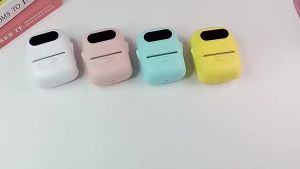
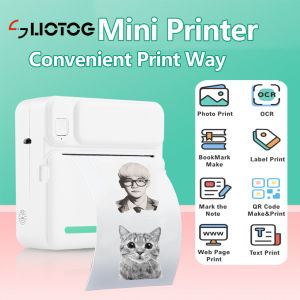
Mini Printer Inkless Sticker Maker Free Cut Small Pocket Printer Wireless Mini Sticker Printer Portable Thermal Printer

Replacement Toner Cartridge for Canon 328/326

RP800A 3D Professional Printing 3D Pen With OLED Display Generation 3D Drawing Pen for Doodling Art Craft Making and Education

ETQ Compatible Laser Drum Ricoh SP 230L 230H SP230H SP230L 408294 TYPE SP 230H SP230

Accuracy Motor Speed Controllers 10 60V 6A Inversable Operate Speed Regulator for Packaging & Printing Machines

OKKFINE Kids Favors Drawing Supplies: A Creative Christmas & Birthday Gift