



Bluetooth Dual Mode Music Tesla Coil Box - Artificial Touchable Lightning Scientific Experiment Kit with Audio Input
Bluetooth Dual Mode Music Tesla Coil Box - Artificial Touchable Lightning Scientific Experiment Kit with Audio Input
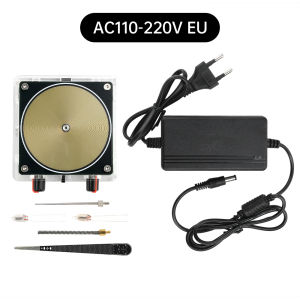
The Bluetooth Dual Mode Music Tesla Coil Box is a unique scientific experiment kit that allows users to explore the fascinating world of artificial touchable lightning. This Audio Input Lightning Kit is a perfect blend of technology and science, making it an ideal choice for both educators and enthusiasts.
What is the Bluetooth Tesla Coil Box?
The Bluetooth Tesla Coil Box is a cutting-edge scientific experiment device that generates artificial lightning through sound waves. This innovative kit is designed to provide users with an engaging and educational experience while exploring the principles behind lightning generation.
Introduction to Artificial Touchable Lightning
Artificial touchable lightning is a phenomenon that occurs when electrical discharges are produced by a Tesla coil, creating a visible and audible display of electricity. In this experiment kit, users can control the lightning effects using audio input, allowing for a wide range of creative possibilities.
Dual Mode Capabilities Explained
The Bluetooth Tesla Coil Box features dual mode capabilities, enabling users to switch between two distinct modes:
- Audio Input Mode: This mode allows users to connect their audio devices via Bluetooth and control the lightning effects based on the input audio signal. Users can experiment with different audio inputs to create unique lightning displays.
- Manual Mode: In this mode, users can manually adjust the settings to generate lightning effects without relying on audio input. This mode is ideal for those who want to explore the principles behind lightning generation in a more controlled environment.
How to Set Up Your Audio Input Lightning Kit
Setting up the Bluetooth Dual Mode Music Tesla Coil Box is a simple process that requires only a few steps. Follow these instructions to get started:
- Connect the device to your power source.
- Pair the device with your audio source via Bluetooth.
- Configure the dual mode settings according to your preferences.
Connecting the Device to Your Audio Source
To connect the Bluetooth Tesla Coil Box to your audio source, follow these steps:
- Turn on the device and ensure it is in pairing mode.
- Locate the Bluetooth settings on your audio source and search for available devices.
- Select the Bluetooth Tesla Coil Box from the list of available devices and follow the prompts to complete the pairing process.
Configuring the Dual Mode Settings
Once the device is connected to your audio source, you can configure the dual mode settings according to your preferences. Here are some tips to help you get started:
- Audio Input Mode: Adjust the sensitivity settings to control how the lightning effects respond to the audio input signal. Experiment with different audio inputs to create unique lightning displays.
- Manual Mode: Manually adjust the settings to generate lightning effects without relying on audio input. This mode is ideal for those who want to explore the principles behind lightning generation in a more controlled environment.
Understanding the Scientific Principles Behind the Tesla Coil Box
The Bluetooth Dual Mode Music Tesla Coil Box is based on the principles of lightning generation and sound wave manipulation. By understanding these scientific concepts, users can gain a deeper appreciation for the technology behind this innovative experiment kit.
Exploring the Physics of Lightning
Lightning is a natural phenomenon that occurs when electrical discharges take place between the Earth and the atmosphere. In the context of the Bluetooth Tesla Coil Box, users can explore the principles behind lightning generation by manipulating the electrical currents within the device.
The Role of Sound Waves in Generating Lightning
Sound waves play a crucial role in generating lightning effects within the Bluetooth Tesla Coil Box. By controlling the audio input signal, users can manipulate the electrical currents within the device, creating unique lightning displays.
Tips for Maximizing Your Experimentation Experience
To get the most out of your Bluetooth Dual Mode Music Tesla Coil Box, consider these tips:
- Experimenting with Different Audio Inputs: Try using different audio inputs to create unique lightning displays. Experiment with various genres of music, sound effects, and even spoken word to see how they affect the lightning effects.
- Creating Unique Lightning Effects: Use the dual mode capabilities to create custom lightning effects that suit your preferences. Adjust the sensitivity settings in Audio Input Mode or manually adjust the settings in Manual Mode to achieve the desired results.
Frequently Asked Questions
Troubleshooting Common Issues
If you encounter any issues while using the Bluetooth Dual Mode Music Tesla Coil Box, consult the troubleshooting guide included with the kit. Some common issues include:
- Device Not Pairing: Ensure that the device is in pairing mode and that your audio source is within range.
- Audio Input Not Working: Check that the audio input signal is strong enough and that the sensitivity settings are properly configured.
Exploring Additional Features and Applications
The Bluetooth Dual Mode Music Tesla Coil Box offers a wide range of features and applications beyond its primary function as a scientific experiment kit. Consider these additional possibilities:
- Educational Tool: Use the kit to teach students about the principles behind lightning generation and sound wave manipulation.
- Creative Display: Use the kit as a unique visual display at events, parties, or other gatherings.
- Personal Experimentation: Explore the principles behind lightning generation and sound wave manipulation in a personal setting.

GlobalLifestyle
Review

You May Also Like
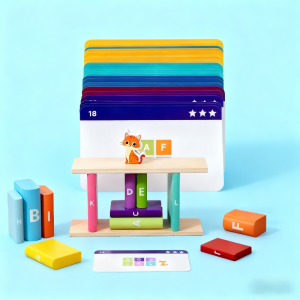
Montessori Toy Wooden Building Blocks Stacking Game Gift Color Shape Sorting Fine Motor Skill Alphabet Learning Match Game
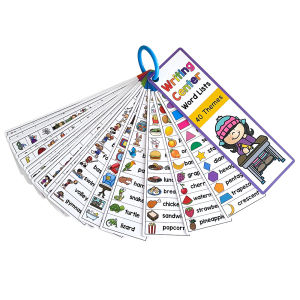
Kids Montessori English Word Lists Cards ESL Teaching Materials Sight Words Writing Vocabulary Building Autism Learning Toys

BLINGOO Plastic Ocean Balls Baby Play Ball fence ball Non-Toxic Color Ball Stress ball toys Swimming Pit Pool ball5.5cm

Hntob 43pcs Wooden Portable Tool DIY Tools Toys Kids Educational Toy Boy Kit Early Puzzle
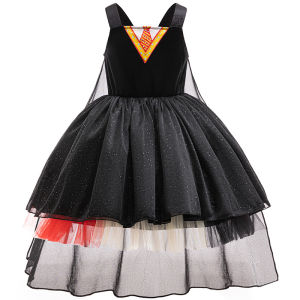
Children Wizard Cosplay Dress Halloween Costume Magic Movie School Formal Uniform Witch Role-play Girls Party Dresses Carnival

MagicT 1:24 Scale Lamborghini Urus Zinc Alloy Model Car W/ Light & Sound &Pull-Back Effect Die Cast Toys Gifts Collections For For Boys
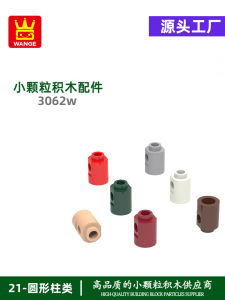
Childrens Small Particle MOC Domestic Educational Toys Building Blocks Assembly Parts Qingti Column Accessories Wange Brand
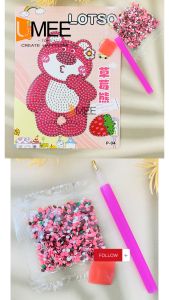
12pcs Party Gift DIY Diamond Painting SB-Bear Pad For Party Gift-Loot bag filler

Halloween Children Adult Angel Feather Wings Prop Costume Stage Christmas White Wing Costume

Top 1: No Inflatable No Pump Needed Kids Pool - Quick Setup & Foldable Design Durable Family Swimming Pool for Garden Outdoor Swimming Pool for Kids Sale

Stitch Stuffed Plush Toy: A Perfect Birthday Gift for Children
![[Local&hotsale]522 pcs Compatible Building Blocks Dragon Small Particles Lightning Mad gtorm Dragon](https://img.lazcdn.com/g/ff/kf/S3a4b1954b2684567a4b718132199cc4bH.jpg_300x300q80.jpg)

















