Portable Double-Head Desktop Fan: A Comprehensive Guide
Portable Double-Head Desktop Fan: A Comprehensive Guide
Introduction
Portable double-head desktop fans have become increasingly popular among consumers due to their unique features and versatility. These fans offer an excellent solution for cooling down your workspace, living room, or any other area in your home. In this comprehensive guide, we will discuss the benefits of choosing a portable double-head desktop fan, its features and specifications, how to use it, and how it compares to other models.
Features and Specifications
Large Air Volume Household Fan
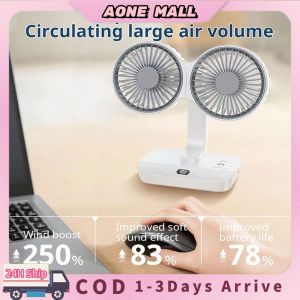
One of the standout features of the portable double-head desktop fan is its large air volume. This means that it can effectively cool down larger spaces by providing a steady stream of airflow. The dual-head design allows for increased air circulation, making it perfect for both residential and commercial settings.
Automatic Rotation Desk Fan
Another key feature of this fan is its automatic rotation function. This allows the fan to rotate up to 90 degrees, ensuring that the airflow is evenly distributed throughout the room. This feature is particularly useful for larger spaces, as it eliminates the need to manually adjust the fan's direction.
4-Speed Digital Display Fan
The portable double-head desktop fan also comes equipped with a 4-speed digital display. This allows users to adjust the speed of the fan according to their preferences, making it ideal for different situations. For example, you may choose a lower speed setting during the day and increase it during the night for better sleep.
How to Use Your Portable Double-Head Desktop Fan
Charging and Powering the Fan
To charge the portable double-head desktop fan, simply plug it into a USB port using the included cable. Once charged, you can power the fan using the USB port or by plugging it directly into a wall outlet. The fan comes with a built-in battery, so you can use it even when there is no power source available.
Adjusting Speed and Direction
To adjust the speed of the fan, simply press the speed button on the digital display. This will cycle through the four different speed settings. To change the direction of the airflow, rotate the fan's head manually or use the automatic rotation function.
Cleaning and Maintenance
To keep your portable double-head desktop fan running smoothly, it's important to regularly clean and maintain it. Wipe down the fan's blades and body with a soft cloth and mild detergent. Be sure to unplug the fan before cleaning it to avoid any electrical hazards.
Comparing Portable Double-Head Desktop Fans with Other Models
Portable USB Rechargeable Fan
While portable USB rechargeable fans are great for on-the-go cooling, they may not offer the same level of air circulation as a portable double-head desktop fan. However, they are more compact and easier to carry around, making them ideal for travel or outdoor activities.
Double-Head Shaking Fan
Another popular option is the double-head shaking fan. These fans have a similar design to the portable double-head desktop fan, but they feature a shaking motion instead of automatic rotation. While this may provide a slightly different cooling experience, it may not be as effective at distributing airflow throughout a room.
Conclusion
In conclusion, the portable double-head desktop fan is an excellent choice for anyone looking for a high-quality, versatile cooling solution. With its large air volume, automatic rotation, and 4-speed digital display, it offers a range of features that make it ideal for both residential and commercial settings. Whether you're looking to cool down your workspace, living room, or any other area in your home, the portable double-head desktop fan is sure to meet your needs.

AONE MALL
Review

You May Also Like
Ishio Wireless Rechargeable Vacuum Cleaner
Duct Exhaust Fan 4"/ 5"/ 6"/ 8" Inch High Suction Power Inline Duct Booster Fan 130W/220V Mute Exhaust Fan For Kitchen Room Bathroom Ceiling Ventilation Fan
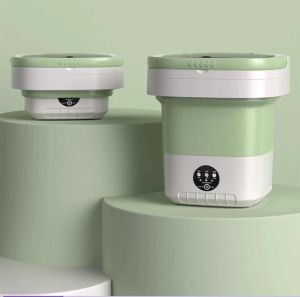
13L Fully automatic foldable washing machine washing and drying integrated special socks washing machine washing underwear machine portable washing machine Intelligent timing Blue light sterilization mini washing
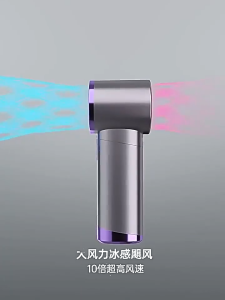
Tri-Town Mini Portable Hand Fan 100 Gear Speed Turbol Fan USB Rechargeable Small Pocket Fan with LED Screen 1800mAh

MONLEYTA | Ultra Quiet Automatic Baby Hair Clipper Professional Newborn Children Electric Trimmer Hair Cutting Device Baby Grooming Kit
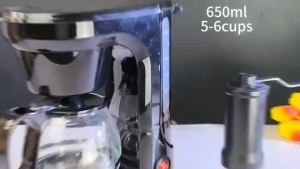
Electric Coffee Machine Complete Set Automatic Drip Coffee Maker Anti-drip Coffee Maker Machine

Styling Curling Iron Hair Wave Wand 2 In 1 Dry Wet Ceramic Straightening Curling Tongs Home Dual-Purpose Hair Curlers Handle Comfort Salon

🚚 Local Delivery🚚Skincare Fridge With 3-Level Dimmable LED Light Mirror Low Noise Mini Fridge 4L Large Capacity Cooler & Warmer Portable Design For Multiple Uses - Bedroom Office And Travel
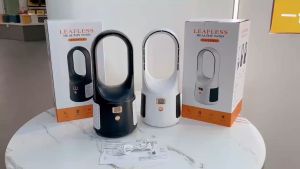
Bladeless Fan LED Digital Display: Portable Rechargeable 6 Speeds Stand Fan for Office & Home

🔥🔥🔥sjqgqx 10Pcs 22mm Hair Clipper Trimmer Grip Anti Slip Rubber Sleeve Decorative Rings

Thick Double Stainless Steel Thermos: A Comprehensive Guide