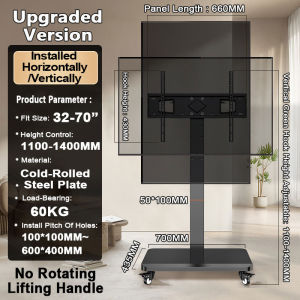
NS TV Stand Monitor Horizontal/Vertical Rotation 26-70 Inch Screen Movable Rack Floor Base
NS TV Stand Monitor Horizontal/Vertical Rotation 26-70 Inch Screen Movable Rack Floor Base
What is the NS TV Stand Monitor?
The NS TV Stand Monitor is a versatile horizontal/vertical rotation stand designed specifically for screens ranging from 26 to 70 inches. This adjustable monitor support offers a movable rack floor base, providing users with the flexibility to optimize their viewing experience.
Key Features
- Horizontal/Vertical Rotation Stand: The NS TV Stand Monitor allows users to rotate their screen from horizontal to vertical and vice versa, providing the perfect viewing angle for any occasion.
- 26-70 Inch Screen Rack: This stand supports screens ranging from 26 to 70 inches, making it suitable for a wide range of devices.
- Movable Floor Base: The floor base is designed to be easily moved, allowing users to adjust the position of their monitor without any hassle.
Benefits of Using the NS TV Stand Monitor
Using the NS TV Stand Monitor offers numerous benefits, including:
- Adjustability: With its horizontal/vertical rotation stand, the NS TV Stand Monitor provides users with the flexibility to adjust their viewing angle to suit their preferences.
- Space-saving: The compact design of the NS TV Stand Monitor makes it ideal for small spaces, such as apartments or offices.
- Stability: The sturdy floor base ensures that the monitor remains stable, even when rotated to its maximum angle.
How to Choose the Right NS TV Stand Monitor for Your Needs
When choosing the right NS TV Stand Monitor, consider the following factors:
Considerations for Screen Size
The NS TV Stand Monitor supports screens ranging from 26 to 70 inches. Make sure to choose a stand that is compatible with your screen size.
Adjustability Options
Consider the adjustability options available on the NS TV Stand Monitor. Some stands offer more adjustability than others, so choose one that meets your needs.
Floor Base Design
The floor base design is another important consideration. Some stands offer a fixed floor base, while others offer a movable floor base. Choose a stand with a floor base design that suits your needs.
How to Set Up Your NS TV Stand Monitor
Setting up your NS TV Stand Monitor is easy and straightforward. Here are the installation steps:
- Unpack the stand and its accessories.
- Assemble the stand according to the instructions provided.
- Attach the stand to your screen.
- Adjust the height and angle of the stand to suit your preferences.
Tips for Optimal Placement
Here are some tips for optimal placement:
- Place the stand on a flat surface to ensure stability.
- Position the stand at eye level to reduce neck strain.
- Place the stand at a distance that allows you to view the screen comfortably.
Maximizing the Performance of Your NS TV Stand Monitor
To maximize the performance of your NS TV Stand Monitor, consider the following:
Customization Options
The NS TV Stand Monitor offers customization options, such as the ability to adjust the height and angle of the stand. Take advantage of these options to optimize your viewing experience.
Maintenance and Cleaning
Regular maintenance and cleaning of the NS TV Stand Monitor can help extend its lifespan and keep it functioning properly. Follow the manufacturer's guidelines for cleaning and maintenance.
Conclusion
The NS TV Stand Monitor is a versatile horizontal/vertical rotation stand that offers numerous benefits, including adjustability, space-saving, and stability. By considering the screen size, adjustability options, and floor base design, users can choose the right stand for their needs. With proper installation and maintenance, the NS TV Stand Monitor can provide a comfortable and enjoyable viewing experience.

NS.Online
You May Also Like
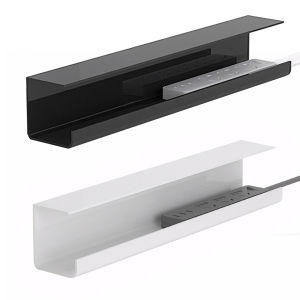
Vktech Heavy Duty Metal Cable Storage Rack with Self Adhesive Design for Power Strip Cables
For iPhone 17 16e SE4 16 15 13 12 14 11 Pro Max 13 12 mini Xs Max XR X XS 7 8 Plus SE 3 2022 2020 Magnetic Circle Clear Soft Case Cover For iPhone 17pro 16pro 15pro 14pro 13pro 12pro 11pro Max 14plus 15plus 16plus
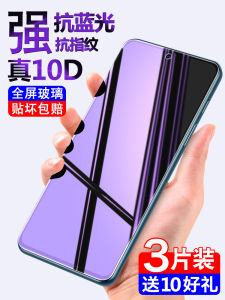
Xiaomi 10 Youth Version Tempered Film: A Comprehensive Guide for Your 5G Mobile Phone Screen Protection

Realme GT Original High Definition Ultra Clear Tempered Glass Film Blue Light Protection Eye Protection Full Screen Anti Fall Explosion Proof
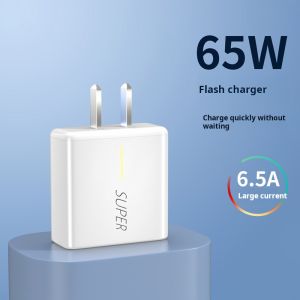
OPPO 65W 6A Fast Charger: A Comprehensive Guide
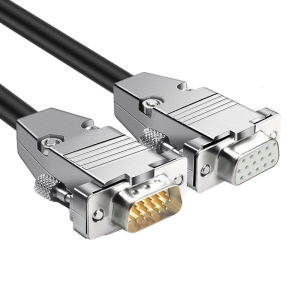
HDB15 15Pin D Sub Monitor Connection Wire Gold Contact 15Pins SVGA Sync Cable 150cm
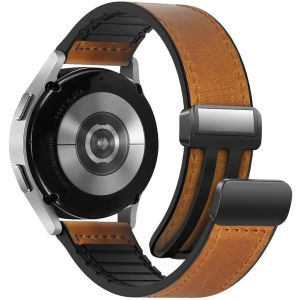
22mm Watch Band for Huawei GT4 Pro/GT4 46MM Strap Silicone Leather Bracelet Magnetic Wristband For Samsung Galaxy Watch 6/5/4
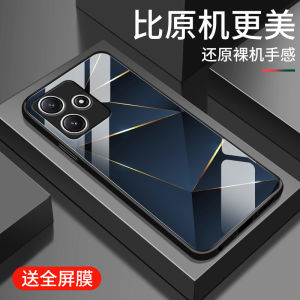
Redmi12 5G Grid Line Pattern Glass Phone Case Mens Style Full Cover Square Creative Brand Shockproof Camera Protection
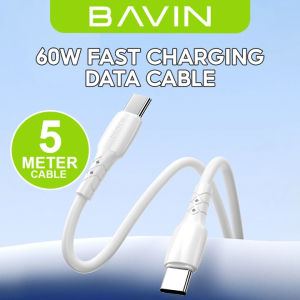
BAVIN CB351 12W 18W 30W 60W Data Cables 5 / 4 / 3 / 2 Meters Interface w/ Fast Charging for Micro / iPh / Type-C
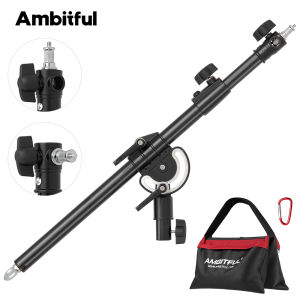
Ambitful LS-12/13/15 108/157/238cm Metal Photography Boom ArmLength Adjustable 1/4"&3/8" Screw Interface with Sandbag Max 5kg
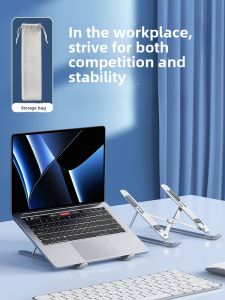
NUOPUCHI | Portable Aluminum Alloy Laptop Stand Desktop Metal Cooling Bracket Adjustable Neck Support Handheld Gaming Notebook Holder