



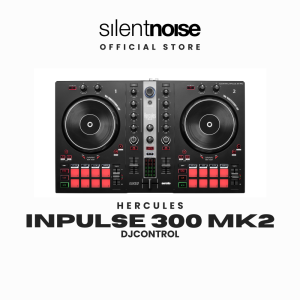
Hercules DJControl Inpulse 300 MK2 DJ Controller | Beatmatch Guide DJUCED & Serato DJ Lite
Inpulse 300 MK2: your setup at a glanceUse with: a compatible Windows PC or Mac for DJUCED or Serato DJ Lite. Check the current software and operating-system requirements before buying.Included software: DJUCED and Serato DJ Lite. Serato DJ Pro is a separate paid upgrade; music-streaming subscriptions are separate.In the box: Inpulse 300 MK2 controller, braided USB-A to USB-B cable and warranty information. Software is downloaded to your computer.Complete your setup: wired headphones connect to the 3.5 mm output; powered speakers or an amplifier connect to the RCA master output. Computer, headphones, speakers and extra audio cables are sold separately.Playback: your computer runs the DJ software. This controller does not play music directly from USB sticks.Warranty: 12-month local supplier warranty; liquid damage excluded.Hercules DJ Control Inpulse 300 MK2 DJ Controller. A computer-based DJ controller for learning and practice.DJUCED · included: For compatible Mac / Windows computers. Serato DJ Lite · included: Start with the free Lite edition on Mac / Windows. Serato DJ Pro · paid upgrade: A separate Pro license or subscription is required.Match the tempo: Use the tempo control to bring the track speeds closer together. Align the beats: Use the jog wheel to bring the beats into time. Blend the tracks: Balance EQ and channel levels before moving the crossfader.Computer, listening gear and extra cables sold separately unless listed in a kit. Check current software / OS requirements. Streaming subscriptions are separate. Check the connector at both ends before choosing your audio cables. This controller does not play music directly from a USB flash drive.

Silent Noise
You May Also Like
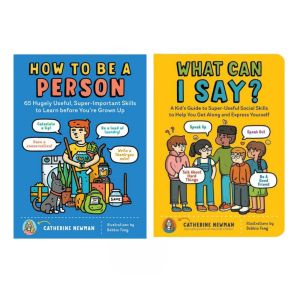
How to Be a Person & What Can I Say? 2 Books Set Kids Social & Life Skills Book English Paperback

I Who Have Never Known Men
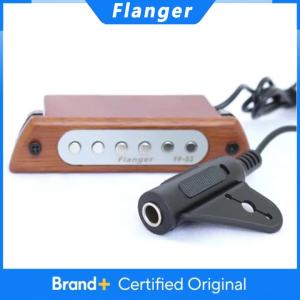
Flanger | Flanger FP-02 Guitar Sound Hole Pickup Magnetic Pickup 39"/40"/41"/42" Acoustic Classical Guitar Pickup Guitar Parts Accessories
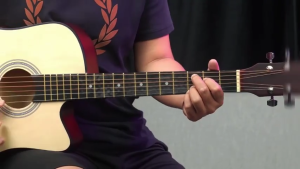
38 Inch Acoustic Guitar Beginner Starter Kit with Bag Capo Picks Extra Strings Strap Holder for Students Kids Travel Practice

SHEHDS New Version APP Control DMX Indoor 6W 3D 2D Animation Scan Projector Laser Lights ILDA

American Government 101 - (Paperback)

Speak to Lead: 15 Ways to Become a Good Public Speaker l Paperback l Pocketbook l Perfect Bounded

Marungko Booklet Gabay sa Pagbasa Workbook Worksheet | RABAH UP STORE

Select Classics: The Railway Children: (Original Unabridged Childrens Classic Premium Hardbound Edition Ideal for Gifting) Hardcover

One Minute With God For Women 365 Daily Devotions Floral Pink Cover Designed for Women Encouragement Perfect Gift Start Your Day Closer to God
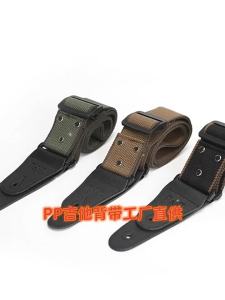
Adjustable Guitar Strap Acoustic Folk Guitar Straps Belt for Acoustic Electric Bass Guitar Musical Accessories