Desktop Clip Fan: A Mute Electric Rechargeable Mini Portable Office Table Fan
Desktop Clip Fan: A Mute Electric Rechargeable Mini Portable Office Table Fan
What is a Desktop Clip Fan?
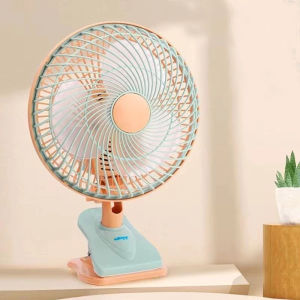
A desktop clip fan is a small, portable electric fan that can be easily clipped onto various surfaces, such as desks, tables, or even car windows. These fans are designed to provide a gentle breeze and are perfect for use in offices, homes, or while traveling. One of the most notable features of desktop clip fans is their compact size, which makes them easy to carry around and store when not in use.
Key Features & Benefits
Desktop clip fans come with a variety of features that make them ideal for everyday use. Some of the most common features include:
- Mute Operation: Many desktop clip fans operate silently, so they won't disturb your work or sleep.
- Rechargeable Battery: Most desktop clip fans have a built-in rechargeable battery, allowing them to be used anywhere without the need for a power outlet.
- Compact Size: Desktop clip fans are small and lightweight, making them easy to carry around and store.
- Adjustable Shaking Head: Some models feature an adjustable shaking head that can be tilted up and down or rotated side-to-side to direct the airflow.
- Multiple Speed Settings: Many desktop clip fans offer multiple speed settings, allowing you to adjust the airflow to your liking.
How Does It Work?
A desktop clip fan works by using a small electric motor to rotate a set of blades, which creates a gentle breeze. The motor is powered by a rechargeable battery, which can be charged using a USB cable or a wall adapter. The fan can be clipped onto a surface using a built-in clip, and the shaking head can be adjusted to direct the airflow in the desired direction.
How to Choose the Right Desktop Clip Fan
When choosing a desktop clip fan, there are several factors to consider. These include:
- Size and Portability: Look for a fan that is small enough to fit easily onto your desk or table, and lightweight enough to carry around with you.
- Battery Life: Consider how long the battery will last on a single charge, and whether the fan has a low-battery indicator.
- Noise Level: If you plan to use the fan in a quiet environment, look for a model that operates silently.
- Adjustability: Consider whether the fan has an adjustable shaking head, and whether it offers multiple speed settings.
Top Brands & Models
Some of the most popular brands and models of desktop clip fans include:
- Honeywell: Honeywell offers a range of desktop clip fans, including models with adjustable shaking heads and multiple speed settings.
- Vornado: Vornado's desktop clip fans are known for their powerful airflow and quiet operation.
- Dyson: Dyson's desktop clip fans feature advanced technology and sleek designs, making them a popular choice among tech enthusiasts.
How to Use Your Desktop Clip Fan
Using a desktop clip fan is simple and straightforward. Here are some tips to help you get the most out of your fan:
Setting Up Your Fan
To set up your desktop clip fan, simply clip it onto a surface using the built-in clip, and plug in the USB cable or wall adapter to charge the battery. Once the battery is charged, turn on the fan using the power button, and adjust the shaking head and speed settings as desired.
Using the Shaking Head Feature
If your desktop clip fan has an adjustable shaking head, you can use it to direct the airflow in the desired direction. Simply tilt the head up and down or rotate it side-to-side to adjust the airflow.
Tips for Optimal Performance
To get the most out of your desktop clip fan, here are some tips to keep in mind:
- Place the Fan at the Right Height: Place the fan at a height that allows it to blow air directly onto you or the area you want to cool.
- Use Multiple Speed Settings: Experiment with different speed settings to find the one that works best for you.
- Keep the Fan Clean: Regularly clean the fan blades and other parts to ensure optimal performance.
Maintaining & Caring for Your Desktop Clip Fan
To keep your desktop clip fan running smoothly, it's important to maintain and care for it properly. Here are some tips to help you do so:
Cleaning & Maintenance
To clean your desktop clip fan, simply wipe down the blades and other parts with a soft cloth. If the fan becomes dirty or dusty, you can use a vacuum cleaner with a brush attachment to remove any debris.
Troubleshooting Common Issues
If your desktop clip fan isn't working properly, here are some common issues and solutions to try:
- Fan Not Turning On: Check that the battery is charged and that the power button is working properly.
- Fan Not Blowing Air: Check that the blades are not obstructed and that the shaking head is adjusted correctly.
- Fan Making Noise: Check that the blades are not loose or damaged, and that the motor is not malfunctioning.
Conclusion
A desktop clip fan is a great addition to any office or home, providing a gentle breeze that can help keep you cool and comfortable. With their compact size, rechargeable battery, and adjustable shaking head, desktop clip fans offer a range of features that make them ideal for everyday use. By choosing the right model and caring for it properly, you can enjoy years of reliable performance from your desktop clip fan.

NUSAP MALLL
Review

You May Also Like

ZZUOM Refrigerated workbench commercial freezer large capacity Stainless steel kitchen refrigerator 1.2M/1.5M
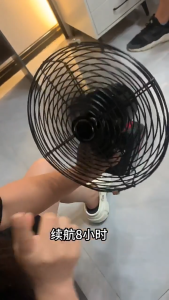
8 inches Rechargeable Desk Fan – High Power Adjustable Angle | Portable Lithium Battery Table Fan for Home & Outdoor

[VIDKHSY Store】WL081 7-Speed Electric Hand Mixer - Professional Baking Blender Portable Egg Beater Dough & Food Mixer High-Quality Coffee Blender for Baking
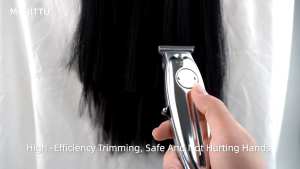
Kemei KM-1949 Professional Hair Clipper All Men Electric Metal Cordless Hair Clipper 0mm Canopy Head T Blade Finish Hair Cutting Machine-Silver
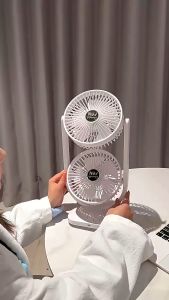
Stand Electric Fan Double Head New Dual Head USB Desktop Fan 360° Rotate Double Head Air Circulator Fan USB Charging 3 Wind Speed Fan Can Rotate Head for Office Bedroom Living Room

Cooling Spray 50ML instant Cooling Spray Cooling Body Spray Gently Heat relief Cool Spray Cooling factor

NEVIS Heavy-Duty Electric Jam Maker (Pure Copper Motor) - For Strawberry Tomato & Multi-Fruit
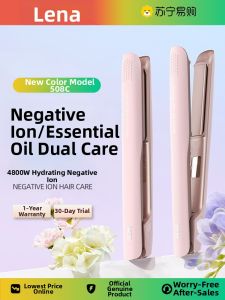
LENA | Ion Straight & Curling Hair Iron

Hengfa Lina Yoga Massage Roller: A Home Gym Fitness Tool
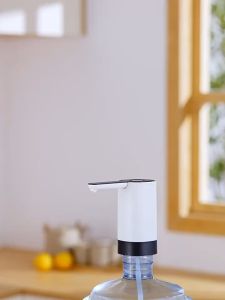
Universal Big Power Portable Detachable Water Bottle Dispenser USB-C Charging Automatic Drinking Water Pump
![[Free Fragrance Oil!] 4200ml 4.2L Dual Mist Ultrasonic Atomizer Humidifier | LED Night Light](https://img.lazcdn.com/g/ff/kf/S63355d22175f43129732a96de707dbe1J.jpg_300x300q80.jpg)
[Free Fragrance Oil!] 4200ml 4.2L Dual Mist Ultrasonic Atomizer Humidifier | LED Night Light