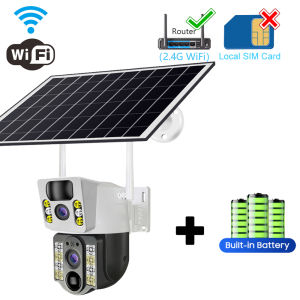
4K Ultra HD IP-type Wireless Smart Home Security Surveillance Camera with 4G SIM Card WIFI Solar Panel Outdoor Camera
4K Ultra HD IP-type Wireless Smart Home Security Surveillance Camera with 4G SIM Card WIFI Solar Panel Outdoor Camera
What is a 4K Ultra HD Wireless Smart Home Security Camera?
A 4K Ultra HD wireless smart home security camera is a cutting-edge surveillance device designed to provide high-definition video footage of your property. It combines advanced technology such as 4K Ultra HD resolution, wireless connectivity, and solar power to deliver a reliable and efficient security solution for your home.
Key Features & Benefits
-
4K Ultra HD Resolution: This camera captures crystal-clear images and videos with a resolution of 3840 x 2160 pixels, allowing you to see every detail in your surroundings.
-
Wireless Connectivity: With built-in Wi-Fi and 4G SIM card support, this camera can connect to your home network or cellular data network, providing flexibility and ease of use.
-
Solar Power: Equipped with a solar panel, the camera can harness energy from the sun, reducing power consumption and extending battery life.
-
IP Rating: This outdoor camera has an IP rating, making it resistant to dust, water, and extreme weather conditions.
-
Remote Access: Connect to the camera via a mobile app, allowing you to monitor your property from anywhere in the world.
-
Smart Home Integration: Compatible with popular smart home systems, this camera can work seamlessly with other devices in your home.
How It Works
The 4K Ultra HD wireless smart home security camera works by capturing video footage using its high-resolution sensor and transmitting the data through Wi-Fi or 4G SIM card. The footage is then stored on a cloud server or locally on your device, depending on your preference. You can access the camera's live stream or recorded videos using a mobile app, making it easy to monitor your property remotely.
Choosing the Right 4K Ultra HD Wireless Security Camera
When selecting a 4K Ultra HD wireless security camera, consider the following factors:
-
Resolution: Ensure the camera has a high enough resolution to capture clear images and videos.
-
Connectivity: Check if the camera supports both Wi-Fi and 4G SIM card connectivity for maximum flexibility.
-
Battery Life: Look for a camera with a solar panel to extend its battery life and reduce power consumption.
-
Weather Resistance: Choose a camera with an IP rating that suits your outdoor environment.
-
Compatibility: Ensure the camera is compatible with your smart home system and mobile app.
Top Brands & Models
Some popular brands and models of 4K Ultra HD wireless security cameras include:
-
Arlo Pro 3: Known for its high-resolution video quality and solar-powered battery life.
-
Ring Floodlight Cam Pro: Offers excellent night vision and weather resistance.
-
Wyze Cam v3: Provides affordable 1080p video quality and easy installation.
Installing Your 4K Ultra HD Wireless Smart Home Security Camera
To install your new camera, follow these steps:
-
Choose a suitable location for the camera, taking into account the camera's field of view and weather resistance.
-
Connect the camera to power, either through a solar panel or a power adapter.
-
Connect the camera to your Wi-Fi network or 4G SIM card.
-
Download the camera's mobile app and set up an account.
-
Follow the app's instructions to configure the camera settings and start monitoring your property.
Maximizing the Performance of Your 4K Ultra HD Wireless Security Camera
To get the most out of your camera, consider the following tips:
-
Optimize Camera Placement: Position the camera to cover the most critical areas of your property, such as entrances and exits.
-
Utilize Advanced Features: Take advantage of features like motion detection, two-way audio, and night vision to enhance your security system.
Troubleshooting Common Issues with 4K Ultra HD Wireless Security Cameras
If you encounter any issues with your camera, try the following solutions:
-
Connectivity Problems: Check if the camera is connected to the correct Wi-Fi network or 4G SIM card. Restart the camera and try reconnecting.
-
Image Quality Concerns: Adjust the camera's settings to improve image quality, such as adjusting the exposure or white balance.

PENTAPRIME
Review

You May Also Like
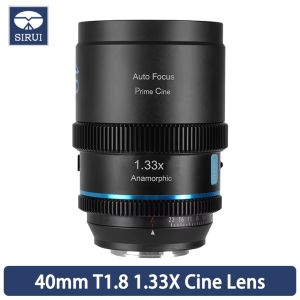
SIRUI 40mm T1.8 1.33X S35 Frame Autofocus Anamorphic Lens Cine lens Zoom Blue Flares

2025 Night King NK008 Infrared Night Vision Telescope High Definition Low Light High Configuration

Dahua CCTV Camera DH-HAC-EW2501N: A Comprehensive Guide
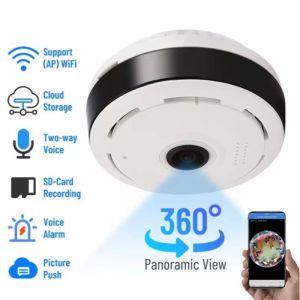
V380 Pro Wifi Panorama Camera 1080P Security Camera 360 Degree Panoramic Fisheye IP Camera Night Vision Surveillance Cam
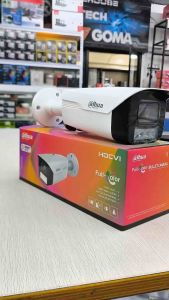
Dahua DH-HAC-HFW1239MHN-A-LED 2MP HDCVI Big Bullet Analog Full Color (24/7 Full Color Imaging) CCTV Camera
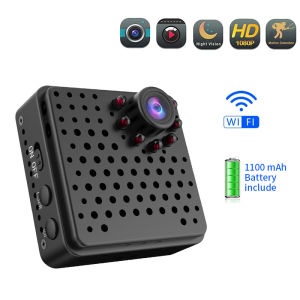
EKLEVA Mini Camera Wifi Wireless Full HD 1080P Home Security Micro Camcorder Battery Night Vision Motion Detection AP Hotspot Camera
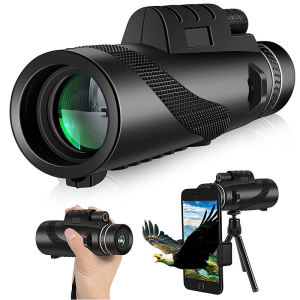
⚡PH deliveryIn stock⚡High Power Monocular Telescope 80X100 HD Long Range BAK4 Prism Night Vision Binocular with Tripod Phone Clip Outdoor【Outdoor Sports Goods】
SJCAM SJ5000X Elite: The Ultimate Motovlogging & Outdoor Sports Action Camera\\n\\nThe SJCAM SJ5000X Elite is a top-of-the-line action camera that combines cutting-edge technology with a sleek design to deliver exceptional performance for motovloggers, outdoor enthusiasts, and adventure seekers. This 12MP Wi-Fi action camera features gyro anti-shake technology, a 2.0\" screen dashcam, and a 30M waterproof design, making it the perfect companion for capturing your most thrilling moments.\\n\\n Key Features & Benefits\\n\\n High-Quality 12MP Wi-Fi Camera\\n\\nThe SJCAM SJ5000X Elite boasts a 12MP Wi-Fi camera, providing crystal-clear images and videos that will impress even the most discerning viewers. With its built-in Wi-Fi connectivity, you can easily transfer your media to your smartphone or tablet, making it simple to share your adventures with friends and family.\\n\\n Gyro Anti-Shake Technology\\n\\nSay goodbye to shaky footage with the SJCAM SJ5000X Elite's gyro anti-shake technology. This innovative feature stabilizes your videos, ensuring smooth and steady shots even during high-speed motovlogging or intense outdoor activities.\\n\\n 2.0\\\" Screen Dashcam & 30M Waterproof Design\\n\\nThe SJCAM SJ5000X Elite features a 2.0\\\" screen dashcam, allowing you to preview and review your footage on the go. Additionally, this action camera is designed to withstand depths of up to 30 meters, making it perfect for underwater sports and activities.\\n\\n Comprehensive Accessories Included\\n\\nThe SJCAM SJ5000X Elite comes with a wide range of accessories to enhance your motovlogging and outdoor experience. These include:\\n\\n* Waterproof housing\\n* Quick release buckle\\n* Various mounting options (handlebar seatpost pole mount, curved adhesive mount, flat adhesive mount, 3-way pivot arm mount)\\n* Protective lens cap cover\\n* Cleaning cloth\\n\\n How to Use SJCAM SJ5000X Elite Action Camera\\n\\nUsing the SJCAM SJ5000X Elite action camera is simple and straightforward. Follow these steps to get started:\\n\\n1. Setting up your camera: Unbox the SJCAM SJ5000X Elite and install the battery and memory card.\\n2. Connecting to Wi-Fi: Access the camera's settings menu and connect to your smartphone or tablet via Wi-Fi.\\n3. Exploring different shooting modes & settings: Experiment with various shooting modes and settings to find the perfect combination for your motovlogging or outdoor adventure.\\n4. Transferring & editing your videos & photos: Once you've captured your footage, transfer it to your smartphone or tablet via Wi-Fi, and use your preferred editing software to enhance your media.\\n\\n SJCAM SJ5000X Elite: Ideal for Motovlogging & Outdoor Activities\\n\\nThe SJCAM SJ5000X Elite is the perfect action camera for motovloggers and outdoor enthusiasts. With its high-quality 12MP Wi-Fi camera, gyro anti-shake technology, and 30M waterproof design, you can capture stunning footage of your adventures, whether you're riding a bike, exploring the great outdoors, or diving into the depths of the ocean.\\n\\n Capturing Action-Packed Videos & Photos While Riding\\n\\nThe SJCAM SJ5000X Elite is designed specifically for motovloggers, making it easy to capture action-packed videos and photos while riding. With its built-in Wi-Fi connectivity, you can easily transfer your media to your smartphone or tablet, allowing you to share your adventures with friends and family.\\n\\n Perfect Companion for Underwater Sports & Activities\\n\\nThe SJCAM SJ5000X Elite is designed to withstand depths of up to 30 meters, making it the perfect companion for underwater sports and activities. Whether you're scuba diving, snorkeling, or exploring the ocean floor, this action camera will capture every moment in stunning detail.\\n\\n Enhancing Your Vlogging Experience with SJCAM SJ5000X Elite\\n\\nThe SJCAM SJ5000X Elite is more than just an action camera – it's a tool for enhancing your vlogging experience. With its high-quality 12MP Wi-Fi camera, gyro anti-shake technology, and comprehensive accessories, you can create professional-grade content that will impress even the most discerning viewers.\\n\\nIn conclusion, the SJCAM SJ5000X Elite is the ultimate action camera for motovloggers and outdoor enthusiasts. With its high-quality 12MP Wi-Fi camera, gyro anti-shake technology, and 30M waterproof design, this action camera is the perfect companion for capturing your most thrilling moments. Whether you're riding a bike, exploring the great outdoors, or diving into the depths of the ocean, the SJCAM SJ5000X Elite will help you create professional-grade content that will impress even the most discerning viewers.\"\n}
North Star Mall Telescope original 10-380X100 High Magnification Long Range Zoom 10-60 Times Telescope Binoculars HD Professiona Zoom
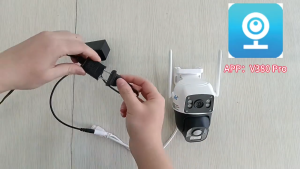
CCTV Camera V380 Pro Dual Lens Auto Tracking PTZ 8MP 4G Sim Card IP66 Waterproof Outdoor Two Ways Audio and Speaker AI Motion Dection Video Surveillance Camera

IMOU CUE 2 Indoor Smart Security Camera CCTV Camera Baby Pet Monitor / 2-Way Audio | 2-Year Warranty