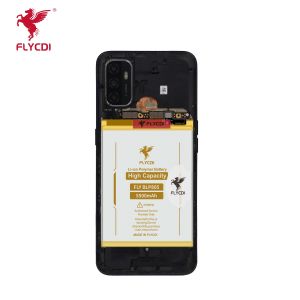
FLYCDI Battery for Realme 9 Pro Plus | RMX3392 RMX3393 BLP837
FLYCDI Battery for Realme 9 Pro Plus | RMX3392 RMX3393 BLP837
Understanding the Realme 9 Pro Plus Battery Replacement
Replacing the battery of your Realme 9 Pro Plus can be a daunting task, but with the right guidance, it can be a straightforward process. The FLYCDI battery is designed specifically for the Realme 9 Pro Plus, making it an ideal choice for those looking to extend the life of their device. In this guide, we will walk you through the key features of the FLYCDI battery, how to replace the battery on your Realme 9 Pro Plus, and tips for extending your battery life.
Key Features of the FLYCDI Battery
The FLYCDI battery for the Realme 9 Pro Plus comes with several features that make it a top choice for users looking to upgrade their device's battery life. Some of the key features include:
- High-Quality Construction: The FLYCDI battery is made using high-quality materials that ensure optimal performance and longevity.
- Compatibility: The battery is compatible with the Realme 9 Pro Plus, ensuring a seamless replacement experience.
- Durability: The battery is built to last, providing reliable power for your device.
How to Replace the Battery on Your Realme 9 Pro Plus
Replacing the battery on your Realme 9 Pro Plus is a relatively simple process, but it does require some technical knowledge. Here are the steps to follow:
- Power off your device and remove the SIM card tray.
- Use a plastic opening tool to gently pry open the back cover of your device.
- Disconnect the battery connector from the motherboard.
- Remove the old battery and replace it with the new FLYCDI battery.
- Reconnect the battery connector and reassemble your device.
Choosing the Right Battery for Your Realme 9 Pro Plus
Choosing the right battery for your Realme 9 Pro Plus is crucial to ensure optimal performance and longevity. In this section, we will discuss how to identify compatible batteries and verify high-quality Realme batteries.
Identifying Compatible Batteries
When looking for a battery replacement for your Realme 9 Pro Plus, it is important to choose a battery that is compatible with your device. The FLYCDI battery is specifically designed for the Realme 9 Pro Plus, making it a great choice for users looking to upgrade their device's battery life. To identify compatible batteries, look for the model number RMX3392 RMX3393 BLP837 on the packaging or product description.
Verifying High-Quality Realme Batteries
Verifying the quality of a Realme battery is crucial to ensure optimal performance and longevity. Some tips for verifying high-quality Realme batteries include:
- Check the manufacturer: Only purchase batteries from reputable manufacturers to ensure the highest quality.
- Look for certifications: Check if the battery has been certified by recognized organizations, such as UL or CE.
- Check the warranty: Look for batteries with a warranty to ensure you are protected in case of any issues.
Tips for Extending Your Realme 9 Pro Plus Battery Life
Extending the battery life of your Realme 9 Pro Plus is important to ensure optimal performance and longevity. In this section, we will discuss some best practices for battery maintenance and how to optimize battery usage on your Realme 9 Pro Plus.
Best Practices for Battery Maintenance
Some best practices for battery maintenance include:
- Avoid extreme temperatures: Keep your device away from extreme temperatures, as they can damage the battery.
- Charge your device regularly: Charge your device regularly to keep the battery healthy.
- Use the original charger: Use the original charger that came with your device to ensure optimal charging performance.
How to Optimize Battery Usage on Your Realme 9 Pro Plus
Optimizing battery usage on your Realme 9 Pro Plus can help extend the battery life of your device. Some tips for optimizing battery usage include:
- Reduce screen brightness: Lowering the screen brightness can help extend the battery life of your device.
- Disable unnecessary apps: Disabling apps that run in the background can help conserve battery life.
- Use power-saving mode: Using power-saving mode can help extend the battery life of your device.

FLYCDI Outlet store
Review

You May Also Like

Retro Brown Bear Coffee iPhone 16 pro Max Case Womens Style Protective Shell Customizable Apple 15 Case Simple Personality

Creative Blue Star And Red Apple Print Phone Case Fashionable Ins Design Protective Shell for Apple 16 pro Iphone 15 pro Max 14 13 Anti-Fall
Nissan Daya Qidaan Bluebird Skyline Liwei Yida Chair under Air Outlet Protection Cover Air Conditioner Cover Modification
82mm 3Pin Video Card Cooling Fan For GTX1650 SUPER ITX MINI Graphics Card Coolers Fan Gaming Radiators Replacement

CARD CASE SAMSUNG S22 ULTRA PLUS COD SALE ON HAND
Lightweight Thin Redmi SE 8.7 Inch Tablet Protective Case Anti-Fall Soft Shell for Xiaomi Tablet Handheld Protection Cover
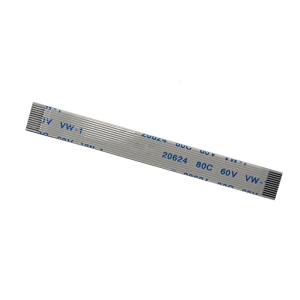
Mouse Flexible Cable For G600 Game Mouse Flexible Cord Side Key Mainboard Circuit Board Wire
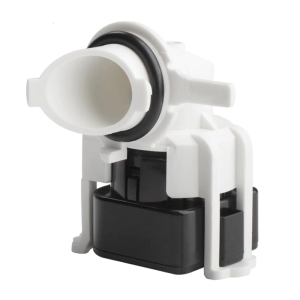
Advanced Dishwasher Pressure Sensor Replacement Part Water Flow Monitor Extended Lifespans Installation Friendly

Infinix Zero 5G Hot 50i 40 40i 40Pro 30 30i 30play 20 20s 20i 12i 11s NFC 10s 10i 20 12 11 10 9 Play Smart 9 8 7 6 6hd 6+ 5 5pro 4 Note 40 30 VIP 12 12pro 11 11s 11pro 10 10pro 7lite 7 8 Matte Ceramic Film Screen Protectors

8Pcs Universal Washing Machine Foot Pad: Anti-Vibration & Noise-Reducing Solutions
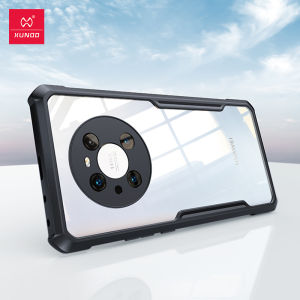
Xundd Huawei Mate 40 Pro Case Shockproof Bumper Phone Cover