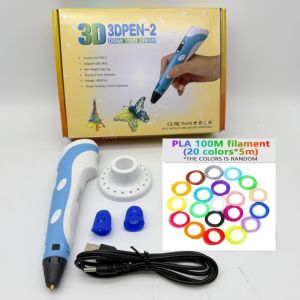
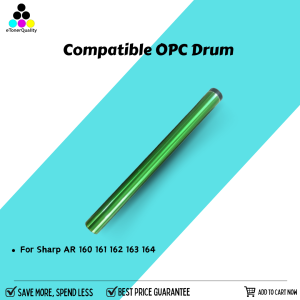
ETQ Compatible OPC Drum For Sharp AR160 AR161 AR162 AR162S AR163 AR164 Copier
ETQ Compatible OPC Drum For Sharp AR160 AR161 AR162 AR162S AR163 AR164 Copier
What Are AR162S Copier Accessories?
The AR162S copier accessories are designed specifically for Sharp AR160, AR161, AR162, AR162S, AR163, and AR164 copiers. These accessories include essential components like toner cartridges, fuser kits, and OPC drums. Among these, the OPC drum plays a crucial role in the printing process by transferring the toner onto the paper.
Understanding AR163 & AR164 Printer Parts
The AR163 and AR164 printer parts are compatible with Sharp AR160, AR161, AR162, AR162S, AR163, and AR164 copiers. These printer parts include various components such as toner cartridges, fuser kits, and OPC drums. It is essential to choose the right printer parts to ensure optimal performance and longevity of your copier.
Benefits of Using Original Sharp AR160-162 Copier Parts
Using original Sharp AR160-162 copier parts offers several advantages:
- High-Quality Output: Original Sharp copier parts guarantee consistent print quality and color accuracy.
- Longevity: Original Sharp copier parts are designed to last longer, reducing the frequency of replacements.
- Reliability: Original Sharp copier parts are rigorously tested to ensure reliable performance.
How to Choose the Right OPC Drum for Sharp Copiers
Choosing the right OPC drum for your Sharp copier is essential for maintaining optimal print quality and longevity. Here are some factors to consider when selecting an OPC drum:
- Compatibility: Ensure the OPC drum is compatible with your specific Sharp copier model.
- Quality: Opt for high-quality OPC drums from reputable manufacturers.
- Price: Compare prices of different OPC drums to find the best value for your budget.
Identifying Compatible OPC Drum Models
To identify compatible OPC drum models for your Sharp copier, refer to the user manual or consult the manufacturer's website. Some common compatible OPC drum models for Sharp AR160, AR161, AR162, AR162S, AR163, and AR164 copiers include:
- ETQ Compatible OPC Drum: This OPC drum is designed to be compatible with Sharp AR160, AR161, AR162, AR162S, AR163, and AR164 copiers.
Comparing ETQ Compatible OPC Drum & Original Sharp AR160-162 Drum
When comparing the ETQ compatible OPC drum and the original Sharp AR160-162 drum, consider the following factors:
- Print Quality: Both OPC drums offer high-quality prints, but the original Sharp AR160-162 drum may provide slightly better print quality due to its optimized design.
- Price: The ETQ compatible OPC drum is generally less expensive than the original Sharp AR160-162 drum.
- Longevity: Both OPC drums have similar lifespans, but the original Sharp AR160-162 drum may last slightly longer due to its higher quality materials.
Installing & Replacing OPC Drums for Sharp AR160-164 Copiers
Installing and replacing OPC drums for Sharp AR160-164 copiers is a straightforward process. Follow these steps to install an ETQ compatible OPC drum:
- Turn off the copier and unplug it from the power source.
- Open the copier's front cover and locate the OPC drum compartment.
- Remove the old OPC drum and discard it properly.
- Insert the new ETQ compatible OPC drum into the compartment.
- Close the copier's front cover and plug it back into the power source.
Step-by-Step Guide to Install ETQ Compatible OPC Drum
Follow this step-by-step guide to install an ETQ compatible OPC drum for your Sharp AR160-164 copier:
- Turn off the copier and unplug it from the power source.
- Open the copier's front cover and locate the OPC drum compartment.
- Remove the old OPC drum and discard it properly.
- Insert the new ETQ compatible OPC drum into the compartment.
- Close the copier's front cover and plug it back into the power source.
Troubleshooting Common Issues with Sharp AR160-164 Copier OPC Drums
If you encounter issues with your Sharp AR160-164 copier OPC drums, try the following troubleshooting steps:
- Check Compatibility: Ensure the OPC drum is compatible with your specific Sharp copier model.
- Inspect Connections: Check if all connections are secure and properly aligned.
- Clean the Drum: Clean the OPC drum using a lint-free cloth and mild cleaning solution.
Maintaining Sharp AR160-164 Copier Performance with ETQ Compatible OPC Drum
To maintain optimal performance of your Sharp AR160-164 copier with an ETQ compatible OPC drum, follow these regular maintenance tips:
- Clean the Copier: Regularly clean the copier's exterior and interior components using a lint-free cloth.
- Replace Worn-Out Parts: Replace worn-out parts like toner cartridges and fuser kits to ensure consistent print quality.
- Monitor Drum Usage: Monitor the usage of the OPC drum and replace it when necessary to avoid compromising print quality.
Regular Maintenance Tips for Sharp AR160-164 Copiers
To keep your Sharp AR160-164 copier running smoothly, follow these regular maintenance tips:
- Clean the Copier: Regularly clean the copier's exterior and interior components using a lint-free cloth.
- Replace Worn-Out Parts: Replace worn-out parts like toner cartridges and fuser kits to ensure consistent print quality.
- Monitor Drum Usage: Monitor the usage of the OPC drum and replace it when necessary to avoid compromising print quality.
Extending the Life of Your ETQ Compatible OPC Drum
To extend the life of your ETQ compatible OPC drum, follow these tips:
- Use High-Quality Toner: Use high-quality toner cartridges to prevent clogging and maintain optimal print quality.
- Avoid Overuse: Avoid overusing the OPC drum by replacing it when necessary to avoid compromising print quality.
- Store Properly: Store the OPC drum in a cool, dry place to prevent damage from extreme temperatures.

eTonerQuality Reference Number: 250919-16162227
Review

You May Also Like
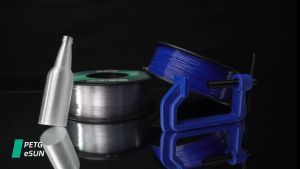
eSUN PETG Filament 1kg 1.75mm: A High-Quality 3D Printing Solution
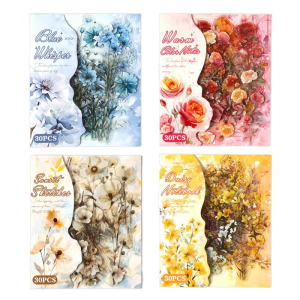
Sticker 30 Sheets PET Film
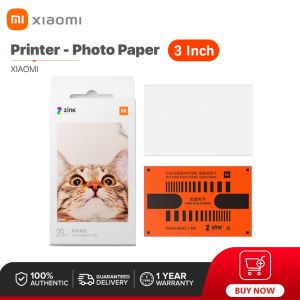
Xiaomi Portable Photo Printer Paper: A Comprehensive Guide
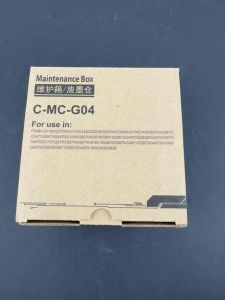
Maintenance Box MC G04 MC-G04 for Canon Pixma G1730 G2730 G3730 G4770
Epson 664 Inks: Compatible Options for L1300 & L200-L565 Printers

Gezhige LQ790K Ribbon Compatible with Epson EPSON LQ-790K Ribbon Holder S015630 Ribbon Frame naihaochiphjasdb
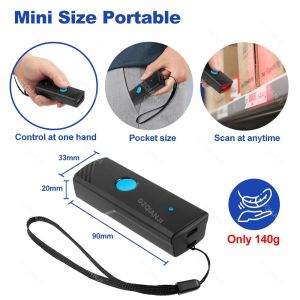
Handheld 3-in-1 Barcode Scanner 1D/2D/QR Bar Code Reader Bluetooth 2.4G Wireless USB Wired Connection for Supermarket Storage
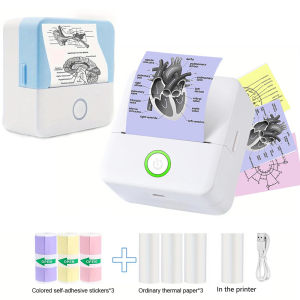
Wireless Mini Thermal Printer Wireless Mini Thermal Printer Portable Label Maker 200dpi High Resolution USB Rechargeable
PrintYourStyle QUAFF Dye Ink UV Ink 100ml Universal Dye Ink for All Printers
QUAFF Magic photo00 Dye Ink for All Types of Inkjet Printer 100ml
Heat Resistant PEI Build Plate P1S Textured Smooth for P1S P1C X1C 3D Printers Stable 3D Printing Bed